

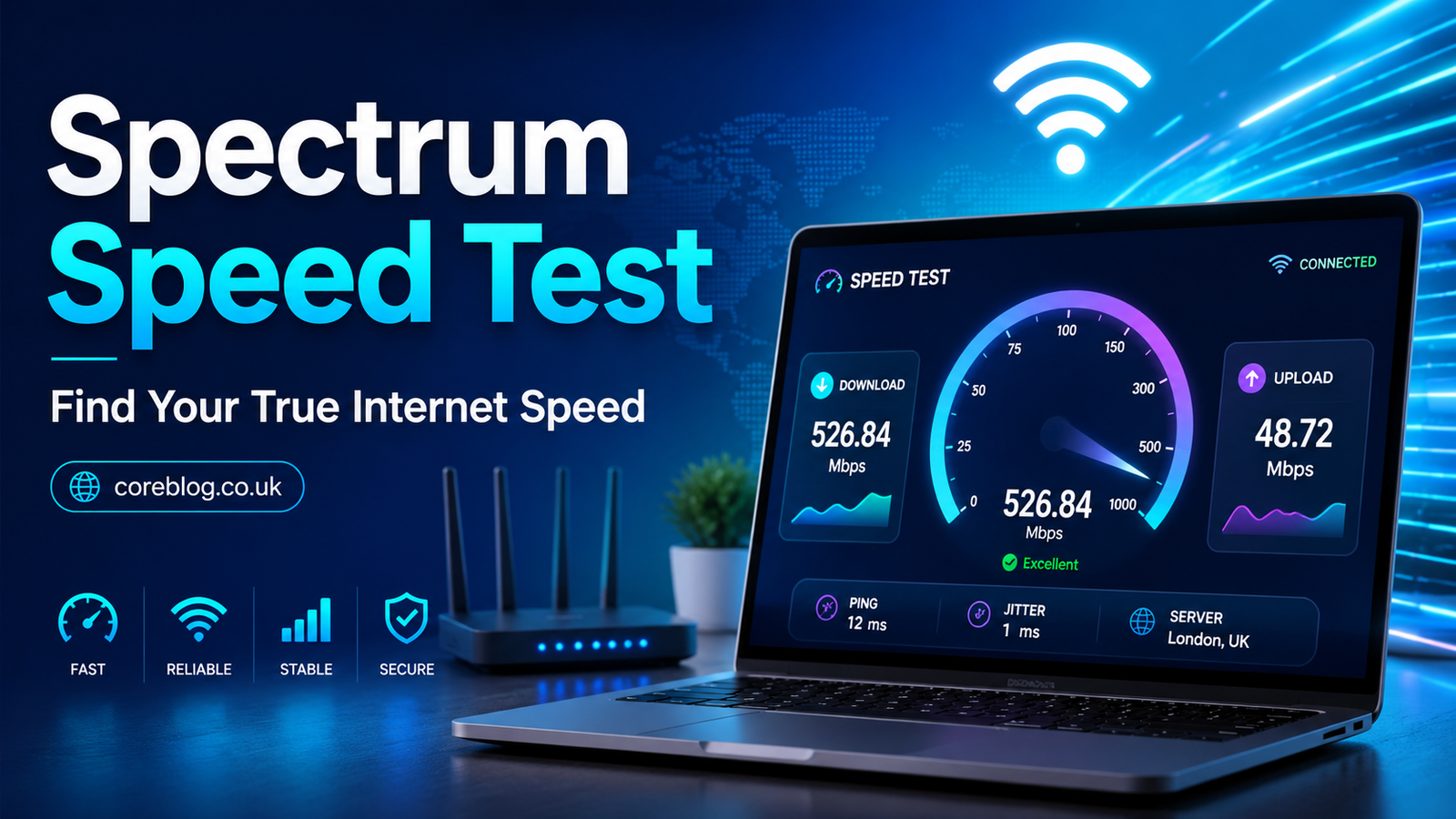
Spectrum Speed Test: Find Your True Internet Speed
Slow internet has a special way of testing your patience. One moment you are watching a movie, joining a video call, downloading a file, or playing an online game. The next moment, everything freezes, buffers, or lags at the worst possible time. That is when most people ask the same question: “Is my internet actually slow, or is something wrong with my device?”
This is exactly where a Spectrum Speed Test becomes useful.
A speed test is not just a random number on a screen. It gives you a clear look at your connection performance. It shows how fast your internet downloads data, how quickly it uploads files, and how responsive your network is. In simple words, it helps you understand whether your internet connection is performing the way it should.
Many people pay for a fast internet plan but never check if they are getting the expected speed. Others blame their provider when the real issue is the router, WiFi signal, old device, network congestion, or poor placement of equipment. A Spectrum Speed Test helps separate guesswork from reality.
In this guide, we will walk through what a speed test means, how to run it correctly, what the results tell you, and how to improve your internet speed at home. Whether you stream movies, work remotely, attend online classes, play games, or simply browse social media, knowing your true internet speed can save you time, stress, and frustration.
What Is a Spectrum Speed Test?
A Spectrum Speed Test is a simple online tool that measures the performance of your internet connection. It checks how quickly data moves between your device and a nearby server. The test usually measures three important things: download speed, upload speed, and ping.
Download speed shows how fast your connection receives data. This matters when you stream videos, load websites, download apps, watch live sports, or scroll through content-heavy pages.
Upload speed shows how fast your connection sends data. This is important for video calls, sending large files, uploading videos, cloud backups, online meetings, and remote work.
Ping, also called latency, shows how quickly your device gets a response from the server. This matters a lot for online gaming, video conferencing, live streaming, and real-time apps.
A Spectrum Speed Test gives you a snapshot of your internet connection at that moment. It does not tell the full story of your network all day, but it gives you a strong starting point. If you test at different times, you can spot patterns and understand when your internet performs best or worst.
Why You Should Run a Spectrum Speed Test
Most people only test their internet speed when something feels wrong. That makes sense, but running a Spectrum Speed Test regularly can help you stay ahead of problems.
Your internet speed can change due to many reasons. Too many connected devices, weak WiFi signal, outdated router firmware, damaged cables, background downloads, poor modem placement, or heavy neighborhood usage can all affect performance.
Here are some common reasons to run a speed test:
- Your video keeps buffering
- Web pages load slowly
- Online games feel laggy
- Video calls freeze or drop
- Downloads take longer than expected
- Smart TVs or streaming apps keep loading
- Work-from-home tools feel unstable
- Your WiFi feels slower in certain rooms
- You recently upgraded your internet plan
- You want to compare wired and wireless speeds
In addition, a Spectrum Speed Test can help you check whether the issue is your internet service or your home network setup. Sometimes the connection coming into your home is fine, but the WiFi signal inside the house is weak. That is a very different problem, and it requires a different fix.
How Spectrum Speed Test Results Work
Speed test results may look simple, but each number has a meaning. Once you understand these numbers, it becomes easier to know what is normal and what needs attention.
Download Speed
Download speed is usually the number people care about most. It tells you how fast your device can receive data from the internet. This affects streaming, browsing, downloading files, loading images, watching videos, and opening apps.
Download speed is measured in Mbps, which stands for megabits per second. A higher number usually means faster performance.
For example, if your download speed is strong, your streaming apps should load quickly, HD videos should play smoothly, and websites should open without much delay. However, if the download speed is low, you may notice buffering, slow page loading, and poor video quality.
Upload Speed
Upload speed shows how fast your device sends data to the internet. Many people overlook upload speed, but it matters more than ever.
If you work from home, upload videos, attend Zoom meetings, send large files, use cloud storage, or play online games, upload speed can make a big difference. A slow upload speed can cause blurry video calls, delayed audio, failed file uploads, and poor live streaming quality.
A Spectrum Speed Test helps you see whether your upload speed is enough for your daily needs.
Ping and Latency
Ping measures response time. It is shown in milliseconds, often written as ms. A lower ping means a faster response.
For normal browsing and streaming, ping may not feel very important. However, for online gaming, video calls, and live communication, it matters a lot. High latency can cause lag, delays, and poor real-time performance.
If your download speed looks fine but your game still lags, ping could be the problem.
Jitter
Some speed tests also show jitter. Jitter measures how much your ping changes during the test. A stable connection usually has low jitter. High jitter can cause choppy video calls, uneven audio, and unstable gaming performance.
Jitter is especially important if you use voice calls, online meetings, or live streaming tools.
What Is a Good Internet Speed?
A good internet speed depends on what you do online. Not every household needs the same speed. Someone who only checks emails and browses websites needs much less bandwidth than a family streaming 4K videos, gaming online, and working remotely at the same time.
Here is a simple guide:
| Online Activity | Suggested Speed |
|---|---|
| Basic browsing and email | 5–10 Mbps |
| HD video streaming | 10–25 Mbps |
| 4K streaming | 25 Mbps or higher |
| Online gaming | 25 Mbps or higher with low ping |
| Video calls | 10–20 Mbps |
| Remote work | 25–100 Mbps |
| Multiple users and smart devices | 100 Mbps or higher |
| Large downloads and uploads | 200 Mbps or higher |
These numbers are general guidelines. Your actual needs depend on how many people and devices use the internet at the same time. A household with phones, laptops, smart TVs, tablets, gaming consoles, security cameras, and smart speakers will need more bandwidth than one person using a single laptop.
That is why a Spectrum Speed Test is helpful. It gives you real numbers instead of guesses.
How to Run a Spectrum Speed Test Correctly
Running a speed test is easy, but running it correctly takes a little care. If you test the wrong way, your results may look worse than your actual connection.
Step 1: Restart Your Device
Before testing, restart the device you are using. This clears temporary issues and gives you a cleaner result. It is not always necessary, but it can help.
Step 2: Close Extra Apps
Close apps, browser tabs, downloads, cloud backups, streaming services, and background updates. These can use bandwidth during the test and lower your results.
Step 3: Test Near the Router
For the first test, stand close to your WiFi router. This helps you check your best wireless speed. If the result is good near the router but poor in another room, the problem is likely WiFi coverage.
Step 4: Use a Wired Connection
For the most accurate result, connect your computer directly to the router with an Ethernet cable. A wired connection removes many WiFi problems from the test.
A wired Spectrum Speed Test often gives better results than a wireless one because WiFi can be affected by walls, distance, interference, and device quality.
Step 5: Run the Test More Than Once
Do not rely on a single result. Test two or three times. Also, test at different times of the day. Internet speed can change during busy hours, especially in the evening when many people are streaming, gaming, and browsing.
Step 6: Compare Results
Compare your results with your expected plan speed. Keep in mind that WiFi speeds are often lower than wired speeds. Also, older devices may not support higher speeds even if your internet plan is fast.
Why Your Spectrum Speed Test May Show Slow Results
A slow result does not always mean your internet provider is failing. Many things inside your home can reduce speed.
Weak WiFi Signal
WiFi signal gets weaker with distance. Walls, floors, furniture, appliances, and even mirrors can affect wireless performance. If your router is far from your device, your speed may drop.
Too Many Connected Devices
Every connected device uses part of your bandwidth. Phones, laptops, smart TVs, tablets, cameras, gaming systems, and smart home devices can all slow things down, especially if several are active at the same time.
Old Router or Modem
Older routers may not support newer speeds. Even if your internet plan is fast, your equipment may create a bottleneck. This is common in homes that have not upgraded equipment for several years.
Poor Router Placement
Router location matters more than many people think. If your router is hidden in a cabinet, placed on the floor, tucked behind furniture, or located in a corner of the house, your WiFi signal may suffer.
Background Downloads
Large downloads, system updates, cloud backups, and streaming apps can quietly use bandwidth. If these are running during your Spectrum Speed Test, your result may look lower.
Network Congestion
Internet can slow down during peak usage hours. Evenings are often busier because more people are online. If your speed is strong in the morning but weak at night, congestion may be part of the issue.
Device Limitations
Some older phones, laptops, and tablets cannot handle very fast speeds. In that case, your speed test result may reflect your device’s limit rather than your actual internet connection.
How to Improve Your Internet Speed After Testing
Once you run a Spectrum Speed Test, the next step is to improve your connection if the numbers look weak.
Move Your Router to a Better Spot
Place your router in a central, open location. Keep it off the floor and away from thick walls, metal objects, microwaves, cordless phones, and large appliances. A higher shelf often works better than a low cabinet.
Restart Your Router and Modem
This simple fix works more often than people expect. Restarting your router and modem can clear temporary network issues. Unplug the power, wait about 30 seconds, and plug it back in.
Use Ethernet for Important Devices
If you work from home, game online, or stream in 4K, use a wired Ethernet connection when possible. It is more stable than WiFi and usually gives better speed and lower latency.
Update Your Router
Router firmware updates can improve performance, security, and stability. Many modern routers update automatically, but some need manual updates through the settings page.
Reduce Connected Devices
Disconnect devices you are not using. Also, pause large downloads when you need better performance for calls, gaming, or streaming.
Use the Right WiFi Band
Most modern routers offer different WiFi bands. The 2.4 GHz band covers longer distances but is usually slower. The 5 GHz band is faster but has shorter range. Some newer routers also support 6 GHz, which can offer strong performance with compatible devices.
If you are close to the router, 5 GHz may give better speed. If you are far away, 2.4 GHz may be more stable.
Consider a Mesh WiFi System
If your home has dead zones, thick walls, or multiple floors, a mesh WiFi system can help. Mesh systems use multiple units to spread coverage across the home. This can improve speed in rooms where the signal is weak.
Check Your Cables
Loose, old, or damaged cables can affect performance. Make sure your coaxial cable, Ethernet cable, and power connections are secure.
Upgrade Your Plan If Needed
Sometimes your internet is working fine, but your plan is no longer enough for your household. If several people stream, work, game, and use smart devices at the same time, you may need more bandwidth.
A Spectrum Speed Test can help you decide whether your current speed is enough or whether an upgrade makes sense.
Spectrum Speed Test for Streaming
Streaming is one of the most common reasons people check internet speed. Nobody likes buffering during a movie, sports match, or favorite show.
For smooth streaming, download speed matters most. HD streaming usually needs a decent connection, while 4K streaming needs more bandwidth. If multiple people stream at the same time, your household needs even more speed.
If your streaming app keeps lowering video quality, pausing, or loading slowly, run a Spectrum Speed Test near your TV or streaming device. This shows the speed that device is actually receiving.
If the speed is low near the TV but high near the router, the issue is likely WiFi range. In that case, moving the router, using Ethernet, or adding mesh WiFi may help.
Spectrum Speed Test for Gaming
Gamers need more than just high download speed. They also need low ping and stable latency. A fast download speed does not always mean a smooth gaming experience.
Online games depend on quick communication between your device and the game server. If ping is high, your actions may feel delayed. If jitter is high, gameplay may feel unstable.
When running a Spectrum Speed Test for gaming, focus on:
- Ping
- Jitter
- Download speed
- Upload speed
- Connection stability
For best results, use Ethernet instead of WiFi. Also, avoid large downloads or streaming in the background while gaming.
Spectrum Speed Test for Remote Work
Remote work has made reliable internet more important than ever. Video meetings, file sharing, cloud apps, project tools, and online communication all depend on a stable connection.
If your video calls freeze, your audio cuts out, or your files upload slowly, run a Spectrum Speed Test from your work device. This gives you a better idea of what your laptop or desktop is actually experiencing.
For remote work, upload speed and latency matter a lot. A poor upload speed can make your video look blurry to others, even if your download speed seems fine.
To improve work-from-home performance, sit closer to the router, use Ethernet, close unused apps, and avoid streaming during important meetings.
Common Mistakes People Make During a Speed Test
A speed test is simple, but small mistakes can lead to confusing results.
Testing on Weak WiFi
If you test from a room with poor signal, your result may look bad even if your actual connection is strong. Always test near the router first.
Testing While Streaming
If someone in your home is watching 4K video or downloading a game, your speed test result may be lower. Try testing when network activity is quiet.
Using an Old Device
Older devices may not show full speed. Test on a newer device when possible.
Expecting WiFi to Match Wired Speed
WiFi is convenient, but it usually does not match Ethernet performance. Walls, distance, and interference can all reduce speed.
Testing Only Once
One result is not enough. Test multiple times and compare.
How Often Should You Run a Spectrum Speed Test?
You do not need to test your internet every day, but it is smart to check it from time to time.
Run a Spectrum Speed Test when:
- Your internet feels slower than usual
- You upgrade your plan
- You change your router
- You move your router
- You add a mesh system
- You notice buffering or lag
- You set up a new work-from-home space
- You want to compare rooms in your house
Testing once a month is also a good habit. It helps you understand your normal speed and spot changes early.
Understanding WiFi Speed vs Internet Speed
Many people confuse WiFi speed with internet speed. They are related, but they are not the same.
Internet speed is the connection coming into your home. WiFi speed is how that connection travels wirelessly from your router to your device.
You may have a strong internet connection but weak WiFi in certain rooms. In that case, your Spectrum Speed Test result may be low because of WiFi coverage, not because of the internet service itself.
This is why testing with Ethernet is so useful. If Ethernet speed is strong but WiFi speed is weak, you know the issue is your wireless setup.
Best Tips for More Accurate Speed Test Results
For the cleanest results, follow these tips:
- Use a wired Ethernet connection
- Restart your modem and router before testing
- Close background apps
- Pause downloads and uploads
- Test on a modern device
- Run the test several times
- Test at different times of day
- Compare WiFi and wired results
- Test in different rooms
- Save your results for reference
These steps help you avoid false results and give you a more honest view of your connection.
When Should You Contact Support?
If you have tested carefully and your speed is still much lower than expected, it may be time to contact customer support.
Before reaching out, write down:
- Your download speed
- Your upload speed
- Your ping
- The time of day you tested
- Whether you used WiFi or Ethernet
- The device you used
- How many devices were connected
- Any error messages or service issues
This information helps explain the problem clearly. It also shows that you have already done basic troubleshooting.
Final Thoughts
A Spectrum Speed Test is one of the easiest ways to understand what is really happening with your internet connection. Instead of guessing why your videos buffer, your games lag, or your calls freeze, you can look at real numbers and make better decisions.
The most important thing is to test the right way. Use Ethernet when possible, test more than once, check different rooms, and compare your results over time. If your speed is strong near the router but weak across the house, your WiFi setup may need attention. If your wired speed is also low, then the issue may be deeper.
Good internet is not just about having a fast plan. It is about having a stable, reliable connection that works well for your daily life. Streaming, gaming, remote work, online classes, smart home devices, and simple browsing all depend on it.
So, the next time your connection feels slow, do not just refresh the page and hope for the best. Run a Spectrum Speed Test, read the results, and take action. A few small changes can make your internet faster, smoother, and far less frustrating.
If this guide helped you understand your internet speed better, share it with someone who keeps complaining about slow WiFi. You can also leave a comment with your speed test results and what fixed your connection.













Leave a Reply