

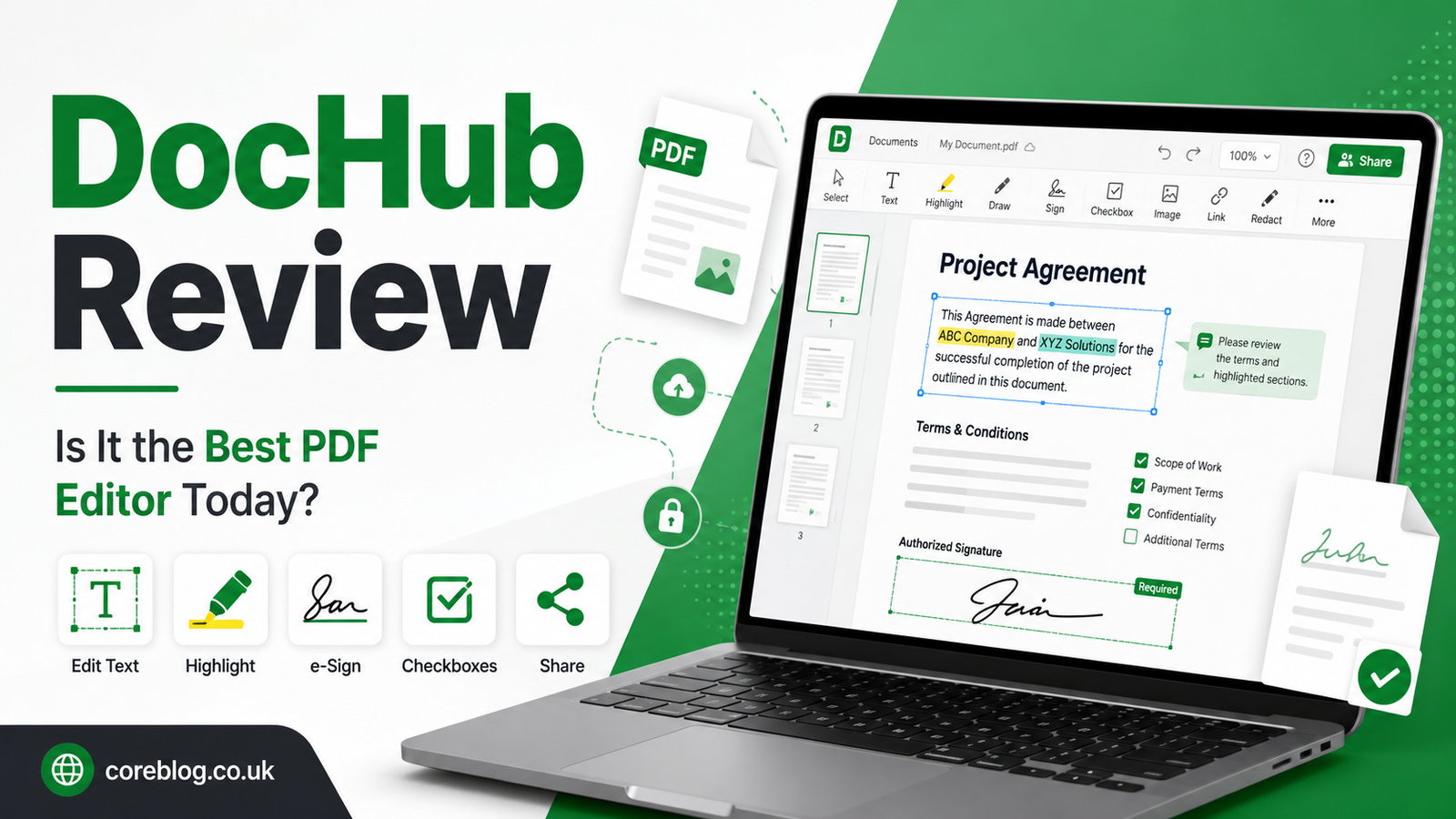
DocHub Review: Is It the Best PDF Editor Today?
There is something oddly frustrating about a PDF. It looks simple. It opens easily. It feels like a finished document. Then the moment you need to edit a sentence, add a signature, fill a form, or send it back quickly, things suddenly become annoying.
That is where tools like DocHub come in.
In this DocHub Review, we are going to look at what DocHub actually does, who it is best for, where it feels useful, and where it may not be the perfect fit. I have seen many PDF tools promise everything, but only a few keep the process simple enough for everyday users. Some tools feel too heavy. Some are expensive. Some hide basic features behind confusing menus.
DocHub takes a different route. It focuses on editing, signing, filling, sharing, and managing documents online without making the user feel lost. That sounds simple, but for students, freelancers, teachers, business owners, real estate workers, HR teams, and remote professionals, that simplicity can save a lot of time.
So, is DocHub the best PDF editor today? The answer depends on what you need. However, if you want a clean, browser-based PDF editor with eSignature tools and cloud integrations, DocHub deserves serious attention.
Let’s break it down in a practical, human way.
What Is DocHub?
DocHub is an online PDF editor and document signing platform. It allows users to edit PDFs, fill out forms, add signatures, request signatures, create templates, share files, and manage documents from a web browser.
In simple words, DocHub helps you handle digital paperwork without printing, scanning, or downloading complicated software.
You can use it for many common tasks, such as:
- Editing PDF text
- Adding signatures
- Filling out forms
- Creating reusable document templates
- Annotating files
- Adding checkboxes and text fields
- Sharing documents with others
- Sending signature requests
- Importing files from cloud storage
- Exporting completed documents
This DocHub Review focuses on the real-world use of the platform, not just a list of features. Because honestly, a tool can have many features and still feel painful to use. The real question is whether DocHub makes your document workflow easier.
In many cases, it does.
Why People Search for a DocHub Review
People usually search for a DocHub Review because they are tired of slow document work. Maybe they need to sign a PDF quickly. Maybe they run a small business and want to collect signatures from clients. Maybe they work with Google Drive and want a PDF editor that fits into that workflow.
Some users want a free PDF editor. Others want an affordable alternative to bigger document platforms. And some simply want to know whether DocHub is safe, easy, and worth using.
That is why this review matters. PDF editors are not just “nice to have” anymore. They are part of daily work.
Think about how often people deal with documents:
- Job applications
- School forms
- Client contracts
- Rental agreements
- Tax documents
- Medical forms
- Invoices
- Permission slips
- Business proposals
- Legal paperwork
- Remote work files
A good PDF editor saves time. A bad one creates stress. This is why choosing the right document management tool is important.
DocHub Review: First Impression
The first thing you notice about DocHub is that it feels fairly easy to understand. You do not need to be a tech expert to use it. The layout is simple, and most tools are where you expect them to be.
You upload a PDF, open it, and start working. You can add text, highlight content, insert images, draw, sign, add fields, or share the file.
That matters because not every user wants advanced document software. Many people just want to get the job done. In this area, DocHub performs well.
The platform is especially useful for people who work inside Google Workspace. If you often use Gmail, Google Drive, or Google Docs, DocHub feels like a natural extension of that workflow. Instead of downloading files, editing them somewhere else, and uploading them again, you can manage more of the process online.
This DocHub Review gives the platform strong points for ease of use.
Key Features of DocHub
DocHub includes many features that make PDF editing and document signing smoother. Here are the main ones worth knowing.
PDF Editing
PDF editing is the core feature. With DocHub, you can make common changes to PDF files without using desktop software.
You can:
- Add new text
- Edit form fields
- Highlight important lines
- Insert images
- Add comments
- Draw directly on the document
- Use whiteout tools
- Add shapes
- Organize pages
- Rotate pages
- Add checkmarks and symbols
For basic and moderate editing, DocHub works well. It is not trying to be a heavy design tool. Instead, it focuses on practical document edits.
For example, if you receive a form with missing fields, you can quickly add text. If a client sends a contract and asks for initials, you can add them. If a teacher needs to mark a worksheet, the annotation tools are useful.
In this DocHub Review, PDF editing is one of the biggest reasons people may choose the platform.
Electronic Signatures
One of DocHub’s strongest features is electronic signing. You can create a signature and place it on a document in seconds.
DocHub allows users to create signatures in different ways, such as typing, drawing, or uploading one. Once saved, the signature can be reused on future documents.
This is useful for:
- Freelancers signing contracts
- Businesses approving documents
- Landlords sending lease forms
- HR teams managing employee paperwork
- Students submitting official forms
- Consultants sending agreements
The process is simple enough that even non-technical users can understand it quickly. That is a big advantage.
Signature Requests
DocHub is not only for signing your own documents. You can also request signatures from other people.
This is helpful when you need approval from a client, partner, employee, tenant, or customer. Instead of sending a PDF by email and asking someone to print, sign, scan, and return it, you can send a digital signature request.
This makes the process cleaner and faster.
For small businesses, this feature alone can make DocHub worth using.
Fillable Forms
DocHub lets users create and complete fillable PDF forms. You can add text fields, checkboxes, dropdowns, initials, dates, and signature fields.
This feature is valuable for businesses that use the same forms again and again.
For example:
- Client intake forms
- Registration forms
- Employee onboarding forms
- Order forms
- Consent forms
- Application forms
- Feedback forms
Instead of creating a new document each time, you can build a reusable form and send it when needed.
Templates
Templates are another helpful feature. If you work with repeated documents, templates can save a lot of time.
A freelancer might create a proposal template. A property manager might create a rental form. A coach might create a client agreement. A school office might create permission slips.
Templates reduce repeated work and help keep documents consistent.
This DocHub Review gives templates a strong rating for productivity.
Cloud Storage Integration
DocHub works with popular cloud storage platforms. This is important because most people do not keep all documents on one device anymore.
Users can import and export documents through cloud services, which makes document management smoother.
This is especially useful for Google Drive users. If your files already live in Drive, DocHub can help you open, edit, sign, and save documents without breaking your workflow.
Collaboration and Sharing
DocHub also supports sharing and collaboration. You can send documents to others, allow input, collect signatures, and keep the process organized.
For remote teams, this is useful. A document can move from one person to another without endless email attachments.
While DocHub may not replace full project management software, it does make PDF collaboration easier.
DocHub Review: Ease of Use
Ease of use is one of DocHub’s biggest advantages.
Many PDF editors feel overloaded. They include too many buttons, too many panels, and too many advanced options that regular users rarely need. DocHub keeps things more direct.
The main tools are easy to find. Uploading a file is simple. Adding text feels natural. Signing is quick. Sharing does not feel complicated.
This matters for beginners. Not everyone using a PDF editor is a designer, lawyer, or tech worker. Some users are teachers, students, parents, small business owners, or office assistants who simply need to finish a document quickly.
DocHub handles that audience well.
However, advanced users may find some limits. If you need deep PDF restructuring, heavy OCR correction, complex publishing tools, or professional-grade redaction, you may prefer a more advanced PDF platform.
Still, for daily document work, DocHub is more than enough for many users.
Who Should Use DocHub?
DocHub is useful for many types of users. Let’s look at the groups that may benefit most.
Freelancers
Freelancers often deal with contracts, proposals, invoices, and client forms. DocHub makes it easier to sign and send documents without needing a printer or scanner.
A freelancer can edit a contract, add a signature, send it back, and keep a copy for records. That is simple and practical.
Small Business Owners
Small businesses need tools that save time without creating extra costs. DocHub can help with agreements, employee forms, customer documents, vendor paperwork, and service contracts.
For small teams, it can reduce manual document handling.
Teachers and Students
Teachers can mark PDFs, create forms, sign school documents, and share worksheets. Students can fill out forms, submit signed documents, and annotate study materials.
Because DocHub works online, it is useful for school and remote learning tasks.
Real Estate Professionals
Real estate involves a lot of documents. Lease agreements, applications, disclosures, forms, and signatures are part of the job.
DocHub can help agents, landlords, and property managers move paperwork faster.
HR Teams
HR departments handle onboarding documents, policy forms, employee agreements, tax forms, and internal approvals. DocHub can make these tasks easier by allowing forms and signatures to be handled digitally.
Remote Workers
Remote work depends on digital documents. If you work from home or manage clients online, DocHub gives you a simple way to edit, sign, and share PDFs from anywhere.
DocHub Pros and Cons
Here is a simple table to make this DocHub Review easier to scan.
| Feature Area | Pros | Cons |
|---|---|---|
| Ease of Use | Simple interface, beginner-friendly | Advanced users may want deeper tools |
| PDF Editing | Great for everyday edits and annotations | Not ideal for complex PDF redesign |
| eSignature | Fast and convenient signing tools | Heavy signature workflows may need enterprise tools |
| Templates | Saves time on repeated documents | Setup may take time at first |
| Cloud Integration | Works well with online storage workflows | Best experience may depend on your cloud setup |
| Collaboration | Useful for sharing and signature requests | Not a full team management platform |
| Accessibility | Browser-based and easy to access | Needs a stable internet connection |
DocHub Pricing: Is It Worth Paying For?
Pricing is one of the main reasons people read a DocHub Review. Nobody wants to start using a tool and then discover that basic features are locked behind an expensive plan.
DocHub usually offers a free option with limits and paid plans for users who need more features, higher usage, and stronger workflow tools. The free version can be useful for light users. If you only need to sign or edit documents sometimes, it may be enough.
However, if you work with PDFs every day, a paid plan may be more practical.
A paid plan may be worth it if you:
- Edit many PDFs each month
- Send frequent signature requests
- Use templates often
- Need better document organization
- Work with clients or team members
- Want fewer limits
- Need a smoother business workflow
For casual users, the free plan is a good starting point. For business users, the paid plan can save time and look more professional.
DocHub vs Traditional PDF Software
Traditional PDF software is often powerful, but it can also feel heavy. Some tools require installation, updates, subscriptions, and a learning curve.
DocHub is different because it runs in the browser. That makes it convenient for people who work across devices.
Here is a simple comparison.
| Category | DocHub | Traditional PDF Software |
|---|---|---|
| Installation | Browser-based | Often requires download |
| Learning Curve | Easy | Can be more complex |
| Best For | Editing, signing, forms, sharing | Advanced PDF control |
| Device Access | Works online | Depends on installed software |
| Collaboration | Simple sharing and signatures | Varies by tool |
| Cost Feel | Often more accessible for basic users | Can be more expensive |
DocHub may not replace advanced PDF software for every professional need. However, for everyday editing and signing, it is often easier.
DocHub Review: Best Features in Real Life
Some features sound good on paper but do not matter much in daily use. With DocHub, the most useful features are the ones that remove small frustrations.
Signing Without Printing
This is a big one. Printing a document just to sign it feels outdated. DocHub lets you sign online and send the file back quickly.
That saves paper, ink, time, and effort.
Editing a PDF in the Browser
Many people receive PDFs that need a small change. Maybe a name is missing. Maybe a date needs to be added. Maybe a checkbox needs to be marked.
DocHub makes these small edits easy.
Reusing Documents
Templates are great for people who send the same documents repeatedly. Once the setup is done, future work becomes faster.
Working With Google Drive
If your workflow already depends on Google Drive, DocHub fits nicely. You can manage PDFs without constantly downloading and uploading files.
Is DocHub Safe to Use?
Safety is an important question in any DocHub Review. Documents often contain private details, such as names, addresses, contracts, financial information, or business data.
DocHub is designed as a digital document platform, so it includes security-focused features for document handling, sharing, and signing. However, users should still be careful with sensitive files.
Good document safety habits include:
- Use a strong password
- Enable account security options where available
- Avoid sharing documents with the wrong email address
- Review permissions before sending files
- Do not upload unnecessary sensitive data
- Keep private documents organized
- Remove access when it is no longer needed
No online tool should be used carelessly. DocHub can be useful and secure when users follow smart document practices.
DocHub for Business Use
DocHub can be a strong choice for small and medium business workflows.
Businesses often need to move documents quickly. Waiting for printed signatures can delay deals, approvals, hiring, onboarding, and payments.
DocHub helps reduce that delay.
Business users may use DocHub for:
- Contracts
- Proposals
- Invoices
- HR forms
- Vendor agreements
- Client intake forms
- Approval documents
- Service agreements
- Internal policies
- Signed confirmations
For teams that want a simple PDF editor and eSignature tool, DocHub can be a practical choice.
However, large companies with complex compliance needs may need to compare DocHub with enterprise-level platforms before deciding.
DocHub for Personal Use
DocHub is not only for business. It is also useful for everyday personal paperwork.
You might use it to:
- Fill out school forms
- Sign rental paperwork
- Complete bank forms
- Edit personal PDFs
- Send permission documents
- Add notes to files
- Save signed copies
- Complete application forms
For personal use, DocHub feels convenient because it removes the need for printing and scanning.
In this DocHub Review, personal use is one of the strongest areas for the platform.
Where DocHub Could Improve
No tool is perfect. DocHub is useful, but there are areas where some users may want more.
Advanced Editing Limits
DocHub is great for common PDF editing, but users who need deep design-level control may find it limited.
If you want to rebuild a complex PDF layout, edit scanned documents heavily, or use advanced publishing tools, you may need more powerful software.
Internet Dependence
Because DocHub is browser-based, you need a stable internet connection. That is fine for most users, but it can be a problem if you often work offline.
Not Always the Best for Large Enterprise Workflows
DocHub can work well for teams, but very large organizations may need advanced admin controls, compliance features, and custom workflows. In those cases, comparing options is smart.
DocHub Alternatives
A fair DocHub Review should also mention alternatives. Different users have different needs.
Some common alternatives include:
- Adobe Acrobat
- Smallpdf
- PDFescape
- PandaDoc
- DocuSign
- Nitro PDF
- pdfFiller
- Sejda
- Foxit PDF Editor
- Google Drive PDF tools
Adobe Acrobat is often better for advanced PDF editing. DocuSign is known for strong eSignature workflows. Smallpdf is popular for quick PDF tasks. PDFescape and Sejda are also common choices for lighter editing.
However, DocHub stands out because it combines PDF editing, signing, forms, templates, and cloud-friendly use in a simple package.
DocHub Review: User Experience
The user experience is where DocHub wins many people over.
The platform does not feel too technical. You can figure out most tasks without reading a long tutorial. That makes it good for busy users.
The signing tool is quick. The editing tools are clear. The upload process is smooth. The overall experience feels practical.
Of course, some users may want more advanced controls. But for everyday PDF tasks, DocHub feels balanced.
A good tool should not make users feel stupid. DocHub does a decent job of keeping things simple.
Is DocHub Good for Beginners?
Yes, DocHub is good for beginners.
If you have never used a PDF editor before, you can still understand the basic workflow:
- Upload your document
- Add text, fields, or signature
- Review the file
- Save or share it
That is one of the reasons this DocHub Review is positive overall. The tool does not demand much from the user. It helps you complete the task without turning the process into a lesson.
Is DocHub Good for Professionals?
DocHub is also useful for professionals, especially those who need fast document handling.
It works well for:
- Consultants
- Coaches
- Virtual assistants
- Legal support staff
- Real estate agents
- HR managers
- Teachers
- Sales teams
- Freelancers
- Small business owners
Professionals who need advanced document automation may need a more specialized tool. However, for common editing and signing, DocHub is a strong option.
DocHub Review: Main Benefits
Here are the biggest benefits of using DocHub:
- It saves time on PDF editing
- It removes the need for printing and scanning
- It makes eSignatures easy
- It works well for forms
- It supports document templates
- It fits cloud-based workflows
- It is beginner-friendly
- It helps businesses manage paperwork
- It is useful for remote work
- It keeps document tasks simple
In addition, DocHub is flexible enough for personal, school, freelance, and business use.
Common Use Cases for DocHub
DocHub can be used in many everyday situations.
Signing a Contract
Upload the contract, place your signature, add the date, and send it back.
Filling Out a Form
Add text fields, checkboxes, initials, or any missing information.
Sending a Document for Signature
Prepare the document and request a signature from another person.
Creating a Reusable Template
Turn a repeated document into a template and reuse it later.
Marking Up a PDF
Highlight, comment, draw, or add notes directly on the file.
Managing Client Paperwork
Keep proposals, agreements, and signed files moving without printing.
These examples show why DocHub is more than a basic PDF viewer. It is a practical document workflow tool.
DocHub Review: Is It Better Than Free PDF Editors?
DocHub is better than many basic free PDF editors because it offers a stronger mix of editing, signing, sharing, and templates.
Some free tools only let you make small edits. Others limit downloads or add watermarks. Some have confusing interfaces. DocHub feels more complete for everyday use.
That said, the free version may still have limits. If you need frequent usage, advanced tools, or business features, upgrading may make sense.
For light users, DocHub can be a very good free PDF editor. For regular users, the paid plan may offer better value.
What Makes DocHub Stand Out?
DocHub stands out because it balances simplicity and function.
It is not the most advanced PDF editor in the world. It is not trying to be. Instead, it focuses on what most people need:
- Edit the file
- Fill the form
- Add the signature
- Send the document
- Save the finished copy
That sounds basic, but it is exactly what many users want.
In this DocHub Review, that balance is the main reason DocHub feels useful.
Should You Use DocHub?
You should consider DocHub if you want a simple, online PDF editor with strong signing features.
DocHub is a good choice if:
- You work with PDFs often
- You need to sign documents online
- You want to request signatures
- You use Google Drive
- You need fillable forms
- You want reusable templates
- You prefer browser-based tools
- You want something easy to learn
You may want another tool if:
- You need advanced PDF design tools
- You work offline most of the time
- You need enterprise-level document automation
- You require heavy OCR or complex redaction
- You want deep layout editing
For most everyday users, DocHub is a practical and reliable option.
Final Verdict: Is DocHub the Best PDF Editor Today?
So, is DocHub the best PDF editor today?
For everyone? No. No single PDF editor is perfect for every type of user.
But for everyday PDF editing, eSigning, form filling, cloud document handling, and simple collaboration, DocHub is one of the better options available. It is easy to use, flexible, and practical. It does not overload users with unnecessary complexity, and that is one of its biggest strengths.
This DocHub Review shows that the platform is best for people who want to finish document tasks quickly without dealing with clunky software. Freelancers, students, teachers, remote workers, small business owners, and professionals can all benefit from it.
If your main goal is to edit, sign, share, and manage PDFs with less stress, DocHub is worth trying. It may not be the most advanced PDF editor for technical users, but for real daily work, it does a lot right.
In the end, the best PDF editor is the one that helps you complete your work faster and with fewer headaches. For many users, DocHub does exactly that.
If this DocHub Review helped you understand the tool better, share it with someone who still prints documents just to sign them. And if you have used DocHub before, leave your thoughts and let others know whether it worked well for you.










Leave a Reply