

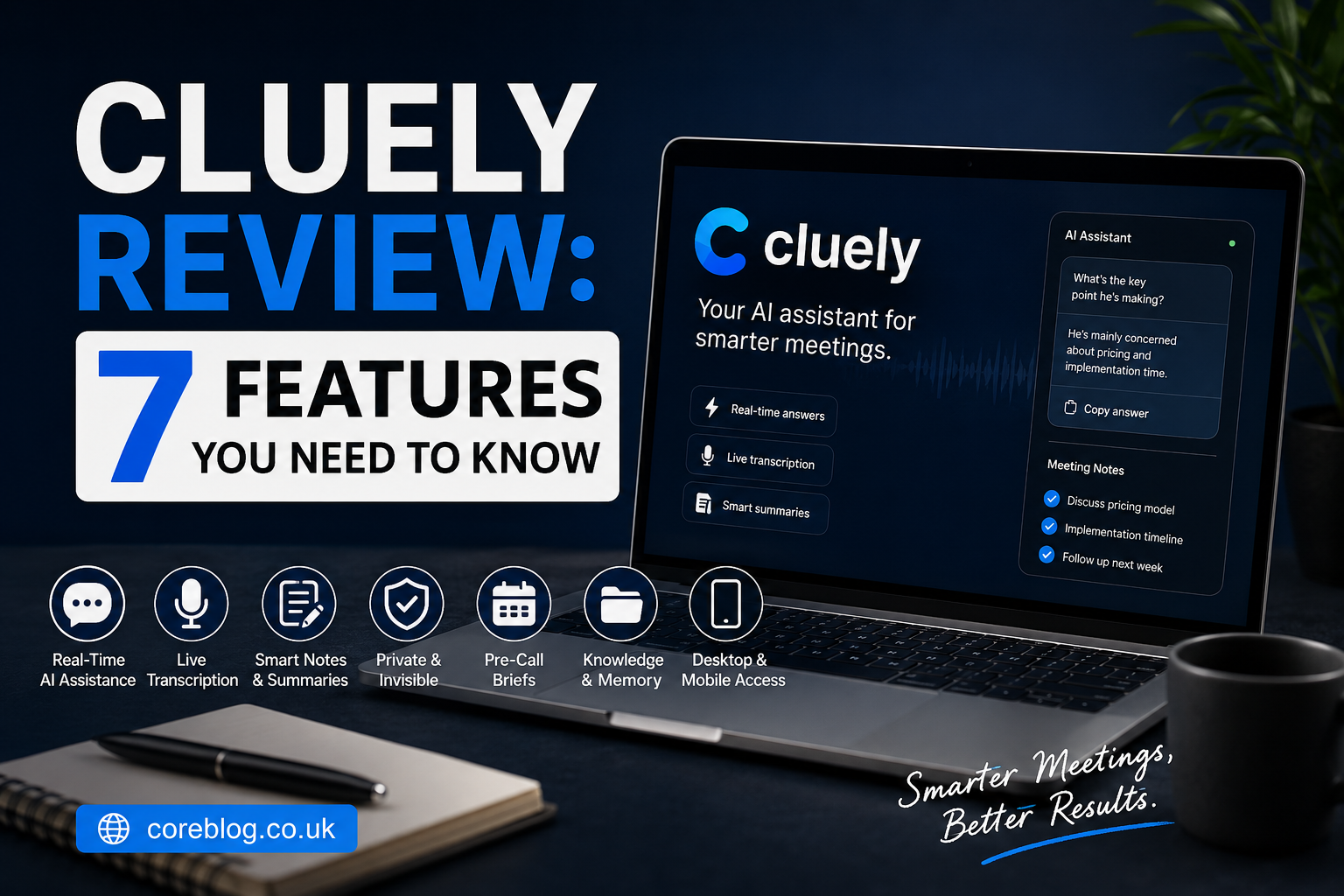
Cluely Review: 7 Features You Need to Know
Imagine sitting in an important sales call when a client asks a question you did not expect. Your notes are scattered, the conversation is moving fast, and everyone is waiting for your answer. A normal AI note-taking tool may summarize the call later. Cluely aims to help while the conversation is still happening.
That difference is what makes the platform interesting.
Cluely is a real-time AI meeting assistant designed to listen to conversations, understand their context, and provide immediate support. It can generate answers, transcribe discussions, create meeting notes, identify next steps, and help users prepare for upcoming calls.
However, Cluely is not a simple meeting recorder. Its ability to remain hidden from shared screens has also created questions about transparency, consent, privacy, and ethical use.
This Cluely Review takes a balanced look at the platform. We will explore its seven most important features, current pricing, practical benefits, possible drawbacks, privacy considerations, and the types of users who may find it useful.
What Is Cluely?
Cluely is an AI-powered desktop and mobile assistant built mainly for meetings, interviews, sales calls, consultations, presentations, and professional conversations.
It listens to the audio from an active session and builds an understanding of what people are discussing. Users can then ask for help during the conversation. For example, Cluely may suggest an answer to a difficult question, summarize a technical point, draft a follow-up question, or recall information from an earlier meeting.
Its main functions include:
- Real-time meeting transcription
- Instant AI-generated responses
- Automatic meeting notes
- Call summaries and action items
- Pre-meeting research
- Meeting history and memory
- Custom instructions
- File uploads
- Screen-sharing privacy controls
- Support for several languages
- Desktop and mobile access
Traditional meeting assistants often focus on what happens after a call. Cluely tries to support users before, during, and after the conversation.
That wider approach is the main reason this Cluely Review considers it more than a standard AI notetaker.
Cluely Review at a Glance
| Category | Details |
|---|---|
| Product type | Real-time AI meeting assistant |
| Main purpose | Live answers, transcription, notes, and meeting support |
| Best suited for | Sales teams, consultants, recruiters, managers, and remote workers |
| Free version | Available with usage limits |
| Standard paid plan | Pro plan currently listed at $19.99 per month |
| Desktop support | macOS and Windows |
| Mobile support | Available for recording and meeting assistance |
| Meeting bot required | No |
| Transcription | Real-time, with multilingual support |
| Customization | Custom instructions, files, prompts, and language settings |
| Key concern | Consent, privacy, and responsible use |
| Overall impression | Powerful, useful, and dependent on how responsibly it is used |
1. Real-Time AI Assistance During Meetings
The strongest feature in this Cluely Review is live assistance.
Cluely does not simply wait until a call ends before producing a summary. It processes the discussion while it happens. When a user needs help, the assistant can provide an answer based on the current conversation.
Suppose you are presenting software to a potential customer. The customer asks whether the product can connect with a tool that was mentioned earlier. Cluely may use the ongoing transcript, uploaded documents, and custom instructions to help produce a relevant response.
This could be useful when handling:
- Sales objections
- Technical questions
- Client concerns
- Interview questions
- Product demonstrations
- Negotiations
- Internal team discussions
- Customer support calls
How Live Assistance Works
The application listens during an active session and builds conversational context. Users can trigger assistance through the app or a keyboard command.
The quality of the answer depends on several factors, including:
- Audio clarity
- The amount of available context
- The accuracy of the transcription
- The quality of uploaded information
- The instructions given to the assistant
- The complexity of the question
Cluely can help users think more quickly, but it should not replace judgment. AI-generated responses can be incomplete, outdated, or wrong. Important facts should still be checked before they are shared with a client, candidate, patient, or colleague.
Where This Feature Adds the Most Value
Real-time help appears most valuable in fast conversations where users must recall a large amount of information.
A sales representative may need product details. A consultant may need to connect a client’s question with an earlier discussion. A manager may want a quick summary of several viewpoints before making a decision.
In those situations, Cluely acts like a private reference panel beside the meeting.
2. Live Transcription and Conversation Tracking
The second key feature is real-time transcription.
Cluely turns spoken conversations into readable text while the meeting is in progress. This gives users a running record of what has been said and helps the assistant understand the subject of the discussion.
Live transcription is useful because human attention is limited. It is difficult to listen carefully, speak with confidence, write notes, watch body language, and remember every detail at the same time.
By handling the written record, Cluely may allow users to focus more closely on the conversation.
Practical Benefits of Real-Time Transcription
A searchable transcript can help users:
- Review exact discussion points
- Identify decisions and commitments
- Remember names, dates, and figures
- Track customer objections
- Capture technical requirements
- Find important quotations
- Reduce manual note-taking
- Prepare accurate follow-up messages
Cluely also supports multiple spoken languages. This may make the tool useful for international teams, multilingual meetings, global sales calls, and remote organizations.
However, no speech-to-text system is perfect. Strong accents, poor microphones, overlapping speakers, background noise, industry terms, and unusual names can reduce accuracy.
For that reason, users should review important transcripts rather than treating every line as an exact record.
Does It Identify Every Speaker Correctly?
Cluely can produce transcripts and meeting records with speaker information. Still, speaker identification may not always be flawless, especially when several people talk at once.
Before using a transcript for legal, financial, medical, or formal business purposes, users should confirm the wording and speaker labels.
That is an important limitation to remember throughout this Cluely Review.
3. Instant Meeting Notes and Follow-Up Tasks
Many meetings end with good ideas but weak follow-up. People leave the call, open another task, and forget who agreed to do what.
Cluely tries to solve that problem by generating structured meeting notes. After a listening session ends, the software can create a summary of the meaningful parts of the discussion.
The resulting meeting record may include:
- Main discussion points
- Key insights
- Important decisions
- Action items
- Suggested next steps
- Full conversation transcript
- Follow-up ideas
- Meeting date and session details
Users can edit the summary when something needs to be corrected or rewritten.
Shareable and Editable Summaries
Cluely allows users to work with their past meeting records from a dashboard. Notes can be edited, reviewed, copied, or shared with others.
This is useful for teams that need a consistent record without spending another 20 minutes cleaning up rough notes after every call.
For example, after a client meeting, a user could review the generated summary, correct any mistakes, and turn the action items into a follow-up email.
Why Human Review Still Matters
Automatic notes save time, but they should not be sent without checking them.
An AI assistant may misunderstand sarcasm, indirect language, unfinished ideas, or disagreements. It may also present a suggestion as though it were a final decision.
A quick human review can prevent confusion.
The sensible workflow is simple:
- Let Cluely create the first draft.
- Confirm names, numbers, and responsibilities.
- Remove private or unnecessary details.
- Rewrite unclear sections.
- Share the approved version.
Used this way, automatic meeting notes can reduce administrative work without lowering quality.
4. No Visible Meeting Bot
Many AI notetakers enter a video meeting as an extra participant. Everyone on the call may see a name such as “Meeting Assistant” or “AI Notetaker” in the participant list.
Cluely takes a different approach. It runs on the user’s device and does not need to join the call as a separate bot.
This creates a cleaner meeting experience. There is no extra participant waiting in the room, appearing in screenshots, or confusing guests who were not expecting it.
Screen-Share Invisibility
Cluely also offers an optional invisibility setting designed to prevent its interface from appearing during screen sharing.
This can be helpful for legitimate privacy reasons. A presenter may not want private notes, internal prompts, customer information, or personal reminders to appear on a shared display.
However, this feature requires careful and responsible use.
A hidden interface does not remove the need to follow:
- Local recording laws
- Employer policies
- Client agreements
- Industry regulations
- Confidentiality requirements
- Workplace ethics
- Meeting consent rules
Invisible Does Not Mean Permission-Free
This is one of the most important points in this Cluely Review.
The fact that software can remain hidden does not mean it should be used secretly. Recording, transcribing, or analyzing a conversation without proper consent may break laws, contracts, or company policies.
Users should inform participants when required and obtain permission before processing private conversations.
Cluely’s screen-share controls can protect the user’s interface. They should not be treated as a tool for misleading other people.
5. Pre-Call Briefs and Meeting Preparation
Cluely is not limited to live meetings. It can also help users prepare before a conversation begins.
With calendar access, the platform can examine upcoming meeting details and create a short pre-call brief. This may include information about attendees, professional roles, earlier conversations, and meeting context.
For someone who attends several calls each day, that can be useful.
Imagine having six client meetings across different industries. Without preparation, names, previous concerns, and promised actions can easily become mixed up. A pre-call summary gives the user a quick refresher before joining.
Information a Pre-Call Brief May Include
Depending on available data and account settings, the preparation material may contain:
- Attendee names
- Professional backgrounds
- Job titles
- Organization details
- Previous meeting history
- Recent discussion points
- Outstanding action items
- Meeting agenda
- Relevant account context
- Suggested preparation notes
This may help sales teams create more personal conversations. It can also help recruiters remember candidate details or help consultants review the history of a project.
Calendar and Data Considerations
Calendar integration gives the tool more context, but it also gives the service access to additional information.
Before connecting a business calendar, users should consider:
- Which events the software can view
- Whether confidential meeting titles are included
- What participant data may be processed
- Whether company approval is required
- How long meeting information is retained
- Whether users can delete stored records
A useful feature should still be configured with care.
6. Custom Instructions and Knowledge Support
Generic AI responses are not always useful. A sales representative discussing cybersecurity needs different support from a recruiter interviewing a designer.
Cluely allows users to customize how the assistant responds. Its free plan includes the ability to set instructions and upload files, although usage limits apply.
Custom instructions may tell Cluely to:
- Keep answers short
- Use a friendly tone
- Focus on product benefits
- Avoid making unsupported promises
- Ask discovery questions
- Follow a sales framework
- Use specific terminology
- Mention approved policies
- Create clear action items
Uploaded documents may provide extra context, such as product information, call scripts, internal FAQs, pricing sheets, service descriptions, or training material.
Why Customization Improves Results
AI tools work better when they receive clear context.
Without instructions, an assistant may produce a broad answer that sounds polished but does not match the user’s role. With the right background material, the response can become more specific and practical.
For example, a customer asks whether a service includes weekend support. A general AI model may guess. A customized assistant with access to the correct service document has a better chance of finding the approved answer.
Still, users should confirm sensitive details. Uploaded documents can become outdated, and the assistant may select the wrong section.
Enterprise Customization
Larger organizations may need team-level controls, shared knowledge bases, specialized prompts, user permissions, analytics, onboarding, and custom privacy settings.
These tools can help maintain consistent messaging across a sales, recruitment, consulting, or support team.
However, companies should test the system with a small pilot before introducing it across the whole organization.
7. Meeting History, Memory, and Mobile Access
The final major feature covered in this Cluely Review is the combination of meeting history and mobile support.
Cluely stores past sessions in an activity area. Users can return to earlier meetings, read summaries, inspect transcripts, continue a session, or ask AI questions about previous discussions.
This can turn a collection of calls into a searchable source of business knowledge.
Asking Questions About Past Meetings
Instead of manually opening several transcripts, a user may be able to ask questions such as:
- What concerns did the client raise?
- Which deadline did we agree on?
- Who is responsible for the next presentation?
- What pricing option did the customer prefer?
- Which feature caused confusion?
- What should I mention in the follow-up email?
This type of meeting memory is useful when a relationship develops across several calls.
Mobile Meeting Support
Cluely also offers mobile functionality for in-person conversations, voice notes, and meetings away from a desktop.
Potential uses include:
- Recording an in-person meeting with consent
- Capturing a voice memo
- Reviewing notes while travelling
- Saving ideas after a client visit
- Preparing for a call away from a computer
Mobile access makes the platform more flexible, although users should remain careful when recording face-to-face discussions. Consent requirements may differ by location.
Cluely Pricing and Plans
At the time of this Cluely Review, Cluely offers a free Starter plan and paid options.
Starter Plan
The Starter plan is free and includes core functions with usage limits.
It currently includes:
- Limited AI responses
- Limited meeting notes
- Custom instructions
- File uploads
- AI questions about past meetings
This plan may be enough for someone who wants to test the interface or uses meeting assistance only a few times each month.
Pro Plan
The standard Pro plan is currently listed at $19.99 per month.
It includes the Starter features along with:
- Unlimited AI responses
- Unlimited meeting note-taking
- Access to newer AI models
- Priority support
Pricing can change, so readers should check the latest plan details before subscribing.
Is the Paid Plan Good Value?
The answer depends on frequency of use.
For someone who attends one meeting each week, the free plan may be enough. For a salesperson, recruiter, consultant, or manager who spends several hours per day in calls, the time saved on notes and follow-up tasks could justify the subscription.
The value is highest when the tool improves an existing workflow rather than becoming another app that users forget to open.
Cluely Privacy and Security
Privacy deserves serious attention because Cluely processes spoken conversations, transcripts, uploaded files, meeting details, and potentially calendar information.
The company states that it does not sell user data or use customer data to train its models. Its enterprise documentation also describes encryption and compliance measures.
Those statements are encouraging. However, users must still examine their own responsibilities.
Questions to Ask Before Using Cluely
Before using the tool at work, ask:
- Does my employer allow AI meeting assistants?
- Do participants need to give consent?
- Will confidential data be discussed?
- Can customer information be processed by an outside service?
- How are recordings and transcripts stored?
- Can stored meetings be deleted?
- Which third-party services process the information?
- Does my industry have special privacy requirements?
These questions are especially important in healthcare, law, finance, education, human resources, government work, and regulated industries.
Use the Minimum Data Needed
A practical privacy rule is to give an AI service only the information it needs.
Do not upload an entire confidential database when a short approved document will work. Delete old meeting records that no longer serve a purpose. Avoid recording casual or personal discussions. Review sharing permissions before creating a public summary link.
Good security depends on both the platform and the user.
Cluely Pros and Cons
No honest Cluely Review should discuss the benefits without covering the limitations.
| Pros | Cons |
|---|---|
| Provides help during a meeting, not only afterward | AI answers may be inaccurate |
| Generates notes, transcripts, and action items | Transcription may struggle with noise or overlapping voices |
| Does not add a visible meeting bot | Hidden use may create ethical concerns |
| Offers screen-share privacy controls | Consent may be required |
| Supports custom instructions and uploaded files | Poor instructions can produce weak answers |
| Keeps searchable meeting history | Stored meeting data needs careful management |
| Offers a free Starter plan | Free usage is limited |
| Supports desktop and mobile workflows | May not suit restricted or highly confidential environments |
Who Should Consider Cluely?
Cluely may be useful for people who spend a large part of their day in conversations and need quick access to information.
Sales Professionals
Sales representatives can use it to track objections, recall product details, create follow-up notes, and prepare for future calls.
It should support genuine product knowledge, not replace it.
Consultants and Account Managers
Consultants can use meeting history to remember project decisions, client concerns, and promised actions.
This may be especially helpful when managing several accounts at once.
Recruiters and Hiring Teams
Recruiters may find automatic transcripts and structured notes useful during interviews. However, candidates should be informed when required, and hiring decisions should never be delegated blindly to an AI tool.
Managers and Remote Teams
Managers can use summaries to track decisions and responsibilities across online meetings. Remote teams may also benefit from shareable notes when employees work in different time zones.
Students and Individual Users
The software may help users organize lectures, study sessions, or personal voice notes when recording is allowed.
It should not be used to cheat during an exam, misrepresent knowledge, or break an institution’s rules.
Who May Not Need Cluely?
The platform may not be the right choice for everyone.
You may not need it when:
- You attend very few meetings
- Your organization bans third-party meeting tools
- Your calls contain highly restricted information
- You need certified legal transcripts
- You prefer visible meeting bots
- You only need simple post-call summaries
- You are unwilling to review AI-generated answers
- Participants are uncomfortable with live AI analysis
Some users may get better value from a basic transcription tool. Others may prefer a visible meeting assistant because it makes consent clearer.
Tips for Using Cluely Responsibly
Cluely’s usefulness depends heavily on how it is introduced into a workflow.
1. Start With Low-Risk Meetings
Test the software during internal meetings that do not involve confidential information. This gives you time to understand transcription quality and response behavior.
2. Create Clear Instructions
Tell the assistant what role it should play. Ask for short, factual answers and tell it not to invent missing information.
3. Review Every Important Output
Check summaries, names, numbers, dates, quotations, and action items before sharing them.
4. Get Consent When Required
Follow local laws and company policies. Do not assume that screen-share invisibility removes the need to disclose recording or transcription.
5. Keep Knowledge Files Updated
Old pricing sheets and outdated policies can lead to incorrect suggestions. Review uploaded material regularly.
6. Delete Unnecessary Meeting Data
Do not keep sensitive transcripts forever without a clear reason.
7. Measure Real Results
Track whether Cluely actually saves time, improves follow-ups, reduces missed tasks, or helps users prepare better. A tool is only valuable when it creates a measurable improvement.
Frequently Asked Questions
Is Cluely Free?
Yes. Cluely currently offers a free Starter plan with limited AI responses and limited meeting note-taking. It also includes custom instructions, file uploads, and access to past meeting information.
Does Cluely Join Meetings as a Bot?
No. Cluely runs as an application rather than joining the meeting as a separate participant.
Can Cluely Be Seen During Screen Sharing?
Cluely offers an optional invisibility setting designed to keep its interface hidden during screen sharing. Users must still follow consent laws, contracts, and workplace rules.
Does Cluely Record Meetings?
Cluely listens to meeting audio during active sessions and can create transcripts, summaries, and notes. Users should obtain permission when required.
Can Cluely Give Answers During a Call?
Yes. Real-time AI assistance is one of the platform’s main functions. It can respond based on the conversation and other available context.
Is Cluely Accurate?
Its accuracy depends on audio quality, speaker clarity, subject complexity, available context, and the instructions provided. Important information should always be checked.
Is Cluely Safe to Use?
The company publishes privacy and security information and states that it does not sell user data or train its models on customer data. Even so, users must configure the service carefully and follow their own privacy obligations.
Is Cluely Worth Paying For?
Frequent meeting users may find the paid plan worthwhile because it removes usage limits. Occasional users should begin with the free plan and measure whether the tool saves enough time.
Final Verdict
This Cluely Review finds a capable meeting assistant with a clear point of difference: it aims to help users while a conversation is happening.
Its real-time answers, live transcription, automatic notes, searchable meeting history, pre-call briefs, custom instructions, and mobile support create a broad productivity system. For sales teams, consultants, recruiters, managers, and other meeting-heavy professionals, these tools could reduce note-taking and make follow-up work faster.
At the same time, Cluely must be used with care. AI responses are not automatically correct. Transcripts require review. Hidden screen-share controls do not cancel consent requirements. Private conversations should never be recorded or analyzed without proper authority.
The best approach is to use Cluely as an assistant rather than a substitute for preparation, expertise, or honest communication.
Start with the free plan, test it during low-risk meetings, and compare the time saved with the effort required to review its output. When used openly and responsibly, Cluely may become a useful part of a modern meeting workflow.
Have you used the platform during a real meeting? Share your experience, including what worked, what felt uncomfortable, and whether this Cluely Review helped you decide if the software fits your needs.















Leave a Reply