

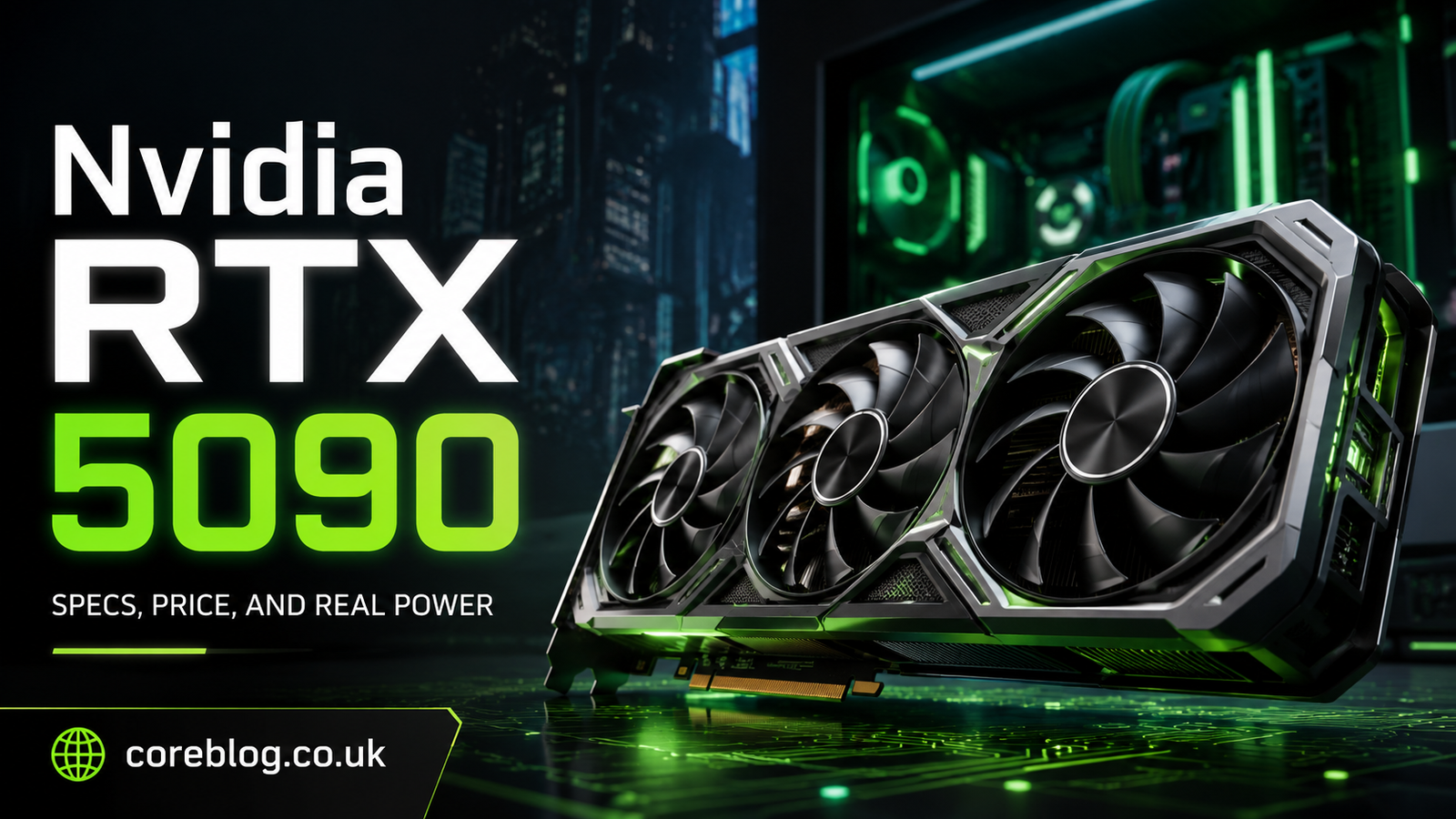
Nvidia RTX 5090: Specs, Price, and Real Power
The Nvidia RTX 5090 is not the kind of graphics card people casually throw into a budget gaming PC. It is the card people talk about when they want the fastest, sharpest, most future-ready GPU they can buy. For some, it is a dream upgrade. For others, it is complete overkill. And honestly, both sides have a point.
This GPU sits at the top of Nvidia’s GeForce lineup. It is built for serious 4K gaming, high-end content creation, AI workloads, 3D rendering, video editing, streaming, and anyone who wants extreme performance without worrying about whether their system can handle tomorrow’s games. The Nvidia RTX 5090 is powered by the Blackwell architecture and comes with 32GB of GDDR7 memory, which makes it one of the most powerful consumer graphics cards available right now. Nvidia lists the card as starting at $1,999.
But raw power is only part of the story. Price, power draw, cooling, case size, display setup, and real-world value matter too. So, before you rush to buy the Nvidia RTX 5090, let’s look at what it really offers, who it is for, and whether it makes sense for your next PC build.
What Is the Nvidia RTX 5090?
The Nvidia RTX 5090 is Nvidia’s flagship graphics card in the GeForce RTX 50 Series. It is designed for users who want top-tier GPU performance and are willing to pay for it. This card is not just a simple upgrade over older models. It brings a new architecture, faster memory, stronger AI performance, and support for Nvidia’s latest graphics technologies.
At its core, the Nvidia RTX 5090 targets three main groups:
- Gamers who want ultra settings at 4K
- Creators who edit video, render 3D scenes, or work with large projects
- Power users who run AI, machine learning, or heavy GPU-based workloads
For normal web browsing, office work, light gaming, or basic editing, this GPU is far more than necessary. However, for people who work or play at the high end, it can feel like a serious step forward.
Nvidia RTX 5090 Specs Overview
Here is a simple look at the most important Nvidia RTX 5090 specs.
| Feature | Nvidia RTX 5090 |
|---|---|
| Architecture | Nvidia Blackwell |
| Memory | 32GB GDDR7 |
| CUDA Cores | 21,760 |
| Memory Interface | 512-bit |
| Starting Price | $1,999 |
| Power Draw | Around 575W |
| Target Use | 4K gaming, AI, rendering, creator workloads |
| Series | GeForce RTX 50 Series |
The biggest things to notice are the 32GB of GDDR7 memory, the huge CUDA core count, and the high power requirement. The Nvidia RTX 5090 is made for demanding work, not casual use. Its 32GB VRAM gives it room to handle large textures, heavy creative projects, AI models, and future games that need more memory.
Why the Nvidia RTX 5090 Feels So Powerful
The main reason the Nvidia RTX 5090 feels so powerful is simple: it combines faster hardware with smarter software. Modern graphics cards are no longer just about pushing pixels. They now handle AI upscaling, frame generation, ray tracing, video encoding, real-time lighting, and creative acceleration.
Blackwell Architecture
The Blackwell architecture is the foundation of the Nvidia RTX 5090. It brings stronger AI performance, improved rendering ability, and better support for Nvidia’s latest technologies. For gamers, this means better performance in titles that support advanced features like ray tracing and DLSS. For creators, it means faster workflows in software that can use GPU acceleration.
32GB GDDR7 Memory
The 32GB GDDR7 memory is one of the strongest selling points of the Nvidia RTX 5090. More VRAM helps when you are working with:
- 4K and 8K video timelines
- Large 3D scenes
- High-resolution game textures
- AI image generation
- Game development projects
- Heavy rendering tasks
- Multi-monitor setups
Many gamers may not need 32GB today. However, creators and professionals can use that extra memory right away. In addition, future games will likely become more demanding, so the memory gives the card a longer useful life.
Strong Ray Tracing Performance
Ray tracing makes lighting, shadows, and reflections look more natural. The Nvidia RTX 5090 is built to handle ray tracing at a very high level. In demanding games, this can make a big difference, especially at 4K resolution.
However, ray tracing still comes with a performance cost. That is where DLSS and AI-based features become important.
Nvidia RTX 5090 and DLSS
DLSS is one of Nvidia’s biggest advantages. It uses AI to improve performance and image quality. With newer RTX 50 Series features, the Nvidia RTX 5090 can push frame rates higher in supported games.
This is useful for players who want:
- 4K gaming at high refresh rates
- Smoother ray tracing performance
- Better frame rates in demanding titles
- More stable gameplay on ultra settings
Still, it is worth being realistic. DLSS can improve performance, but it does not magically fix every game. A badly optimized game can still feel rough. Also, not every title supports the latest Nvidia features. So, while DLSS is a major strength, it should be seen as part of the package, not the only reason to buy the card.
Nvidia RTX 5090 Price: Is It Expensive?
Yes, the Nvidia RTX 5090 is expensive. Nvidia lists the starting price at $1,999, and many custom models from brands like ASUS, MSI, Gigabyte, PNY, and Zotac may cost more depending on cooling design, factory overclocking, availability, and local market pricing.
For many buyers, this is the biggest problem. At this price, you are not just buying a graphics card. You may also need:
- A stronger power supply
- A larger PC case
- Better cooling
- A high-end CPU
- A 4K or high-refresh monitor
- More case airflow
That means the real cost of upgrading to the Nvidia RTX 5090 can be much higher than the GPU price alone.
Is the Price Justified?
The answer depends on your use case. If you are a professional creator, 3D artist, AI user, or someone who earns money from GPU-heavy work, the price may be easier to justify. Time saved during rendering, exporting, or processing can matter.
For gaming only, it becomes more personal. If you want the absolute best and have the budget, the Nvidia RTX 5090 is a monster. But if you play at 1440p or mostly enjoy esports titles, you can get excellent performance from a cheaper GPU.
Nvidia RTX 5090 Gaming Performance
The Nvidia RTX 5090 is built for high-end gaming. It is especially attractive for players who want to enjoy modern games at 4K with high settings, ray tracing, and smooth frame rates.
Best Gaming Scenarios
The card makes the most sense for:
- 4K ultra gaming
- Ray tracing-heavy games
- High refresh rate displays
- Open-world AAA titles
- VR gaming
- Sim racing and flight simulators
- Future game releases with heavy graphics
If you use a 1080p monitor, the Nvidia RTX 5090 is honestly too much. At lower resolutions, your CPU may become the bottleneck before the GPU is fully used. For 1440p, it is still extremely powerful, but many people may not need this much horsepower.
4K Gaming Is Where It Shines
At 4K, the GPU has room to stretch its legs. Higher resolution puts more load on the graphics card, and that is exactly where the Nvidia RTX 5090 can show its value. It is made for users who want sharp visuals, high detail, and smooth motion at the same time.
If you own a premium OLED monitor, a 4K 144Hz display, or an ultrawide high-refresh screen, this card becomes much more appealing.
Nvidia RTX 5090 for Content Creators
The Nvidia RTX 5090 is not only a gaming card. In fact, many buyers may want it more for creator work than for gaming.
Video Editing
For video editors, the extra VRAM and GPU acceleration can help with 4K, 6K, and 8K projects. If you work with color grading, effects, transitions, multi-layer timelines, or high-bitrate footage, a strong GPU can make editing smoother.
3D Rendering
For 3D artists, the Nvidia RTX 5090 can reduce render times in supported software. Faster rendering means quicker previews, better workflow, and more time spent creating instead of waiting.
AI and Machine Learning
AI users may also find the card attractive because of its memory and AI performance. While it is still a consumer GPU, the 32GB VRAM gives it more flexibility for local AI tasks than lower-memory cards. This can help with AI image tools, model testing, inference, and certain machine learning workflows.
Power Consumption and Cooling
One thing you cannot ignore is power. The Nvidia RTX 5090 uses a lot of energy. Reports and spec listings place its power draw around 575W, which is much higher than many older gaming GPUs.
That means you should not pair this GPU with a weak power supply. A quality 1000W PSU is commonly recommended for systems using this class of card, especially if you also have a powerful CPU. Some custom builds may need even more headroom depending on the full setup.
Cooling Matters
A powerful card creates heat. So, your case airflow matters. Before buying the Nvidia RTX 5090, check:
- GPU length and thickness
- Case clearance
- Power connector space
- Airflow path
- Number of intake and exhaust fans
- CPU cooler clearance
- PSU wattage and cable quality
A cramped case can make even a great GPU run hotter and louder than expected.
Nvidia RTX 5090 vs RTX 4090
Many people compare the Nvidia RTX 5090 with the RTX 4090, and that makes sense. The RTX 4090 was already a very strong card. The RTX 5090 improves on it with newer architecture, faster memory, more VRAM bandwidth, and stronger AI-focused features.
However, the RTX 4090 is still powerful. If you already own one, upgrading may not feel necessary unless you need the extra performance for professional work or simply want the newest flagship.
When the Upgrade Makes Sense
Upgrading to the Nvidia RTX 5090 makes sense if:
- You need more creator performance
- You work with AI tools locally
- You want the best 4K gaming experience
- You are building a no-compromise PC
- Your current GPU struggles with your workload
- You use ray tracing often
When You Should Wait
You may want to wait if:
- You already own an RTX 4090
- You play mostly at 1080p or 1440p
- Your current GPU still performs well
- Prices are too high in your region
- Your PSU or case needs major upgrades
- You do not use demanding software
Who Should Buy the Nvidia RTX 5090?
The Nvidia RTX 5090 is best for a specific type of buyer. It is not the best choice for everyone, and that is fine.
Buy It If You Want the Best
Choose the Nvidia RTX 5090 if you want the strongest GeForce GPU and do not want to compromise. It is ideal for premium gaming PCs, creator workstations, and high-end hybrid setups.
Buy It If You Create Content Professionally
If your work includes video production, 3D design, animation, AI testing, or complex editing, the Nvidia RTX 5090 can be more than a luxury. It can become a productivity tool.
Avoid It If You Are on a Tight Budget
If you are building a balanced gaming PC, this card can eat too much of your budget. In many cases, spending less on the GPU and more on the monitor, CPU, storage, or cooling may create a better overall experience.
Nvidia RTX 5090 Buying Advice
Before buying the Nvidia RTX 5090, ask yourself a few simple questions.
What resolution do I play at?
If you play at 4K, this GPU makes sense. If you play at 1080p, it is too much.
Is my power supply ready?
A low-quality PSU is not worth the risk. Use a strong, trusted power supply with enough wattage.
Does my case have enough space?
Some RTX 5090 models are large. Measure before buying.
Do I need 32GB VRAM?
Gamers may not always need it today, but creators and AI users can benefit from it.
Is the price reasonable in my region?
Market prices can vary. If local prices are far above MSRP, waiting may be smarter.
Pros and Cons of the Nvidia RTX 5090
| Pros | Cons |
|---|---|
| Incredible 4K gaming performance | Very expensive |
| 32GB fast GDDR7 memory | High power consumption |
| Strong ray tracing ability | Needs excellent cooling |
| Great for creators and AI users | Overkill for 1080p gaming |
| Future-ready feature set | May require PSU and case upgrades |
Nvidia RTX 5090 for Future-Proofing
People often say “future-proof,” but no GPU stays on top forever. Still, the Nvidia RTX 5090 is one of the better choices if you want a card that can stay powerful for years. The 32GB VRAM, Blackwell architecture, AI features, and raw performance give it a long runway.
However, future-proofing should not become an excuse to overspend. A smart purchase is not always the most expensive one. It is the one that fits your actual needs.
If you edit videos daily, play at 4K, use ray tracing, and want a premium setup, the Nvidia RTX 5090 makes sense. If you mostly browse, watch videos, and play light games, it does not.
Common Mistakes to Avoid
Buying a flagship GPU sounds exciting, but many people make mistakes during the upgrade.
Ignoring the Power Supply
Do not pair the Nvidia RTX 5090 with a weak or old PSU. Power stability matters.
Using a Poorly Ventilated Case
High heat can reduce performance and increase noise. Good airflow is essential.
Pairing It With a Weak CPU
A slow CPU can limit performance, especially at lower resolutions.
Buying It for the Wrong Monitor
A 1080p 60Hz monitor will waste most of what this GPU can do.
Overpaying During Stock Shortages
Flagship cards often sell above MSRP. Be patient if prices are unreasonable.
Final Verdict: Is the Nvidia RTX 5090 Worth It?
The Nvidia RTX 5090 is a beast of a graphics card. It is fast, modern, powerful, and built for people who want the best. It brings serious strength for 4K gaming, ray tracing, AI workloads, 3D rendering, and professional creative tasks. With 32GB of GDDR7 memory and Blackwell architecture, it feels like a card made for the next generation of PC performance.
But it is also expensive, power-hungry, and unnecessary for many users. That is the honest truth. The Nvidia RTX 5090 is not a casual upgrade. It is a premium investment.
If you are a serious gamer with a high-end monitor, a creator who needs faster workflows, or an AI enthusiast who wants strong local GPU power, this card deserves your attention. However, if you only play at 1080p or want the best value per dollar, a cheaper RTX 50 Series card may be the smarter choice.
In the end, the Nvidia RTX 5090 is not just about frames per second. It is about what kind of PC experience you want. If you want maximum power and you have the budget to support it, this GPU delivers. If you are still deciding, compare your real needs, your current setup, and your budget before making the jump.
What do you think about the Nvidia RTX 5090? Is it the ultimate upgrade, or is the price too high? Share your thoughts and help other readers decide whether this graphics card is truly worth it.














Leave a Reply