

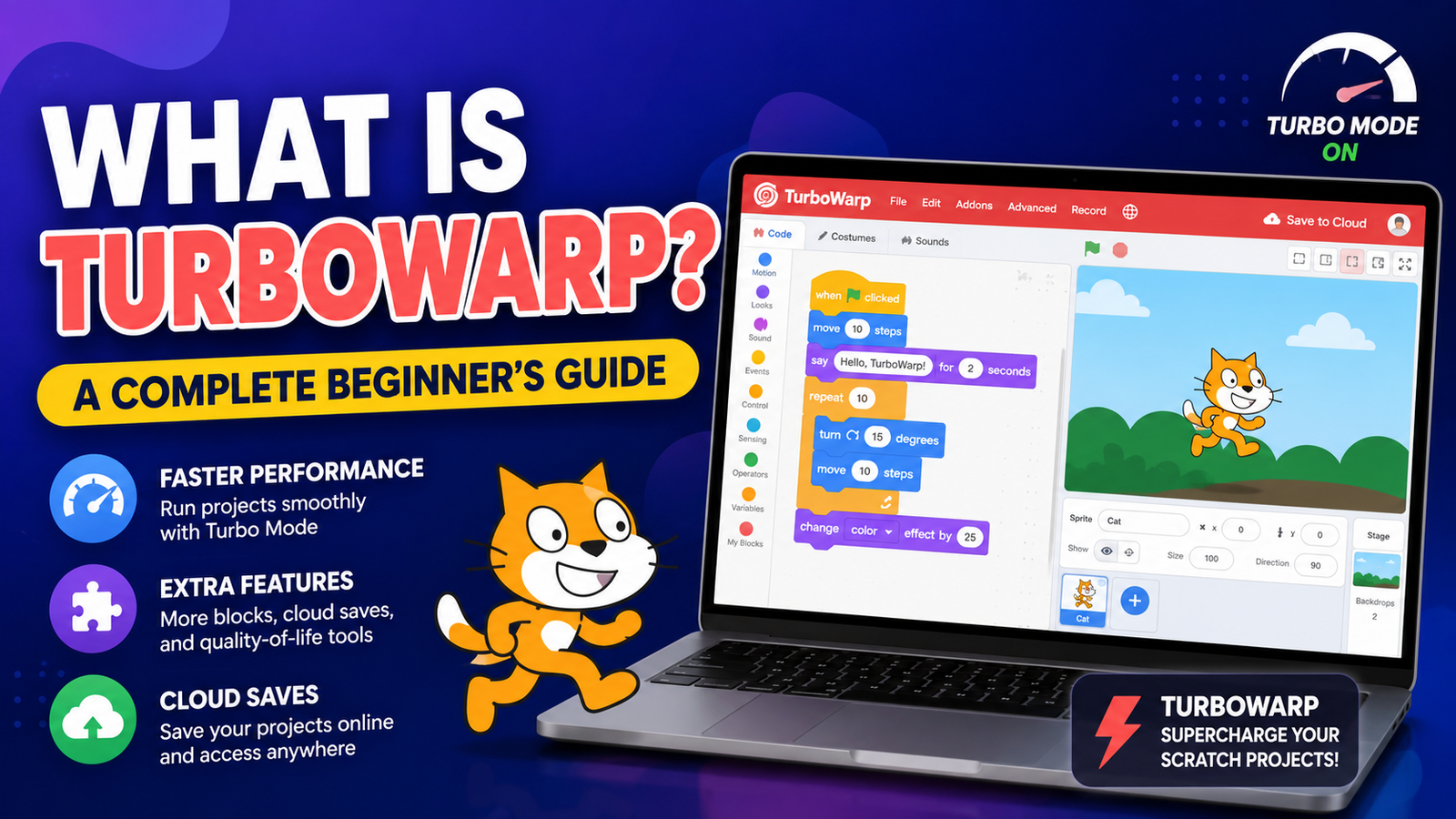
What Is turbowarp? A Complete Beginner’s Guide
Creating games, animations, and interactive projects with block-based coding has become one of the easiest ways for beginners to learn programming. While Scratch has introduced millions of people to coding, many creators eventually look for tools that provide better performance, advanced features, and more flexibility. This is where turbowarp comes in.
turbowarp is a high-performance mod of Scratch that allows users to run Scratch projects faster, customize their coding experience, and access additional features not available in the standard Scratch editor. It is especially popular among students, educators, developers, and Scratch creators who want to push their projects beyond traditional limits.
In this complete beginner’s guide, you will learn what turbowarp is, how it works, its main features, how it compares with Scratch, and why many creators choose it for building advanced projects.
Key Takeaways
- turbowarp is a faster and enhanced version of the Scratch project environment.
- It improves project performance by using advanced compilation techniques.
- Creators can use turbowarp for games, animations, simulations, and educational projects.
- It offers additional tools such as extensions, customization options, and performance improvements.
- turbowarp is beginner-friendly while also providing advanced capabilities for experienced Scratch users.
What Is turbowarp?
turbowarp is an unofficial but widely used modification of Scratch that improves speed, adds extra features, and gives creators more control over their projects.
Scratch uses a block-based programming system developed by the MIT Media Lab. It allows users to create programs by connecting visual coding blocks instead of writing traditional code. Although Scratch is excellent for learning programming concepts, large projects can sometimes experience slowdowns due to performance limitations.
turbowarp addresses these limitations by transforming Scratch projects into faster-running applications. It keeps the familiar Scratch coding style while adding improvements that make complex projects smoother.
The platform is designed to help creators:
- Build larger and more detailed games.
- Improve animation performance.
- Test projects more efficiently.
- Use additional customization options.
- Explore programming concepts beyond beginner-level Scratch.
Unlike traditional programming languages, turbowarp allows users to continue working with blocks while gaining access to more advanced capabilities.
How Does turbowarp Work?
Improving Scratch Project Performance
One of the biggest reasons people use turbowarp is speed.
Traditional Scratch projects run through an interpreter, meaning the computer reads and executes instructions as the project runs. This approach is simple and beginner-friendly but may become slower when projects contain:
- Many sprites.
- Complex animations.
- Large numbers of scripts.
- Advanced game mechanics.
- Extensive calculations.
turbowarp improves performance by compiling Scratch projects into faster-running code. This allows projects to execute more efficiently, especially when handling demanding tasks.
Maintaining Scratch Compatibility
A major advantage of turbowarp is that it works with existing Scratch projects.
Users can:
- Create a project in Scratch.
- Upload or open the project in turbowarp.
- Improve performance or customize the experience.
- Export or share the enhanced version.
This makes it easy for existing Scratch creators to experiment without learning an entirely new programming system.
Main Features of turbowarp
1. Faster Project Execution
Performance improvement is the primary feature of turbowarp.
Projects that feel slow in standard Scratch may run much more smoothly because turbowarp optimizes how code is processed.
This is especially useful for:
- Platform games.
- Strategy games.
- Physics simulations.
- Interactive stories.
- Large animations.
2. Advanced Extensions
turbowarp supports additional extensions that expand what creators can build.
Extensions can introduce new abilities, such as:
- Extra programming functions.
- Advanced controls.
- Custom project features.
- Additional data handling options.
These tools help experienced creators move beyond the standard Scratch feature set.
3. Customization Options
turbowarp gives users more control over how projects appear and run.
Creators can adjust settings related to:
- Project display.
- Performance behavior.
- Visual presentation.
- Export options.
This flexibility makes turbowarp useful for creators who want their projects to feel more like professional applications.
4. Better Support for Large Projects
As Scratch projects become more complex, managing performance becomes important.
turbowarp helps creators handle projects with:
- Multiple characters.
- Large environments.
- Advanced game logic.
- More detailed interactions.
For developers creating ambitious Scratch-based games, these improvements can make a significant difference.
turbowarp vs Scratch: What Is the Difference?
Scratch remains one of the best platforms for learning programming, but turbowarp focuses on improving and extending the Scratch experience.
| Feature | Scratch | turbowarp |
|---|---|---|
| Beginner-friendly coding | Yes | Yes |
| Block-based programming | Yes | Yes |
| Performance optimization | Limited | Enhanced |
| Additional extensions | Limited | More options |
| Large project support | Basic | Improved |
| Advanced customization | Limited | More flexible |
Scratch is ideal for beginners learning programming fundamentals, while turbowarp is better suited for users who want more performance and creative freedom.
Who Should Use turbowarp?
Beginners Learning Coding
Although turbowarp offers advanced features, beginners can still use it because the basic coding system remains familiar.
It can help new programmers learn:
- Logic building.
- Game development concepts.
- Animation techniques.
- Problem-solving skills.
Scratch Creators Building Bigger Projects
Many Scratch users switch to turbowarp when their projects become more complex.
Examples include:
- Multiplayer experiments.
- Advanced games.
- Interactive simulations.
- Large animations.
Teachers and Educators
Educators can use turbowarp to introduce programming concepts while giving students access to more powerful creative tools.
It allows students to start with visual programming and gradually explore more advanced ideas.
Benefits of Using turbowarp
Improved Performance
The biggest advantage is faster project execution. Games and animations often feel smoother, especially when they contain complex systems.
More Creative Freedom
With additional features and customization, creators can experiment with ideas that may be difficult to achieve in standard Scratch.
Easy Transition From Scratch
Because turbowarp maintains Scratch compatibility, users do not need to completely change their workflow.
Encourages Advanced Learning
turbowarp can act as a bridge between beginner block coding and more traditional software development.
How to Get Started With turbowarp
Getting started is simple, even for first-time users.
Step 1: Understand Scratch Basics
Before using advanced features, beginners should understand:
- Variables.
- Loops.
- Conditions.
- Events.
- Sprites.
- Scripts.
These concepts form the foundation of turbowarp projects.
Step 2: Open or Create a Project
Users can start with:
- An existing Scratch project.
- A new project created within the Scratch ecosystem.
Step 3: Experiment With Features
Once comfortable, creators can explore:
- Performance improvements.
- Extensions.
- Custom settings.
- Export options.
Step 4: Optimize Projects
Large projects can be improved by:
- Reducing unnecessary scripts.
- Organizing code efficiently.
- Using performance-focused features.
Common Uses of turbowarp
turbowarp is used for many different types of creative projects.
Game Development
Creators use it to build:
- Platform games.
- Puzzle games.
- Adventure games.
- Simulation games.
Educational Projects
Students and teachers use it for:
- Coding lessons.
- Interactive demonstrations.
- Learning programming concepts.
Digital Art and Animation
Artists use block coding tools to create:
- Animated scenes.
- Interactive artwork.
- Visual experiments.
Programming Practice
turbowarp provides a comfortable environment for learning programming logic before moving to languages like JavaScript, Python, or C++.
Is turbowarp Safe and Reliable?
turbowarp is widely used within the Scratch community and is designed to work with Scratch-compatible projects.
However, users should always:
- Download tools from official sources.
- Review extensions before using them.
- Keep personal information private.
- Follow good digital safety practices.
As with any software tool, understanding what features you enable is important.
Frequently Asked Questions
What is turbowarp used for?
turbowarp is used to improve Scratch projects by increasing performance, adding features, and allowing creators to build more advanced games, animations, and interactive applications.
Is turbowarp the same as Scratch?
No. turbowarp is based on Scratch but is a separate project that adds performance improvements and extra features while maintaining compatibility with Scratch projects.
Can beginners use turbowarp?
Yes. Beginners familiar with Scratch can easily start using turbowarp because it uses the same block-based programming approach.
Does turbowarp make Scratch projects faster?
Yes. One of its main purposes is improving project speed and performance, especially for larger or more complex projects.
Can I use Scratch projects in turbowarp?
Yes. Most Scratch projects can be opened and improved using turbowarp.
Is turbowarp free to use?
Yes, turbowarp is available as a free tool for creating and improving Scratch-based projects.
What can I create with turbowarp?
You can create games, animations, simulations, educational tools, interactive stories, and many other block-based programming projects.
Conclusion
turbowarp has become a valuable tool for creators who want more speed, flexibility, and creative control while staying within the familiar Scratch environment. It combines the simplicity of block-based coding with improvements that allow users to build larger and more advanced projects.
For beginners, turbowarp provides an accessible way to explore programming. For experienced Scratch creators, it offers the extra performance and features needed to take projects further.
Whether you are learning coding, teaching programming, or developing your next interactive game, turbowarp provides a powerful platform for turning creative ideas into working digital experiences.












Leave a Reply