

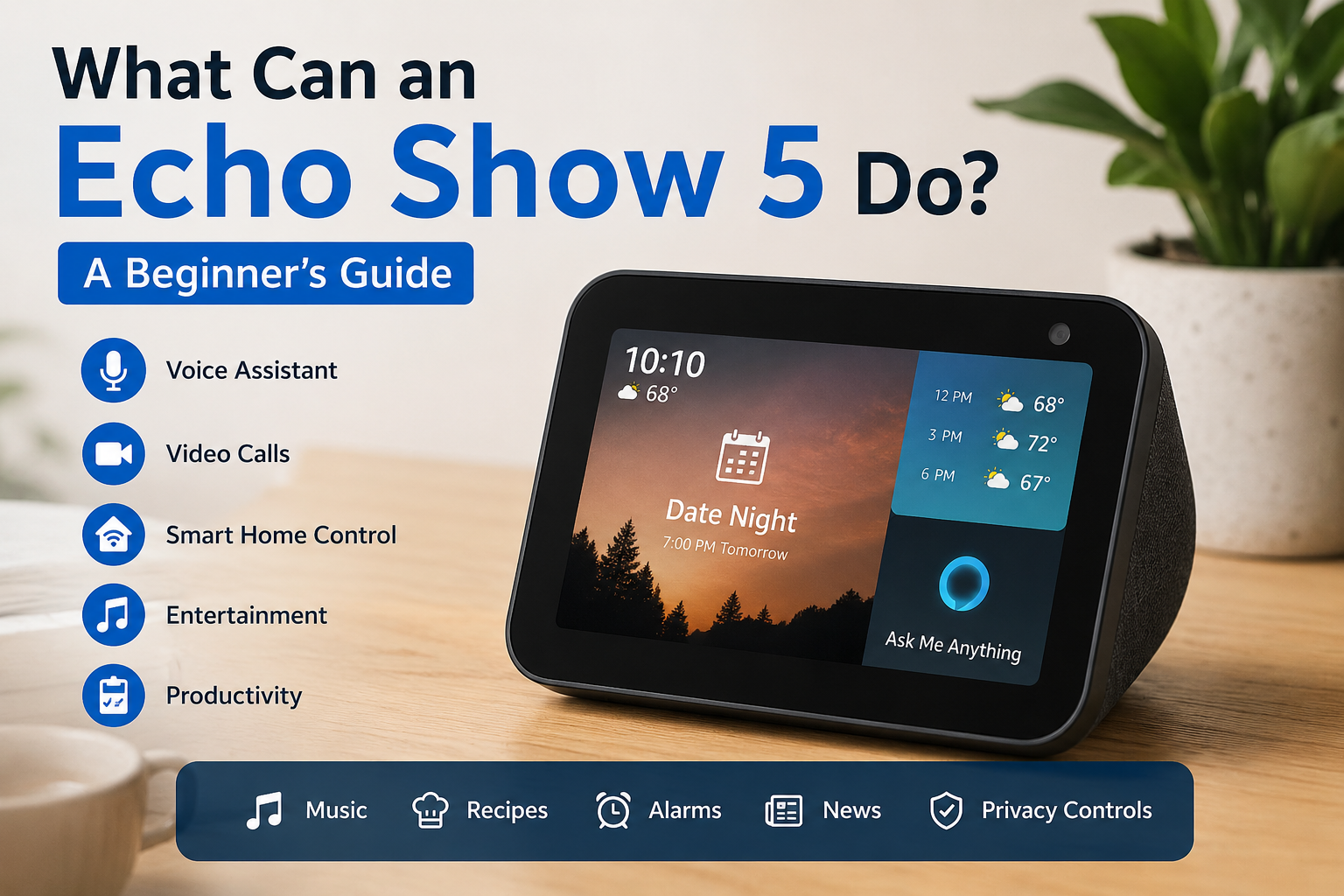
What Can an Echo Show 5 Do? A Beginner Guide
The Echo Show 5 is one of the most popular smart displays for people who want a compact device that combines voice control, entertainment, smart home management, and everyday convenience. Whether you’re new to smart home technology or looking for an affordable bedside assistant, the Echo Show 5 offers a wide range of useful features in a small package.
Unlike a traditional smart speaker, the Echo Show 5 includes a touchscreen display that lets you watch videos, make video calls, check security cameras, view recipes, control compatible smart devices, and much more. Its compact size makes it ideal for bedrooms, kitchens, offices, and small living spaces.
This beginner’s guide explains everything you need to know about the Echo Show 5, including its features, setup process, practical uses, privacy controls, advantages, limitations, and tips to help you get the most from your device.
Key Takeaways
- The Echo Show 5 combines voice control with a touchscreen display.
- It can manage smart home devices, entertainment, reminders, and video calls.
- Privacy features include a microphone mute button and camera shutter.
- The device is suitable for beginners and experienced smart home users alike.
- Proper setup and customization improve the overall experience.
Main Article
What Is the Echo Show 5?
The Echo Show 5 is a compact smart display designed to simplify everyday tasks. It combines a speaker, touchscreen, built-in voice assistant, and camera into one device.
It responds to voice commands and can also be controlled using the touchscreen interface. Whether you need weather updates, music, cooking instructions, or home automation, the Echo Show 5 provides quick access through voice or touch.
Its small footprint makes it especially popular as a bedside clock, kitchen assistant, or desk companion.
Main Features of the Echo Show 5
Touchscreen Display
The bright display makes it easier to interact with information than a voice-only smart speaker.
You can:
- View calendars
- Watch videos
- Browse recipes
- Read news headlines
- See weather forecasts
- Check shopping lists
Voice Assistant
The built-in voice assistant allows hands-free control of numerous everyday tasks.
Common voice commands include:
- Set alarms
- Create reminders
- Play music
- Start timers
- Answer general questions
- Control compatible smart home devices
Smart Home Control
The Echo Show 5 works as a central hub for many compatible smart devices.
Examples include:
- Smart lights
- Smart plugs
- Smart thermostats
- Smart locks
- Security cameras
- Video doorbells
Instead of opening multiple apps, you can manage connected devices using simple voice commands or the touchscreen.
Entertainment
The Echo Show 5 offers several entertainment options.
Users can enjoy:
- Music streaming
- Podcasts
- Audiobooks
- Videos
- News briefings
- Radio stations
The display adds visual information that traditional smart speakers cannot provide.
Video Calling
One standout feature is video communication.
You can:
- Call family members
- Join video conversations
- Check in on compatible devices
- Make announcements to other compatible devices in your home
This makes the Echo Show 5 especially useful for staying connected.
Everyday Uses for the Echo Show 5
Many owners discover new ways to use the device every day.
In the Bedroom
The Echo Show 5 works well as:
- Smart alarm clock
- Bedside assistant
- Sunrise alarm
- White noise machine
- Sleep timer
- Weather display
In the Kitchen
Cooking becomes easier with features such as:
- Step-by-step recipes
- Multiple cooking timers
- Shopping lists
- Unit conversions
- Grocery reminders
In the Living Room
The device can help you:
- Control smart lighting
- Manage entertainment
- View security cameras
- Ask general questions
- Listen to music
In the Office
Professionals often use the Echo Show 5 to:
- Manage calendars
- Set reminders
- Create to-do lists
- Join video meetings
- Check the weather before travel
Echo Show 5 Setup Guide
Getting started is straightforward.
Step 1: Plug In the Device
Connect the power adapter and wait for the startup screen.
Step 2: Connect to Wi-Fi
Choose your wireless network and enter the password.
Step 3: Sign In
Log into your account to access personalized features.
Step 4: Adjust Settings
Configure:
- Language
- Time zone
- Display brightness
- Privacy preferences
- Notifications
Step 5: Connect Smart Devices
Add compatible devices through the smart home settings to begin voice control.
Privacy Features
Many first-time buyers are concerned about privacy.
Fortunately, the Echo Show 5 includes several built-in protections.
| Privacy Feature | Purpose |
|---|---|
| Camera shutter | Physically blocks the camera |
| Microphone mute button | Turns off microphone listening |
| Voice recording controls | Manage or delete stored recordings |
| Privacy dashboard | Review and adjust privacy settings |
These controls allow users to choose how they interact with the device.
Advantages of the Echo Show 5
The Echo Show 5 offers several benefits.
Compact Design
Its small size fits almost anywhere.
Easy to Use
Voice commands and touchscreen controls make navigation simple for beginners.
Affordable Entry Point
It offers many smart display features without requiring a large investment.
Smart Home Convenience
Managing multiple compatible devices becomes much easier from one screen.
Daily Productivity
From reminders to calendars, it helps organize everyday routines.
Limitations to Consider
No product is perfect.
Potential limitations include:
- Smaller screen than larger smart displays
- Audio quality is good but not designed for premium home theatre listening
- Some features require compatible smart devices
- Internet connectivity is required for most functions
Understanding these limitations helps set realistic expectations.
Echo Show 5 vs Smart Speaker
| Feature | Echo Show 5 | Standard Smart Speaker |
|---|---|---|
| Touchscreen | Yes | No |
| Video Calls | Yes | Usually No |
| Camera Support | Yes | Limited |
| Recipe Viewing | Yes | Audio Only |
| Smart Home Control | Yes | Yes |
| Visual Responses | Yes | No |
If you prefer visual information alongside voice interaction, the Echo Show 5 offers a clear advantage.
Tips for Getting the Most from Your Echo Show 5
New users can improve their experience by following a few best practices.
Create Routines
Automate daily activities such as:
- Morning news
- Weather updates
- Lights turning on
- Coffee reminders
- Bedtime routines
Organize Your Calendar
Sync your calendar so appointments appear automatically.
Customize the Home Screen
Choose which information appears:
- Clock
- Weather
- Photos
- Calendar events
- News
Enable Helpful Skills
Explore additional features that match your interests, such as cooking, fitness, education, or productivity.
Keep Software Updated
Automatic updates improve security, stability, and features.
Who Should Buy the Echo Show 5?
The Echo Show 5 is ideal for:
- First-time smart home users
- Families
- Students
- Professionals
- Seniors
- Anyone wanting a bedside smart display
Its ease of use makes it accessible to users with varying levels of technical experience.
Common Mistakes Beginners Should Avoid
Many new owners overlook simple setup steps.
Avoid these mistakes:
- Skipping privacy settings
- Ignoring software updates
- Not creating routines
- Forgetting to connect compatible smart devices
- Leaving the home screen uncustomized
A few minutes of setup can significantly improve the overall experience.
Is the Echo Show 5 Worth It?
For many households, the Echo Show 5 delivers excellent value.
It combines voice control, a touchscreen display, entertainment, productivity tools, and smart home management in a compact device. While it may not replace larger smart displays for media consumption, it performs exceptionally well for everyday tasks.
If you want an affordable way to explore smart home technology, the Echo Show 5 is a practical option that balances convenience, functionality, and ease of use.
Frequently Asked Questions
1. What can the Echo Show 5 do every day?
It can play music, answer questions, display weather forecasts, manage reminders, show recipes, control smart home devices, make video calls, and display calendars.
2. Does the Echo Show 5 require Wi-Fi?
Yes. Most of its features rely on an internet connection, including voice commands, streaming services, and smart home controls.
3. Can the Echo Show 5 work as a security camera?
It can display live video from compatible smart security cameras. Some models also support home monitoring features when enabled.
4. Is the Echo Show 5 suitable for older adults?
Yes. Its simple voice controls, large display, reminders, and video calling features make it a user-friendly option for many seniors.
5. Can I turn off the camera and microphone?
Yes. The device includes a physical camera shutter and a microphone mute button for added privacy.
6. Can the Echo Show 5 control smart lights?
Yes. It can control many compatible smart lights, plugs, thermostats, locks, and other connected home devices.
7. Is the Echo Show 5 good for watching videos?
It works well for casual viewing on its compact screen, making it suitable for short videos, tutorials, recipes, and news.
Conclusion
The Echo Show 5 is much more than a smart alarm clock. It serves as a voice assistant, entertainment hub, smart home controller, communication device, and productivity tool in one compact package. Its touchscreen display adds a level of convenience that traditional smart speakers cannot offer, making everyday tasks easier and more interactive.
Whether you want to organize your schedule, enjoy hands-free cooking assistance, control connected devices, or stay in touch with family through video calls, the Echo Show 5 provides a practical and accessible solution. With its user-friendly setup, built-in privacy controls, and versatile features, it remains an excellent choice for beginners and anyone looking to add smart technology to their home.















Leave a Reply