

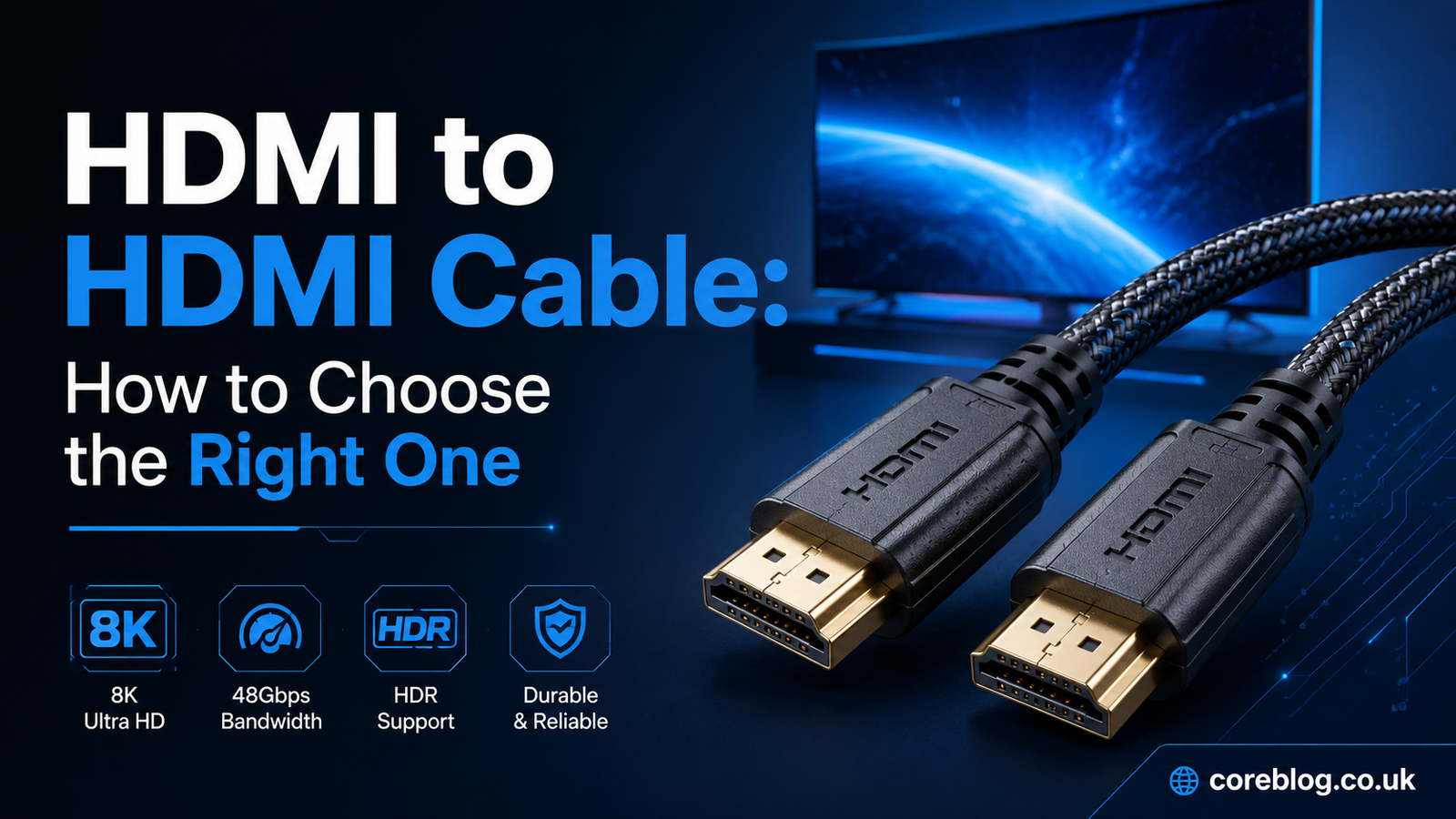
HDMI to HDMI Cable: How to Choose the Right One
Buying an HDMI cable should be easy. You choose a length, connect two devices, and enjoy the picture. Yet one quick search can leave you staring at terms such as 4K, 8K, 120Hz, HDR, eARC, Ultra High Speed, and 48Gbps.
It is enough to make a simple cable feel like a major technical purchase.
The truth is much less confusing. You do not need the most expensive HDMI to HDMI Cable on the shelf. You simply need one that can carry the signal your equipment produces. A basic cable may be perfect for an older television, while a gaming setup could require more bandwidth.
This guide explains what matters, what does not, and how to choose confidently. Whether you are connecting a laptop to a monitor, a console to a television, or a soundbar to a home theater system, you will know exactly what to look for.
What Is an HDMI to HDMI Cable?
An HDMI to HDMI Cable has a standard HDMI connector at both ends. One end connects to a source device, while the other connects to a display or audio device.
Common source devices include:
- Desktop computers
- Laptops
- Blu-ray players
- Streaming boxes
- Cable receivers
- Satellite boxes
- Gaming consoles
- Digital cameras
- Media players
The receiving device may be a television, computer monitor, projector, AV receiver, soundbar, or video capture device.
HDMI stands for High-Definition Multimedia Interface. It carries digital video and audio through one connection. Therefore, you usually do not need a separate audio lead when connecting compatible equipment.
That single-cable design is one reason HDMI became so popular. It keeps installations clean and supports modern picture and sound formats.
Is HDMI to HDMI Different From Other HDMI Cables?
The phrase “HDMI to HDMI” usually describes a cable with full-size Type A connectors on both ends. This is the common connector found on televisions, monitors, game consoles, and home theater equipment.
Other connector combinations also exist, including:
- HDMI to Mini HDMI
- HDMI to Micro HDMI
- HDMI to USB-C
- HDMI to DisplayPort
- HDMI to DVI
- HDMI extension cables
These options serve different devices. For example, some cameras use Mini HDMI or Micro HDMI ports. Many slim laptops use USB-C instead of a full-size HDMI output.
Before ordering, look closely at both devices. Confirm that each one has a standard HDMI port. A regular HDMI to HDMI Cable will not fit a Mini HDMI, Micro HDMI, DisplayPort, or USB-C socket without the correct adapter.
Why Choosing the Right HDMI Cable Matters
HDMI sends a digital signal. This means a properly working cable does not make colors richer or details sharper simply because it costs more.
However, the cable must have enough capacity for the signal. If it cannot handle the required bandwidth, you may notice:
- A blank screen
- Random signal loss
- Picture flickering
- White sparkles on the screen
- Audio cutting in and out
- Limited refresh-rate options
- Missing HDR support
- Reduced resolution
- Gaming features that do not work
A suitable HDMI to HDMI Cable helps your equipment deliver the resolution, frame rate, color depth, and audio quality it was designed to provide.
The goal is not to buy the fanciest option. It is to match the cable to the job.
Understand the Main HDMI Cable Categories
People often search for an “HDMI 2.0 cable” or an “HDMI 2.1 cable.” Retailers use those phrases because buyers recognize them. However, official HDMI cables are normally identified by category names rather than specification version numbers.
Here is a practical comparison:
| Cable category | Typical capability | Best suited for |
|---|---|---|
| Standard HDMI Cable | Basic HD signals | Older televisions and legacy equipment |
| High Speed HDMI Cable | Full HD and some 4K formats | 1080p displays and basic 4K setups |
| Premium High Speed HDMI Cable | Up to 18Gbps, including 4K at 60Hz and HDR | 4K televisions, streaming and home cinema |
| Ultra High Speed HDMI Cable | Up to 48Gbps, including high-frame-rate 4K and advanced 8K formats | Modern gaming, high-end TVs and newer AV systems |
| Ultra96 HDMI Cable | Up to 96Gbps for compatible HDMI 2.2 systems | New equipment built for very high-bandwidth formats |
Standard HDMI Cable
A Standard HDMI Cable belongs to an older category. It may still work well with DVD players, early HD televisions, and equipment using modest video signals.
However, it is not a sensible new purchase for most modern installations. Even affordable televisions now support resolutions and features that can exceed the needs of this category.
High Speed HDMI Cable
A High Speed HDMI Cable supports a wider range of video formats. It is often enough for Full HD content and certain 4K signals.
For a simple 1080p monitor, older console, or basic streaming setup, a well-made High Speed cable may work perfectly.
Still, check your required resolution and refresh rate before buying. The word “High Speed” alone does not always guarantee every demanding 4K feature.
Premium High Speed HDMI Cable
A Premium High Speed cable is a strong choice for a typical 4K television setup. Certified models are tested for bandwidth up to 18Gbps.
That makes this category suitable for many common features, including:
- 4K resolution at 60Hz
- High Dynamic Range
- Wide color formats
- Streaming devices
- UHD Blu-ray players
- Many television and projector installations
For watching films, streaming shows, and using a standard 4K media player, a Premium High Speed HDMI to HDMI Cable often offers everything you need.
Ultra High Speed HDMI Cable
An Ultra High Speed HDMI Cable supports bandwidth up to 48Gbps. It is designed for demanding video and audio features found in newer gaming consoles, graphics cards, televisions, and AV receivers.
Depending on the connected devices, it can support features such as:
- 4K at 120Hz
- 8K at 60Hz
- Variable Refresh Rate
- Auto Low Latency Mode
- Enhanced Audio Return Channel
- Dynamic HDR formats
- High color depth
- Advanced surround sound
- Uncompressed high-resolution video formats
This is usually the best HDMI to HDMI Cable category for a PlayStation 5, Xbox Series X, modern gaming PC, or 120Hz 4K television.
Ultra96 HDMI Cable
Ultra96 is a newer cable category intended for equipment that requires bandwidth up to 96Gbps. It is linked with advanced HDMI 2.2 applications and very high-resolution, high-refresh-rate video formats.
Most homes do not need this capacity yet. Do not replace a working Ultra High Speed cable simply because Ultra96 exists.
Consider Ultra96 when both connected products specifically advertise Ultra96 capability or require bandwidth beyond 48Gbps. Otherwise, an approved Ultra High Speed cable remains more than adequate for most premium televisions and gaming systems.
How to Choose the Right HDMI to HDMI Cable
A cable should match your actual equipment rather than the most impressive claim on the packaging. Work through the following points before making a decision.
1. Check the Maximum Resolution
Resolution refers to the number of pixels used to create the picture. Common formats include:
- 720p HD
- 1080p Full HD
- 1440p
- 4K Ultra HD
- 8K Ultra HD
A basic Full HD display places less demand on a cable than an 8K television. However, resolution is only part of the story. Refresh rate, HDR, color depth, and chroma format also affect bandwidth.
For a 1080p display, a High Speed HDMI to HDMI Cable is normally sufficient. For 4K at 60Hz with HDR, Premium High Speed is a safer option. For 4K at 120Hz, choose Ultra High Speed.
2. Look at the Refresh Rate
Refresh rate tells you how many times a display updates its image each second. It is measured in hertz.
Common refresh rates include 30Hz, 60Hz, 120Hz, 144Hz, and 240Hz. A higher rate can make motion appear smoother, particularly during gaming.
A cable that handles 4K at 30Hz may not handle 4K at 120Hz. Therefore, never choose based on resolution alone.
Check the maximum output of the source and the maximum input of the display. Your HDMI to HDMI Cable should support the combination you plan to use.
Why Gamers Should Pay Close Attention
Competitive and action games benefit from smooth motion and low input delay. Modern consoles and graphics cards may offer 4K gaming at 120Hz, Variable Refresh Rate, and Auto Low Latency Mode.
An Ultra High Speed cable is the practical option for accessing these features on compatible equipment. Still, remember that the console, television, game, and HDMI port must all support the desired mode.
The cable cannot create a feature that the connected hardware lacks.
3. Decide Whether You Need HDR
High Dynamic Range can improve brightness, contrast, shadow detail, and color range. Common formats include HDR10, HDR10+, Dolby Vision, and Hybrid Log-Gamma.
HDR data can increase signal demands, particularly when combined with 4K resolution, high refresh rates, and deep color.
For regular 4K HDR viewing at 60Hz, a certified Premium High Speed cable is commonly suitable. For 4K HDR gaming at 120Hz, an Ultra High Speed HDMI to HDMI Cable is the better choice.
4. Consider ARC and eARC
Audio Return Channel allows a television to send sound back to a soundbar or AV receiver through an HDMI connection. This can reduce cable clutter.
Enhanced Audio Return Channel, known as eARC, offers greater audio capability. It can support higher-bandwidth sound formats when the television and audio system are compatible.
You may use ARC or eARC for:
- Smart television apps
- Streaming services
- Game consoles connected to a TV
- Blu-ray audio
- Dolby Atmos systems
- Multi-channel home theater sound
If you are building a modern home cinema system, an Ultra High Speed cable is a sensible choice for an eARC connection. Also make sure you use the HDMI ports marked ARC or eARC on both devices.
5. Choose the Correct Cable Length
Measure the distance before you order. Then allow a little extra room for bends, furniture, wall mounts, and device movement.
Do not buy a cable that is excessively long without a reason. HDMI signals can become harder to maintain over longer distances, especially at high bandwidth.
For a short connection between a console and television, a standard passive copper cable is usually suitable. Longer installations may require:
- A higher-quality passive cable
- An active HDMI cable
- A fiber-optic HDMI cable
- An HDMI signal extender
- Professional installation equipment
Active and optical cables may be directional. One end is marked for the source, while the other is marked for the display. Installing one backward can result in no picture at all.
Planning an In-Wall Installation
For a cable running behind plaster, through a ceiling, or inside a conduit, think ahead. Replacing it later could be difficult and expensive.
Choose a cable rated for the planned installation environment. It is also wise to install conduit where possible. Conduit makes future upgrades much easier.
Do not place a cable inside a wall simply because its outer jacket feels thick. Check local building and electrical requirements.
6. Verify the Connector Type
A standard HDMI connector is also called Type A. It is the familiar wide plug found on most televisions and consoles.
Some portable devices use smaller connectors:
- Mini HDMI, or Type C
- Micro HDMI, or Type D
- USB-C with video output
- Mini DisplayPort
- Full-size DisplayPort
Inspect the ports or read the device manual. A full-size HDMI to HDMI Cable only works when both devices have compatible full-size ports.
7. Look for Genuine Certification
Certification is especially useful when buying a cable for high-bandwidth signals.
Certified Premium High Speed and Ultra High Speed products normally carry official verification labels. These labels help buyers confirm that the cable model and length have passed the relevant testing program.
Be cautious when a cheap cable makes impressive claims but provides no clear category, certification information, or manufacturer details.
Phrases such as these can be vague:
- Future-proof
- Ultimate 8K
- Next-generation cable
- Cinema-grade picture
- Enhanced digital quality
- Professional visual performance
Focus on measurable information instead. Check the cable category, supported bandwidth, length, warranty, and certification label.
8. Do Not Overpay for Marketing
It is possible to spend a surprising amount on an HDMI to HDMI Cable. Some products use thick packaging, dramatic descriptions, and premium-looking connectors to justify a high price.
A solid build can be valuable. Good strain relief, secure connectors, proper shielding, and durable materials may help a cable survive frequent use.
However, a very expensive cable does not automatically produce a better digital image than an affordable certified cable carrying the same signal correctly.
Gold-plated connectors may resist corrosion in certain environments. They do not add extra pixels, improve frame rates, or create deeper black levels.
Pay for the performance and build quality you need, not a dramatic promise.
Which HDMI Cable Do You Need for Each Device?
Different setups place different demands on the connection.
HDMI Cable for a 1080p TV
For an older Full HD television, a regular High Speed cable is generally enough. This also applies to many DVD players, older Blu-ray players, cable receivers, and basic streaming devices.
There is no problem with using an Ultra High Speed cable, but you may not gain any visible benefit.
HDMI Cable for a 4K TV
For 4K films and television at up to 60Hz, choose a Premium High Speed HDMI to HDMI Cable. It provides a sensible balance between price and capability.
Choose Ultra High Speed instead when the television supports 4K at 120Hz, advanced gaming features, or higher-bandwidth connections.
HDMI Cable for PS5 or Xbox Series X
An Ultra High Speed cable is the safest choice for a current gaming console and a compatible 4K 120Hz television.
Use a television port that supports the required gaming features. Some TVs offer full bandwidth on only one or two HDMI inputs.
Check the settings as well. You may need to enable an enhanced HDMI mode, game mode, VRR, or 120Hz output.
HDMI Cable for a Gaming PC
PC requirements vary widely. A basic office computer connected to a 1080p monitor needs far less capacity than a powerful graphics card connected to a 4K 144Hz gaming display.
Check:
- Graphics card output
- Monitor input
- Resolution
- Refresh rate
- Color depth
- HDR mode
- Variable refresh support
HDMI is not always the only option. Some monitors achieve their best refresh rate through DisplayPort. Read the display specifications before choosing the connection.
HDMI Cable for a Soundbar
For a standard ARC connection, many existing High Speed cables work well. For eARC and advanced audio formats, Ultra High Speed is a reliable modern choice.
Make sure both the television and soundbar use their designated ARC or eARC ports. Connecting to an ordinary HDMI input may prevent the return-audio feature from working.
HDMI Cable for a Projector
Projectors are often installed farther from the source than televisions. Length therefore becomes a major factor.
For a short 4K projector connection, use Premium High Speed or Ultra High Speed according to the required format. For a long room, ceiling, or commercial installation, consider an active or fiber-optic HDMI to HDMI Cable.
Common HDMI Cable Buying Mistakes
Even experienced buyers sometimes focus on the wrong details. Avoid these common errors.
Buying Only by Version Number
A listing may call a product an “HDMI 2.1 cable,” but the official cable category is more useful. Look for Ultra High Speed and proper certification when you need up to 48Gbps.
Assuming Every HDMI Port Is Identical
A television may have four HDMI ports, yet only two may support 4K at 120Hz. Another may be reserved for eARC.
Read the labels near the ports and check the device settings.
Purchasing an Unnecessarily Long Cable
Extra length can create a messy installation and may make high-bandwidth transmission more difficult. Measure the route rather than guessing.
Believing a Cable Will Upgrade the Source
An 8K cable cannot make a 1080p media player output 8K. It also cannot add HDR, VRR, or surround sound to equipment that does not support those features.
A cable carries the signal. It does not upgrade the signal.
Ignoring Directional Markings
Active and optical cables often have a source end and a display end. Always check the labels before running the cable through a wall or ceiling.
Replacing Equipment Before Testing the Cable
When a picture flickers, people sometimes blame the television, console, or graphics card. Testing another HDMI to HDMI Cable is one of the fastest and cheapest troubleshooting steps.
How to Troubleshoot an HDMI Connection
A blank or unstable picture does not always mean the cable is faulty. Try these steps:
- Turn off both connected devices.
- Disconnect and firmly reconnect the HDMI plugs.
- Try another HDMI input on the television or monitor.
- Restart both devices.
- Lower the resolution or refresh rate temporarily.
- Disable HDR or VRR to test the basic signal.
- Update the device software and graphics drivers.
- Try a shorter certified cable.
- Test the equipment with another display.
- Check whether an enhanced HDMI mode must be enabled.
If a lower resolution works but a high-resolution mode does not, the connection may be reaching its bandwidth limit. In that case, a certified cable with the correct category may solve the problem.
Frequently Asked Questions
Does an Expensive HDMI Cable Improve Picture Quality?
Not when both cables transmit the same digital signal without errors. A costlier cable may offer stronger construction, better strain relief, or improved performance over a difficult distance. It does not automatically make a stable digital picture sharper.
Can I Use an 8K Cable With a 1080p TV?
Yes. Modern HDMI cable categories are generally backward compatible with lower-bandwidth equipment. An Ultra High Speed HDMI to HDMI Cable can connect a 1080p source and display, although its extra capacity may go unused.
Does HDMI Carry Sound as Well as Video?
Yes. HDMI can carry digital video and multi-channel audio through the same connection. The exact audio formats available depend on the source, receiving device, HDMI ports, and settings.
Do I Need a Special Cable for 4K?
It depends on the complete video format. A Premium High Speed cable is a good choice for many 4K 60Hz HDR setups. Ultra High Speed is recommended for higher-bandwidth formats such as 4K at 120Hz.
Can an Old HDMI Cable Work With a New TV?
It may work, especially at a lower resolution or refresh rate. However, it may not handle the television’s most demanding features. Test it before replacing it. Upgrade when you experience signal problems or need a mode the old cable cannot support.
Is Every HDMI Cable Directional?
No. Most passive copper cables work in either direction. Some active and fiber-optic cables are directional. Their source and display ends must be connected correctly.
How Long Should an HDMI Cable Be?
Choose the shortest practical length that reaches comfortably without pulling on the ports. Longer high-bandwidth installations may need an active, optical, or professionally tested solution.
Final HDMI Cable Buying Checklist
Before ordering your next HDMI to HDMI Cable, answer these questions:
- Do both devices have full-size HDMI ports?
- What is the maximum resolution?
- What refresh rate will you use?
- Do you need HDR?
- Do you need ARC or eARC?
- Will you use VRR or other gaming features?
- How long must the cable be?
- Is the cable passive, active, or optical?
- Is a directional cable installed the correct way?
- Does the packaging show the official cable category?
- Is certification important for your required bandwidth?
For Full HD, a High Speed cable will often be enough. For most 4K 60Hz HDR systems, Premium High Speed is a dependable choice. For 4K 120Hz gaming, advanced 8K formats, and modern high-bandwidth equipment, choose Ultra High Speed.
Ultra96 should mainly interest buyers whose devices specifically require the newer 96Gbps capability.
Conclusion
Choosing an HDMI to HDMI Cable becomes much easier once you ignore the exaggerated marketing and focus on your equipment.
Start with the resolution and refresh rate. Then consider HDR, gaming features, ARC, eARC, cable length, and connector type. Finally, choose the official cable category that supports those needs.
You do not have to buy the most expensive option. A reasonably priced, correctly certified cable can perform just as well as a luxury product when both carry the required signal without errors.
For a basic Full HD setup, High Speed may be all you need. Premium High Speed suits many 4K home entertainment systems. Ultra High Speed is the better choice for modern gaming and demanding video formats.
Take a minute to check your device ports and specifications before ordering. That small step can prevent flickering, missing features, and unnecessary spending. Share this guide with anyone struggling to choose a cable, and leave a comment about the devices you are trying to connect.















Leave a Reply