

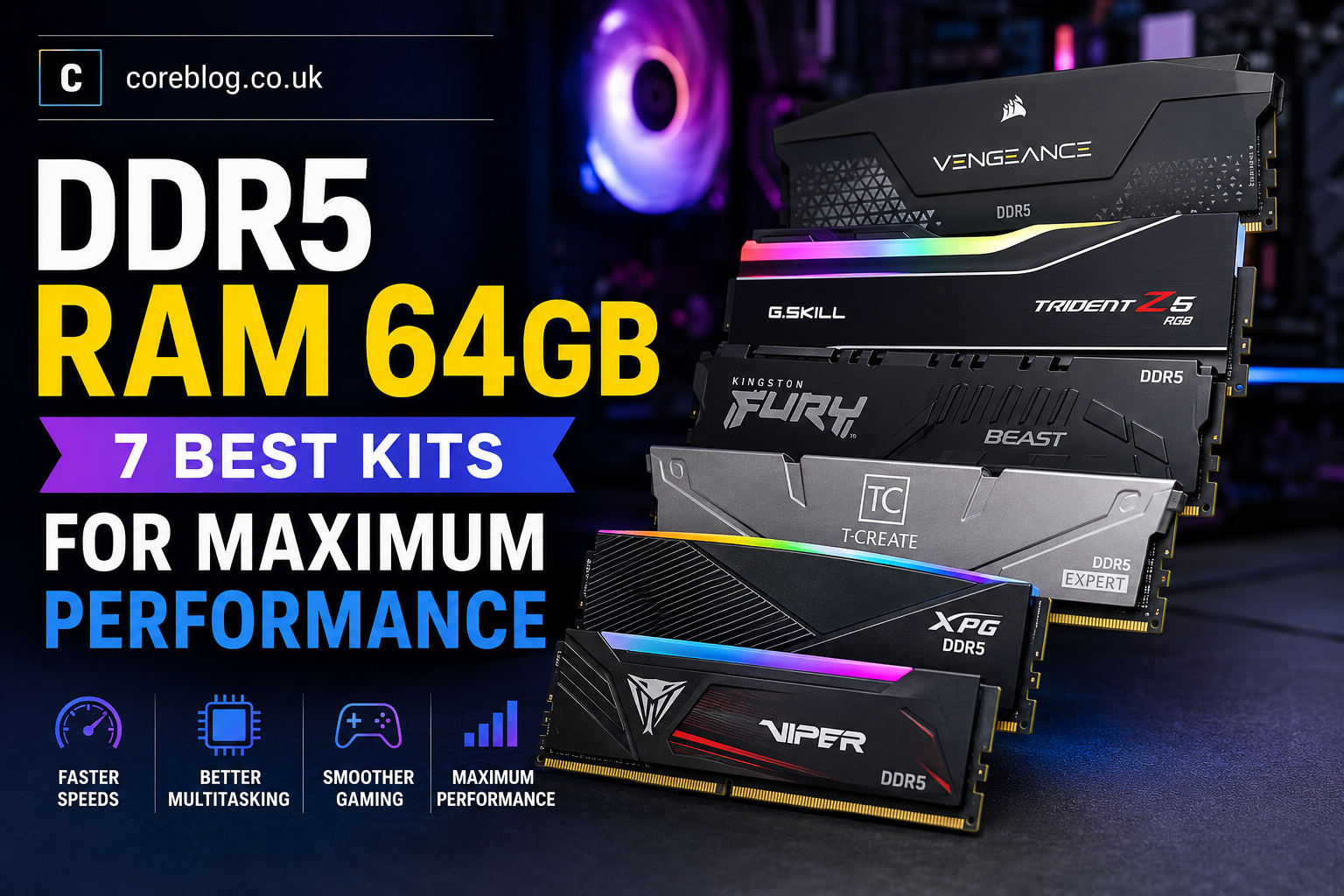
DDR5 RAM 64GB: 7 Best Kits for Maximum Performance
There comes a point when adding more storage or upgrading the graphics card no longer fixes a slow computer. Your games may run well, yet the system starts dragging when you open a browser, launch Discord, stream gameplay, edit a video, and keep several apps running at once.
That is where DDR5 RAM 64GB begins to make real sense.
A 64GB memory kit is no longer reserved for extreme workstations. It has become a practical upgrade for content creators, software developers, serious gamers, streamers, architects, and anyone who regularly handles demanding applications. It gives modern processors more room to work and reduces the chance of slowdowns caused by limited system memory.
However, capacity is only one part of the story. Speed, latency, motherboard compatibility, memory profiles, heat spreader height, and kit configuration all matter. A poorly matched kit may run below its advertised speed or create stability problems. A well-chosen kit, on the other hand, can make a powerful computer feel smoother and more responsive.
This guide looks at seven strong DDR5 RAM 64GB options for different types of users. It also explains what the numbers mean, what to check before buying, and whether 64GB is truly necessary for your setup.
Quick Comparison of the Best DDR5 RAM 64GB Kits
| Memory Kit | Recommended Configuration | Best For | Main Strength |
|---|---|---|---|
| Corsair Vengeance DDR5 | 64GB, 2x32GB, 6000MT/s, CL30 | Most users | Excellent balance |
| G.Skill Trident Z5 Neo RGB | 64GB, 2x32GB, 6000MT/s, CL30 | AMD Ryzen systems | Strong EXPO support |
| G.Skill Trident Z5 RGB | 64GB, 2x32GB, 6000MT/s, CL30 | Intel performance builds | Fast XMP tuning |
| Kingston Fury Beast DDR5 | 64GB, 2x32GB, 6000MT/s, CL36 | Stable everyday builds | Low-profile design |
| TEAMGROUP T-Create Expert | 64GB, 2x32GB, 6000MT/s, CL30 | Content creation | Clean, practical build |
| XPG Lancer Blade DDR5 | 64GB, 2x32GB, 6000MT/s, CL30 | Compact PCs | Excellent cooler clearance |
| Patriot Viper Elite 5 | 64GB, 2x32GB, 6000MT/s class | Value-focused builds | Flexible platform support |
Why Choose DDR5 RAM 64GB?
The jump from 16GB to 32GB is easy to notice in modern multitasking. Moving from 32GB to 64GB is different. It may not double your frame rate, but it gives demanding software much more breathing room.
A DDR5 RAM 64GB kit is especially useful when your system needs to hold large files and several active programs in memory at the same time.
Common uses include:
- 4K and 8K video editing
- Professional photo editing
- Three-dimensional rendering
- Game development
- Music production with large sample libraries
- Virtual machines
- Software development
- CAD applications
- Architectural design
- Data analysis
- Local artificial intelligence tools
- High-resolution streaming
- Heavy browser multitasking
- Large modded games
- Professional animation
With enough memory available, your computer relies less on the storage drive as temporary memory. Even a fast NVMe SSD is much slower than system RAM. Therefore, reducing page-file activity can improve responsiveness during large workloads.
What Makes a Good 64GB DDR5 Kit?
Not every 64GB kit delivers the same experience. Two products may have identical capacity while using different speeds, timings, voltages, memory chips, and overclocking profiles.
A Two-Stick Kit Is Usually the Better Choice
For most desktop computers, a 64GB kit should contain two 32GB modules.
This 2x32GB configuration allows the system to use dual-channel memory operation while leaving two motherboard slots free. It is generally easier for the processor’s memory controller to handle two modules than four.
Buying four separate 16GB sticks may look attractive. However, filling every memory slot can place more stress on the memory controller. It may also make high speeds harder to maintain.
Whenever possible, buy one factory-matched DDR5 RAM 64GB kit rather than mixing separate kits.
Memory Speed Matters
DDR5 memory speed is normally shown in MT/s, or megatransfers per second. Common ratings include:
- DDR5-5200
- DDR5-5600
- DDR5-6000
- DDR5-6200
- DDR5-6400
- DDR5-7200
Higher numbers indicate greater theoretical memory bandwidth. However, the fastest kit is not always the best choice. Very high frequencies may require careful BIOS tuning, a strong processor memory controller, and a suitable motherboard.
For many current desktop systems, DDR5-6000 offers a sensible mix of speed, stability, and compatibility.
CAS Latency Affects Response Time
CAS latency is shown as CL followed by a number, such as CL30, CL32, CL36, or CL40.
Lower latency is generally better when comparing memory running at the same speed. For example, a DDR5-6000 CL30 kit offers tighter primary timing than a DDR5-6000 CL40 kit.
Still, timings should not be viewed alone. Frequency and latency work together. A balanced kit is often better than one that focuses on only one specification.
XMP and EXPO Simplify Setup
Intel XMP and AMD EXPO are stored memory profiles. They allow the motherboard to apply tested frequency, timing, and voltage settings through the BIOS.
Without enabling a profile, a performance kit may start at a slower default speed.
Before buying, check whether the exact part number supports:
- Intel XMP 3.0
- AMD EXPO
- Both profile systems
- Only standard JEDEC settings
Support can vary between models within the same product family.
1. Corsair Vengeance DDR5 64GB
Best Overall DDR5 RAM 64GB Kit
Corsair Vengeance is one of the safest starting points for a modern performance build. The 64GB DDR5-6000 CL30 version combines a strong speed rating with tight timings and a simple design.
It is a good match for users who want fast memory without turning their computer into a complicated tuning project.
Why It Stands Out
The main appeal is balance. DDR5-6000 is fast enough for gaming, editing, streaming, and professional workloads, while CL30 keeps latency under control.
The non-RGB heat spreader also suits clean workstation builds. It does not demand attention, and it is easier to match with different cases, motherboards, and cooling hardware.
This kit is particularly attractive for:
- Premium gaming computers
- Video editing workstations
- Streaming setups
- General high-end desktops
- Users who prefer understated hardware
Potential Drawback
Corsair sells several versions with similar names. Some are designed around Intel profiles, while others include AMD EXPO support. Check the complete model number rather than relying only on the product name.
Verdict
For buyers who want a reliable all-rounder, Corsair Vengeance is one of the most convincing DDR5 RAM 64GB choices. It offers the speed most people need without chasing impractical frequency records.
2. G.Skill Trident Z5 Neo RGB 64GB
Best Choice for an AMD Ryzen Build
G.Skill’s Trident Z5 Neo RGB series is designed with AMD DDR5 platforms in mind. A 64GB DDR5-6000 CL30 kit is a natural fit for a high-performance Ryzen gaming computer or creator workstation.
Its AMD EXPO profile makes the setup process easier on supported motherboards.
Performance and Design
The Trident Z5 Neo RGB combines a sculpted aluminum heat spreader with a bright RGB light bar. It looks premium without becoming too busy.
More importantly, the memory is available in configurations aimed at low latency and strong performance. DDR5-6000 CL30 is widely viewed as an attractive target for many Ryzen systems because it delivers solid bandwidth while remaining more realistic than extreme overclocked speeds.
Who Should Buy It?
This kit is suitable for:
- AMD Ryzen gaming builds
- High-end B650 motherboards
- Enthusiast X670 systems
- Gaming and streaming at the same time
- Video production
- Blender and rendering workloads
- Users who want coordinated RGB lighting
Potential Drawback
The heat spreader is taller than a basic low-profile module. Large air coolers may extend over the memory slots, so check your cooler clearance before buying.
Verdict
For an AMD-focused system, the Trident Z5 Neo RGB is a polished DDR5 RAM 64GB option. It offers good rated performance, straightforward EXPO setup, and a premium appearance.
3. G.Skill Trident Z5 RGB 64GB
Best for a High-Performance Intel PC
The standard Trident Z5 RGB series targets high-performance DDR5 platforms and is a strong option for Intel-based builds. The 64GB DDR5-6000 CL30 configuration gives advanced users high capacity without forcing them into unusually high memory frequencies.
Why Intel Builders Like It
Intel systems often respond well to fast DDR5 memory, especially in productivity applications and CPU-limited workloads. The Trident Z5 RGB series supports Intel XMP profiles on suitable models, allowing users to apply the rated settings through the BIOS.
The design also fits the style of premium gaming motherboards. It is available in finishes that work well with black, white, and silver builds.
Ideal Uses
This kit makes sense for:
- Intel Core gaming systems
- High-end content creation PCs
- Adobe Premiere Pro
- After Effects
- Photoshop
- Unreal Engine
- Software compilation
- Heavy multitasking
- Large creative projects
Potential Drawback
Do not assume that every Trident Z5 kit has the same profile support or timing. G.Skill produces many closely related model numbers. Choose the exact 2x32GB version listed on your motherboard’s memory support list when possible.
Verdict
The Trident Z5 RGB is a strong premium choice for an Intel desktop. It combines capacity, bandwidth, low latency, and attractive lighting in one well-finished package.
4. Kingston Fury Beast DDR5 64GB
Best for Stability and Easy Installation
Kingston Fury Beast has a more practical personality. It may not look as dramatic as some RGB-heavy products, but its compact heat spreader, broad appeal, and straightforward specifications make it easy to recommend.
A common 64GB version uses two 32GB modules rated at DDR5-6000 CL36.
Why It Is a Sensible Buy
The lower module height is useful in systems with a large tower-style CPU cooler. It reduces the risk of the fan or heatsink colliding with the memory.
The selected 6000MT/s kit also supports both Intel XMP and AMD EXPO profiles. That flexibility can be valuable when choosing parts for a new build or moving the memory to another compatible platform later.
Best Uses
Kingston Fury Beast works well for:
- Reliable gaming builds
- Home workstations
- Large air-cooled systems
- Developers using virtual machines
- Office power users
- Music production
- Photo libraries
- Everyday multitasking
CL36 Versus CL30
CL36 is looser than CL30 at the same frequency. In memory-sensitive tests, the CL30 kit may have an advantage. However, the real-world difference is often less dramatic than the specifications suggest, especially in GPU-limited games and normal desktop use.
Stability and compatibility may be more valuable than a small timing advantage.
Verdict
Kingston Fury Beast is an easy-to-live-with DDR5 RAM 64GB kit. It is especially appealing to users who value cooler clearance, simple installation, and dependable performance.
5. TEAMGROUP T-Create Expert DDR5 64GB
Best for Content Creators
TEAMGROUP’s T-Create Expert range avoids the aggressive shapes and bright lighting found on many gaming products. Instead, it uses a clean heat spreader and a professional design.
That makes it a natural choice for editing computers, production systems, and quiet workstations.
Built for Serious Workloads
A 64GB DDR5-6000 kit gives creators enough capacity for large timelines, layered image files, raw footage, rendering software, and background applications.
Select models are available with tight timings, including CL30 configurations. As always, buyers should confirm the full part number because several speed and latency combinations may appear under the same product family.
Where It Performs Best
The T-Create Expert is well suited to:
- DaVinci Resolve
- Adobe Creative Cloud
- Three-dimensional modelling
- Computer-aided design
- Photography workflows
- Audio production
- Animation
- Code development
- Productivity workstations
Clean Design
There is no need to install lighting software, manage RGB effects, or coordinate several control programs. For many professionals, that simplicity is a benefit.
Its heat spreader is also relatively restrained, which can improve compatibility with large CPU coolers.
Verdict
The T-Create Expert is a smart choice for buyers who care more about practical performance than visual effects. It is one of the best DDR5 RAM 64GB kits for a professional-looking system.
6. XPG Lancer Blade DDR5 64GB
Best Low-Profile Kit for Compact Builds
Memory clearance becomes important in smaller cases. Large CPU heatsinks and compact layouts leave little room for tall RGB modules.
The XPG Lancer Blade solves that problem with a low-profile heat spreader. A two-module 64GB setup can provide high capacity while fitting into spaces where taller memory might become awkward.
Key Benefits
The Lancer Blade family offers:
- Low-profile construction
- DDR5-6000 options
- Intel XMP support
- AMD EXPO support on selected models
- On-die error correction
- Integrated power management
- Black and white design choices
- Non-RGB and RGB versions
A DDR5-6000 CL30 version gives buyers a strong combination of bandwidth and latency, provided the selected processor and motherboard support the profile.
Ideal Users
This kit is attractive for:
- Compact gaming PCs
- Small-form-factor cases
- Builds with large air coolers
- Minimalist computers
- White-themed desktops
- Quiet workstations
- Users who dislike oversized heat spreaders
Potential Drawback
The XPG naming range includes several similar Lancer and Lancer Blade models. Check capacity, module count, latency, color, and profile support carefully before placing an order.
Verdict
XPG Lancer Blade proves that a compact module does not have to feel basic. It is a capable DDR5 RAM 64GB solution for buyers who need strong performance and generous cooler clearance.
7. Patriot Viper Elite 5 DDR5 64GB
Best Flexible Value Option
Patriot’s Viper Elite 5 family covers several capacities, frequencies, and latency options. It is available in 64GB configurations and supports Intel XMP 3.0 and AMD EXPO on compatible versions.
This makes it worth considering when it is priced below premium competitors.
What Makes It Interesting?
The Viper Elite 5 range offers both RGB and non-RGB models. That gives buyers a choice between a bright gaming appearance and a more restrained workstation style.
The memory family also includes speeds around the popular DDR5-6000 range, along with faster variants for enthusiasts.
Who Is It For?
Consider it for:
- Mid-range gaming systems
- Value-focused workstations
- Mixed gaming and productivity use
- Buyers who want platform flexibility
- White PC builds
- RGB-focused desktops
- Users shopping around DDR5-6000
Check the Exact SKU
This is particularly important with Patriot memory. The wider product family covers several speeds, capacities, timings, and voltages. A product photo or short store title may not reveal the full specification.
Confirm that the listing includes:
- 64GB total capacity
- Two 32GB modules
- The desired frequency
- The expected CAS latency
- XMP or EXPO support
- A compatible voltage
- The correct color and lighting style
Verdict
The Patriot Viper Elite 5 can offer excellent value when the correct model is available at a competitive price. It is a flexible alternative to more expensive DDR5 RAM 64GB kits.
Is 64GB of DDR5 Overkill for Gaming?
For a gaming-only computer, 64GB is often more than necessary. Many games still run comfortably with 32GB.
However, gaming rarely happens in isolation. A modern player may keep a browser, voice chat, streaming software, recording tools, game launchers, hardware monitoring apps, and music running in the background.
Certain situations can also use more memory:
- Heavily modded games
- Large simulation titles
- Flight simulators
- Custom texture packs
- Game servers
- Streaming and recording
- Multiple displays
- Background video editing
- Virtual machines
- Creative work between gaming sessions
Therefore, DDR5 RAM 64GB is not automatically excessive. It depends on how the whole computer is used.
If you only play esports games and browse the web, 32GB is likely enough. If you create videos, run professional software, or keep many programs open, 64GB can be a sensible long-term investment.
Is DDR5-6000 the Best Speed for 64GB?
DDR5-6000 is a popular target because it offers good bandwidth without reaching the demanding tuning requirements of very fast memory.
A DDR5-7200 kit may look better on paper. Yet achieving that rated speed with two high-capacity modules depends on the processor, motherboard, BIOS, memory controller, and selected memory chips.
For most users, stable DDR5-6000 is more useful than unstable DDR5-7200.
The ideal setup should:
- Boot reliably
- Pass memory stability tests
- Avoid random game crashes
- Complete long renders
- Resume from sleep properly
- Remain stable during heavy multitasking
- Work without excessive voltage
Performance that fails under pressure is not real performance.
How to Check Compatibility Before Buying
Confirm That Your Motherboard Uses DDR5
DDR4 and DDR5 modules are physically different. A DDR5 module cannot be installed in a DDR4 slot.
Some processor generations support both memory types through different motherboard models. Therefore, check the motherboard specification rather than relying only on the processor name.
Check the Motherboard QVL
A qualified vendor list shows memory kits that the motherboard manufacturer has tested.
A kit can work even when it is not listed. Still, choosing a tested model can reduce uncertainty, especially with 64GB capacity and higher frequencies.
Check CPU Cooler Clearance
Tall RGB memory may sit beneath the front fan of a large air cooler. Measure the available height or review the cooler’s RAM clearance specification.
Low-profile kits such as Kingston Fury Beast, XPG Lancer Blade, and TEAMGROUP T-Create Expert may be easier to install.
Update the BIOS
New BIOS versions often improve memory training and compatibility. Updating the motherboard before enabling XMP or EXPO may solve problems with booting, stability, or rated speeds.
Avoid Mixing Separate Kits
Even two kits with the same name and specification may use different internal components. Manufacturers validate each package as one matched set.
For the best chance of stability, buy the full DDR5 RAM 64GB capacity in one 2x32GB package.
How to Install and Configure DDR5 RAM 64GB
Step 1: Turn Off and Unplug the Computer
Shut the system down fully and disconnect the power cable. Press the power button briefly after unplugging to help discharge remaining power.
Step 2: Use the Recommended Memory Slots
For two modules, most motherboards recommend the second and fourth slots away from the processor. These are often labelled A2 and B2.
Check the motherboard manual because the preferred layout can vary.
Step 3: Seat Both Modules Firmly
Align the notch in the module with the slot. Press evenly until the latches lock into place. Do not force the memory if the notch does not line up.
Step 4: Boot at Default Settings
The first boot after a memory change may take longer because the motherboard trains the memory. Allow it time to complete the process.
Step 5: Enable XMP or EXPO
Enter the BIOS and enable the appropriate memory profile. Save the changes and restart.
Step 6: Test Stability
Run a memory test and use the computer normally under demanding workloads. Watch for:
- Blue screens
- Application crashes
- Sudden restarts
- File errors
- Failed renders
- Game instability
- Boot loops
If problems appear, update the BIOS, reseat the modules, or try a lower memory speed.
DDR5 RAM 64GB Buying Checklist
Before ordering, confirm the following:
- The motherboard supports DDR5
- The kit contains two 32GB modules
- The rated speed suits your processor
- The latency is acceptable
- The correct XMP or EXPO profile is included
- The module height fits beneath the CPU cooler
- The part number appears on the motherboard QVL when possible
- The seller is reputable
- The warranty is valid in your region
- The kit matches your case design
- The return policy covers compatibility problems
Frequently Asked Questions
Is 64GB Better Than 32GB for Gaming?
It is better for multitasking, modded games, streaming, and mixed creative use. However, it may not significantly increase frame rates in games that already run comfortably within 32GB.
Should I Buy Two 32GB Modules or Four 16GB Modules?
Two 32GB modules are usually the better choice. They place less strain on the memory controller, leave room for future changes, and are often easier to run at the advertised speed.
Is CL30 Worth It Over CL36?
At the same frequency, CL30 offers lower latency. It can improve performance in memory-sensitive tasks. However, CL36 remains perfectly usable and may offer better value or compatibility.
Does DDR5 Have ECC?
Standard consumer DDR5 includes on-die error correction inside each memory chip. This is not the same as full system-level ECC memory used in compatible servers and professional workstations.
Will 64GB Improve Video Editing?
It can help when working with high-resolution footage, long timelines, complex effects, large caches, and several creative applications at once. The benefit depends on the editing software and project size.
Can I Add Another 64GB Kit Later?
You can try, but mixing two separate kits is not guaranteed to work at the same speed. Four modules may also require lower frequency or looser timings. Buy the capacity you expect to need in one matched kit whenever possible.
Final Thoughts
Choosing the best DDR5 RAM 64GB kit is not about buying the model with the largest speed number. The right kit must suit your processor, motherboard, cooler, workload, and tolerance for manual tuning.
Corsair Vengeance is the strongest all-round option for many users. G.Skill Trident Z5 Neo RGB is an excellent match for premium AMD systems, while the standard Trident Z5 RGB suits powerful Intel builds. Kingston Fury Beast focuses on practical compatibility, TEAMGROUP T-Create Expert fits professional workstations, and XPG Lancer Blade is ideal when cooler clearance is limited. Patriot Viper Elite 5 can also provide strong value when the correct version is competitively priced.
For most people buying DDR5 RAM 64GB, a matched 2x32GB DDR5-6000 kit with sensible latency is the sweet spot. It provides plenty of room for gaming, editing, streaming, development, rendering, and serious multitasking without chasing unstable specifications.
Check the exact part number, confirm motherboard support, update the BIOS, and enable the correct memory profile after installation. A few minutes of research before buying can prevent hours of troubleshooting later.
Which 64GB DDR5 kit would you choose for your next computer? Share your preferred model and the type of work or gaming you plan to do with it.















Leave a Reply