

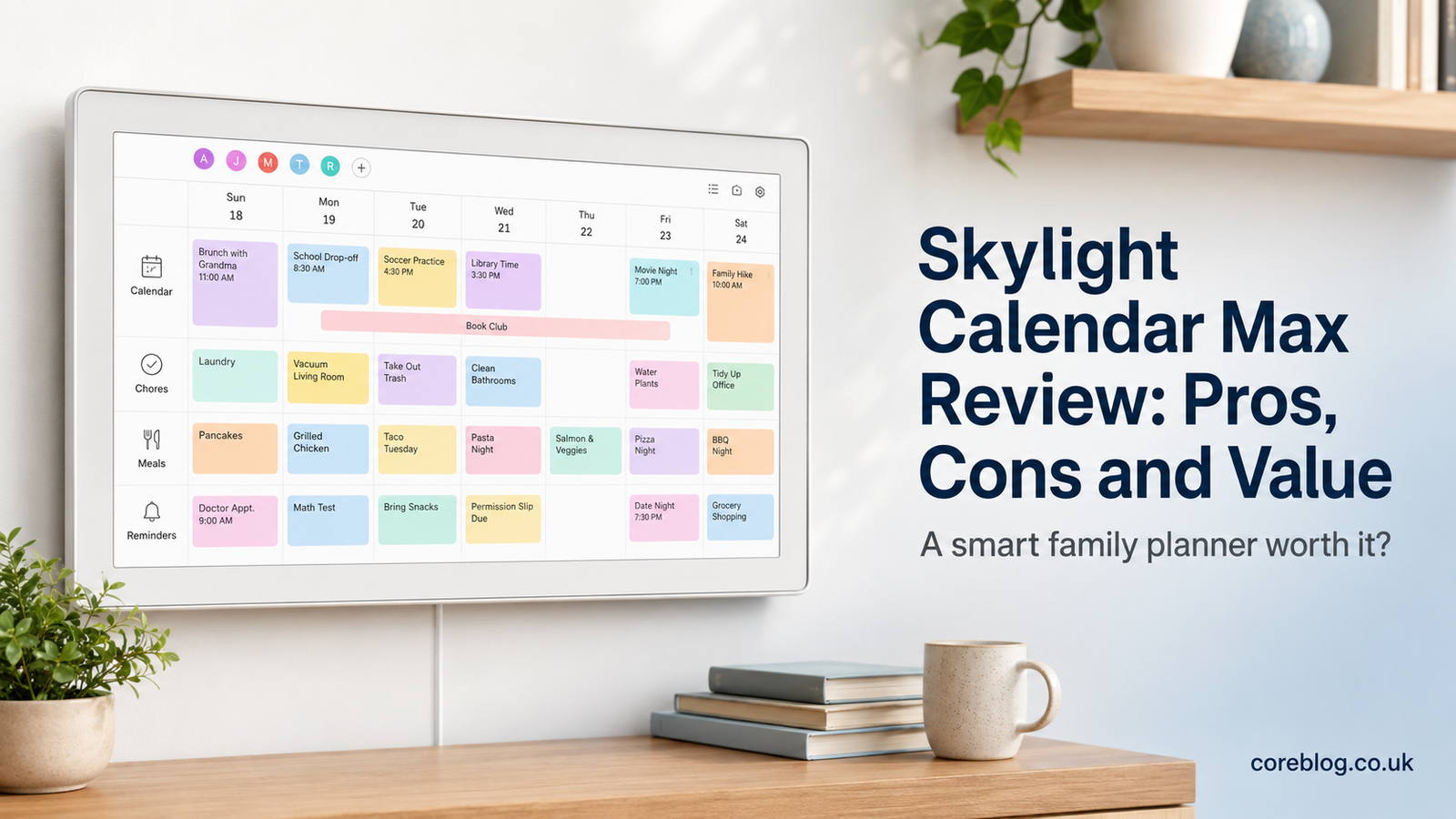
Skylight Calendar Max Review: Pros, Cons and Value
Keeping a busy household organized sounds simple until real life gets involved. One child has football practice, another needs a school form signed, someone changes a dental appointment, and nobody remembers what was planned for dinner. Before long, the kitchen counter is covered with notes, while important events are scattered across several phones.
That is the problem the Skylight Calendar Max aims to solve.
Instead of asking every family member to check another app, it puts the household schedule on a large touchscreen that everyone can see. Appointments, chores, meal plans, lists, and reminders can all live in one central place.
However, this convenience comes with a premium price. It also requires wall space, a power source, Wi-Fi, and a real commitment from the family. A smart calendar only works when people use it.
This Skylight Calendar Max Review takes a practical look at its features, advantages, drawbacks, and overall value. More importantly, it will help you decide whether this large digital family calendar fits your home or simply adds another screen to the wall.
What Is the Skylight Calendar Max?
The Skylight Calendar Max is a large, Wi-Fi-connected touchscreen calendar designed to act as a family organization hub. Its 27-inch display gives household members a clear view of upcoming events, daily tasks, chore charts, meal plans, and custom lists.
Unlike a normal tablet, it is meant to remain in a shared part of the home. You might place it in the kitchen, hallway, family room, or another area people walk past during the day.
The main idea is visibility.
A phone calendar may contain every appointment, yet it only helps the person holding the phone. A wall-based family calendar makes the same information easier for children, partners, grandparents, and other household members to see.
The Calendar Max can sync schedules from common online calendar services. Family members can also use the Skylight mobile app to make updates while away from home.
At its core, the product tries to replace several familiar household tools:
- Paper wall calendars
- Whiteboards
- Sticky notes
- Printed school schedules
- Chore charts
- Shopping lists
- Meal-planning notebooks
- Repeated verbal reminders
That sounds useful, but usefulness depends on the habits of the people living in the home.
Skylight Calendar Max Review at a Glance
| Feature | What It Offers |
|---|---|
| Display | Large 27-inch touchscreen |
| Main purpose | Shared household planning and organization |
| Calendar tools | Synced events and color-coded family schedules |
| Family features | Profiles, chores, tasks, lists and meal planning |
| Orientation | Landscape or portrait wall placement |
| Mobile access | Skylight app for remote schedule updates |
| Best for | Busy families and shared households |
| Main concern | Premium purchase price |
| Subscription | Core tools are available without Plus, while some advanced features require it |
| Portability | Designed as a fixed household display rather than a portable tablet |
This Skylight Calendar Max Review finds that the product’s biggest strength is also the reason it costs more than smaller options: its screen is genuinely large enough to become part of the home.
Design and Build Quality
A Screen Made to Be Seen
The 27-inch display is the defining feature of the Calendar Max. It is far larger than a standard tablet and gives schedules room to breathe.
That extra space matters in a household with several people. Each person can have a color-coded profile, while multiple appointments remain visible without making the layout feel cramped.
On a smaller digital calendar, a full family week can quickly become difficult to read. The Calendar Max is better suited to homes where several work shifts, school events, medical appointments, sports practices, birthdays, and social plans need to appear together.
The large screen also makes it easier to check the calendar from a short distance. You do not always need to stand directly in front of it or tap through several menus just to see what is happening next.
Portrait and Landscape Placement
The display can work in portrait or landscape orientation, which gives homeowners more control over placement.
Landscape mode may suit a wide kitchen wall or breakfast area. Portrait mode can work better in a narrow hallway or beside a refrigerator.
Still, buyers should measure their chosen wall before ordering. A 27-inch screen is not a small accessory. It becomes a noticeable part of the room.
A Permanent Household Fixture
The Calendar Max is designed for wall installation. That gives it a clean, intentional appearance, but it also means you should think carefully about where it will go.
The best position is usually somewhere that:
- Every family member passes often
- Has a nearby power outlet
- Receives a stable Wi-Fi signal
- Does not create strong screen glare
- Allows adults and children to reach the touchscreen
- Has enough space for comfortable viewing
This is not the kind of device most people will move from room to room. Once mounted, it becomes a fixed home command center.
Setting Up the Skylight Calendar Max
A good family organizer should not require a technical expert. Fortunately, the basic setup process is designed to be approachable.
After mounting and powering the display, users connect it to Wi-Fi and link it with a Skylight account. From there, existing calendars can be added and family profiles can be created.
Connecting Existing Calendars
The ability to combine calendars is one of the strongest parts of the system.
Many households already use a mixture of services. One parent may use Google Calendar for personal events, another may use Outlook for work, and the children’s activities may appear in a separate shared calendar.
Bringing those schedules together creates a clearer picture of the week.
However, it is wise to review calendar permissions during setup. Not every work event or private appointment needs to appear on a shared household screen. Creating a separate family calendar can provide better control.
Creating Family Profiles
Individual profiles make the schedule easier to understand. Each person can have a name and identifying color, helping users see who is involved in an event without reading every detail.
This is especially useful in larger households. A quick glance can show whether an appointment belongs to a parent, a child, or the whole family.
A Helpful Setup Tip
Do not add every possible feature on the first day.
Start with the shared calendar and one or two important lists. Once the family becomes comfortable with those tools, introduce chores, meal planning, rewards, and other functions.
A gradual setup often works better than presenting everyone with a complicated new household system overnight.
Everyday Calendar Experience
The real test is not whether the screen looks impressive on the first day. It is whether people continue checking it after several weeks.
In daily use, the Calendar Max can provide a simple overview of what is happening today and what is coming next. The large display reduces the need to open an app whenever someone asks about an appointment.
This Skylight Calendar Max Review sees the shared visual schedule as the product’s main practical benefit.
Consider a typical weekday morning. One child needs sports equipment, another has an early school club, and a parent has an evening meeting. When those events appear in one visible place, the family has a better chance of preparing before the rush begins.
It will not remove every scheduling problem. Still, it can reduce the common excuse that someone did not know about an event.
Chores, Tasks and Household Responsibility
A family calendar becomes more valuable when it does more than show appointments. The Calendar Max also supports chores and tasks, allowing responsibilities to be assigned to individual household members.
Possible tasks may include:
- Feeding a pet
- Taking out the rubbish
- Packing a school bag
- Loading the dishwasher
- Watering plants
- Completing homework
- Preparing sports clothing
- Cleaning a bedroom
- Checking the mail
- Helping with dinner
Recurring tasks can be useful because parents do not need to rebuild the same chore chart each week.
Does a Digital Chore Chart Motivate Children?
It can, although no screen can create motivation by itself.
The visual format makes responsibilities clearer. Children can see what they need to complete, and parents may spend less time repeating the same instruction.
Some families may also enjoy using stars or rewards to encourage healthy routines. However, the system works best when the expectations are simple and consistent.
A digital chore chart should support family communication, not replace it.
Custom Lists and Shared Planning
Custom lists turn the device into more than an appointment calendar. Families can use them for groceries, household supplies, travel preparation, school needs, gift ideas, weekend jobs, or anything else that needs to be remembered.
A shared grocery list is a simple example. Instead of sending several messages during the day, household members can add items to one central list.
Lists can also help with recurring situations.
Useful List Ideas
- Weekly grocery list
- School lunch supplies
- Holiday packing checklist
- Home maintenance jobs
- Birthday gift ideas
- Important phone calls
- Weekend errands
- Cleaning supplies
- Family goals
- Emergency items
These are not revolutionary tools. Many free apps already offer shared lists. The advantage is that the information appears alongside the family schedule instead of disappearing inside another phone application.
Meal Planning Features
The question “What are we having for dinner?” can become surprisingly tiring when it is asked every day.
Meal planning gives families a visible place to decide what will be served throughout the week. This can support grocery shopping, reduce last-minute takeaway orders, and help people prepare ingredients in advance.
For example, a weekly plan might show:
- Monday: Pasta and salad
- Tuesday: Chicken wraps
- Wednesday: Vegetable curry
- Thursday: Leftovers
- Friday: Homemade pizza
- Saturday: Family meal out
- Sunday: Roast dinner
The feature does not cook the food or shop for ingredients. Still, making the plan visible can reduce confusion and unnecessary decisions.
Some advanced meal-planning assistance is connected to the optional Calendar Plus service. Buyers should review which functions are included with the device and which require an ongoing payment.
The Skylight Mobile App
The mobile app is important because families do not spend the whole day standing near the wall display.
With app access, parents and other approved users can update events, tasks, lists, and household information while away from home. A schedule change made during the workday can then appear on the shared calendar.
This creates a helpful balance:
- The wall display gives the household a shared view.
- The mobile app allows changes from almost anywhere.
- Calendar syncing reduces duplicate data entry.
- Profiles keep family information organized.
The app also makes the system more realistic for modern households. Without remote access, every update would need to be entered at home, which would quickly become inconvenient.
Calendar Plus: Useful Upgrade or Extra Cost?
A major issue in any honest Skylight Calendar Max Review is the optional subscription.
The device provides core organization tools without requiring every user to subscribe. However, Calendar Plus adds premium features that may include smarter importing, enhanced meal-planning tools, rewards, and photo or video screensaver options.
The exact value depends on your habits.
Calendar Plus May Be Worth It When:
- You regularly receive school schedules by email
- You want faster ways to import event information
- Your family actively uses meal-planning tools
- Children respond well to stars and rewards
- You want the screen to display family media when idle
- You prefer automation over manual data entry
You May Not Need Calendar Plus When:
- You only want a shared digital calendar
- Your existing calendars already sync well
- You do not plan to use meal or reward tools
- You want to avoid another yearly subscription
- You prefer entering important events manually
It is good that the hardware does not become useless without the premium plan. Even so, buyers should include possible subscription costs when judging long-term value.
Skylight Calendar Max Pros
This Skylight Calendar Max Review identifies several meaningful advantages.
1. The Large Display Is Genuinely Practical
The screen size is not merely a marketing detail. It gives crowded family schedules more room and makes the information easier to view from across a room.
2. It Creates One Shared Source of Information
Instead of checking paper notes, group messages, and separate apps, household members can refer to one main planning screen.
3. Color-Coded Profiles Improve Clarity
Different colors help users understand a busy schedule quickly. This is especially helpful for homes with several children or changing work shifts.
4. The Mobile App Supports Remote Updates
Events and tasks can be managed away from the display, which makes the system much more flexible.
5. It Combines Several Household Tools
Calendar events, chores, custom lists, meal plans, and family profiles can live in the same system.
6. It Can Encourage Independence
Children may begin checking their own schedules and responsibilities instead of relying on repeated reminders from parents.
7. It Looks Cleaner Than a Busy Noticeboard
A well-mounted digital display can feel more organized than a wall covered with paper calendars, magnets, notes, and printed schedules.
Skylight Calendar Max Cons
No product is perfect, and a credible Skylight Calendar Max Review should be clear about the disadvantages.
1. The Price Is High
The Calendar Max is a premium household device. Families who only need a basic shared calendar may struggle to justify the cost.
A low-cost tablet, printed planner, whiteboard, or free family calendar app can handle some of the same jobs. The Calendar Max mainly earns its price through size, visibility, convenience, and integrated organization.
2. Some Features Require a Subscription
Although the essential functions remain useful, advanced tools may require Calendar Plus. Subscription fatigue is real, and buyers should consider the total cost over several years.
3. It Needs Wall Space
A 27-inch display will not blend into every room. Small kitchens, rented homes, and crowded hallways may not offer a suitable mounting area.
4. It Is Not Portable
This is a household fixture, not a tablet you carry to the sofa or take on holiday. The mobile app helps, but the main screen remains attached to the wall.
5. It Depends on Family Participation
The device cannot force anyone to check the schedule, complete chores, or update plans. If one person becomes the only active user, much of the shared value disappears.
6. Digital Organization Can Still Become Cluttered
Adding too many calendars, tasks, meal plans, and lists may create visual overload. Good setup and regular maintenance remain important.
7. A Power or Internet Problem Reduces Access
Like most connected smart-home products, it depends on electricity and online services for its full experience. A paper calendar does not have that problem.
Is It Better Than a Regular Wall Calendar?
A paper calendar is cheap, simple, and always visible. It never needs software, a subscription, an account, or Wi-Fi.
However, a paper calendar is harder to update from outside the home. It may also become messy when plans change or several family members need space.
| Skylight Calendar Max | Paper Wall Calendar |
|---|---|
| Updates digitally | Requires handwriting |
| Syncs with online calendars | Does not sync |
| Supports profiles and colors | Limited by pens and space |
| Includes chores and lists | Usually schedule-focused |
| Can update through an app | Must be edited in person |
| Costs considerably more | Usually inexpensive |
| Requires power and Wi-Fi | Works without technology |
| Offers a large interactive display | Offers a simple printed layout |
The right choice depends on the complexity of your household. A couple with a quiet schedule may be perfectly happy with paper. A family balancing school, work, sports, appointments, meals, and chores may receive much more value from an interactive system.
Skylight Calendar Max vs a Standard Tablet
A standard tablet may appear to be a cheaper substitute. In some homes, it is.
A tablet can run calendar apps, display shared lists, play videos, browse the web, and perform many other tasks. However, those extra functions can also become distractions.
The Calendar Max offers a more focused household experience. Its large screen, wall-based design, family profiles, chore tools, and shared planning layout are built around home organization.
A tablet is more flexible. The Calendar Max is more specialized.
Choose a tablet when you want a portable multipurpose device. Choose the Calendar Max when you want a permanent family dashboard that stays visible.
Who Should Buy the Skylight Calendar Max?
The Calendar Max makes the most sense for busy households where scheduling problems happen often.
It may be a strong fit for:
- Families with several children
- Homes with busy sports schedules
- Parents managing school activities
- Blended families coordinating routines
- Households with changing work shifts
- Families already using several digital calendars
- People who rely on visible reminders
- Homes that want a central command center
- Families building consistent chore routines
- Caregivers coordinating shared responsibilities
It may also help users who experience “out of sight, out of mind” problems. A large visual calendar can be easier to remember than information hidden inside a phone.
Who Should Skip It?
This Skylight Calendar Max Review would not recommend the device to everyone.
You may want to skip it when:
- Your household has a simple schedule
- You rarely use digital calendars
- Wall space is limited
- You rent and cannot mount a large display
- You dislike connected home devices
- You want a portable screen
- You are trying to reduce subscriptions
- A shared phone app already works well
- The purchase would stretch your budget
- Family members are unlikely to use it
A cheaper planning method is not automatically worse. The best organization tool is the one people use consistently.
How to Get Better Value From the Calendar Max
Buying the device is only the first step. A thoughtful setup can make the difference between a useful household system and an expensive screen.
Choose a High-Traffic Location
Mount it where people naturally pause, such as near the kitchen, breakfast area, or main hallway.
Keep Profiles Simple
Use clear names and easy-to-recognize colors. Avoid creating unnecessary categories that make the display harder to understand.
Build a Weekly Planning Habit
Spend ten minutes once a week reviewing appointments, chores, meals, and important deadlines.
Let Everyone Participate
Give family members age-appropriate responsibility for checking and updating their information.
Remove Old Information
Delete finished lists and outdated tasks. Digital clutter can become just as distracting as paper clutter.
Use the Features You Actually Need
You do not need to use every tool. A clean calendar with a grocery list may provide more value than a complicated dashboard nobody understands.
Review the Subscription Before Renewing
Track whether your household uses the premium functions. If not, the basic features may be enough.
Is the Skylight Calendar Max Worth the Money?
Value is the hardest part of this Skylight Calendar Max Review because the answer depends heavily on the household.
From a hardware perspective, the device is expensive compared with a normal wall calendar or free mobile app. You are paying for a large dedicated screen, family-friendly software, central visibility, syncing, and the convenience of keeping several planning tools together.
For a household that constantly misses appointments, repeats reminders, loses school notices, or argues about chores, that convenience may feel valuable every day.
For a household with two adults and a light schedule, the same device may feel unnecessary.
A useful way to decide is to ask five questions:
- Do several people need access to the same schedule?
- Does your family currently miss or forget important plans?
- Would a large visible display be checked every day?
- Will you use chores, lists, or meal-planning tools?
- Can you afford the device without expecting it to solve every household problem?
When most answers are yes, the Calendar Max becomes easier to justify.
Frequently Asked Questions
Does the Skylight Calendar Max Work Without Calendar Plus?
The main calendar and household organization tools can still provide value without the premium plan. Calendar Plus is aimed at users who want additional automation and enhanced features.
Can It Replace a Paper Calendar?
Yes, especially for households that already use online calendars. However, some people may keep a small paper planner as a backup or personal notebook.
Can Family Members Update It From Their Phones?
The Skylight app allows approved users to manage household information away from the main display.
Is the 27-Inch Screen Too Large?
That depends on the room. In a spacious kitchen or family area, it can feel appropriate. In a narrow hallway or small apartment, it may dominate the wall.
Does It Make a Good Gift?
It can make a thoughtful gift for a busy family, but the buyer should consider installation, wall space, setup, and the recipient’s comfort with digital tools.
Is It Useful Without Children?
Yes. Couples, shared households, caregivers, and adults managing complicated schedules can also benefit. Still, chores and family profiles may offer less value in a quieter home.
Final Verdict
The Skylight Calendar Max succeeds because it makes household information difficult to ignore. Its large touchscreen puts schedules, chores, lists, and meal plans in a place where the whole family can see them.
Its strongest qualities are visibility, calendar syncing, remote updates, family profiles, and the ability to combine several organization tools. The 27-inch display also gives busy schedules enough room to remain readable.
However, the high price cannot be overlooked. Some of the more advanced features add an ongoing subscription cost, while the fixed wall-mounted design will not suit every space. Most importantly, the device needs active family participation. It cannot organize people who refuse to use it.
The final conclusion of this Skylight Calendar Max Review is straightforward: it offers strong value for busy families who need a visible, shared planning hub and will use it daily. It offers far less value for households that already manage schedules well with free apps or a simple paper calendar.
Before buying, think about your family’s real habits rather than the product’s longest feature list. Decide where it will be mounted, who will update it, and which tools you will use each week.
When those answers are clear, the Skylight Calendar Max can become a useful part of daily family life instead of another piece of technology collecting dust.
Have you used a digital family calendar before? Share your experience, and pass this review along to someone searching for a better way to organize a busy household.















Leave a Reply