

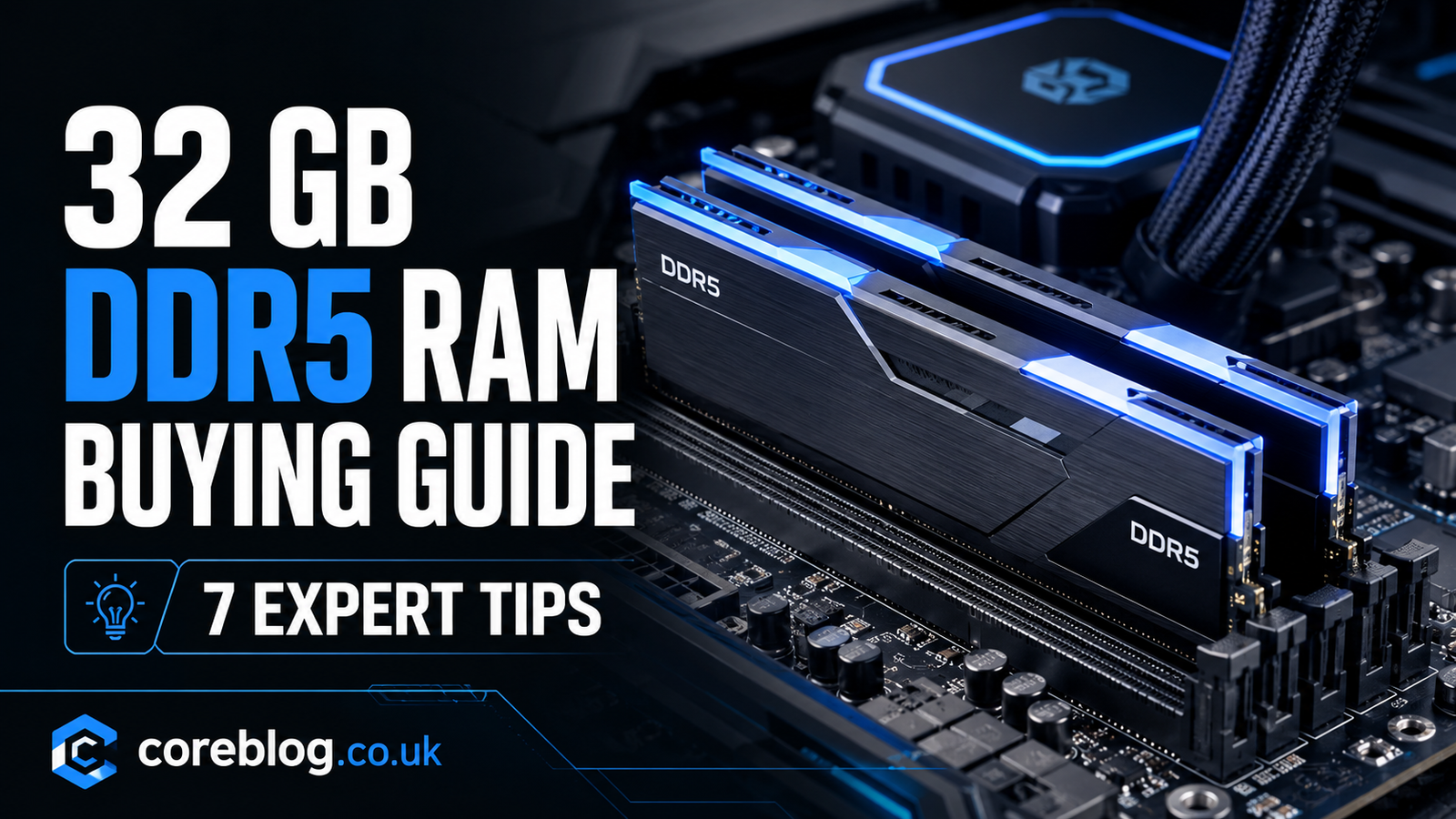
32 GB DDR5 RAM Buying Guide: 7 Expert Tips
Buying RAM sounds simple until you see dozens of kits with different speeds, timings, voltages, and profiles. One box says 6000 MT/s. Another promotes CL30 latency. A cheaper option has RGB lighting, while a plain-looking kit costs more. Suddenly, choosing memory feels far more complicated than it should.
The good news is that you do not need to become a hardware engineer to make the right choice.
This 32 GB DDR5 RAM Buying Guide explains the details that actually matter. It will help you choose memory for a gaming PC, office computer, editing workstation, or everyday desktop without paying extra for features you may never use.
For most modern users, 32 GB is an excellent middle ground. It gives you enough memory capacity for demanding games, heavy multitasking, content creation, streaming, and professional software. At the same time, it remains affordable compared with 48 GB or 64 GB configurations.
However, capacity is only one part of the decision. You must also consider memory speed, CAS latency, motherboard compatibility, Intel XMP, AMD EXPO, kit configuration, build quality, and long-term value.
Let us break it down one step at a time.
Why 32 GB of DDR5 RAM Makes Sense
A few years ago, 16 GB was widely viewed as the ideal amount of desktop RAM. It could handle gaming, web browsing, basic editing, and most office programs without trouble.
That is beginning to change.
Modern applications use more memory. Games now load larger textures, more detailed environments, and complex background systems. Browsers can consume several gigabytes when many tabs are open. Video editing programs, virtual machines, game launchers, voice chat apps, and streaming software also add to the total workload.
A 32 GB memory kit gives your system more breathing room.
You can run a game while keeping Discord, a browser, recording software, and music apps open. You can edit a large Photoshop file without closing every other program. You can also move between Premiere Pro, After Effects, and other creative tools with fewer slowdowns.
This does not mean that every person needs 32 GB. A basic home computer may work perfectly well with 16 GB. Still, for a new mid-range or high-end PC build, 32 GB offers a strong balance between performance, price, and future-proofing.
Who Benefits Most From 32 GB DDR5?
A 32 GB DDR5 kit is especially useful for:
- PC gamers who play modern AAA titles
- Streamers running games and broadcasting software together
- Video editors working with high-resolution footage
- Designers using Photoshop, Illustrator, or similar programs
- Professionals running large spreadsheets and databases
- Developers using virtual machines or development environments
- Students who keep many browser tabs and apps open
- 3D artists working in Blender or rendering software
- Users building a PC they want to keep for several years
This 32 GB DDR5 RAM Buying Guide is aimed at all these users. The goal is not to recommend the most expensive memory. It is to help you find the right specifications for your actual workload.
Quick Comparison of Important DDR5 Features
| Feature | What It Means | What Most Buyers Should Choose |
|---|---|---|
| Capacity | Total available system memory | 32 GB |
| Kit layout | Number and size of modules | 2 x 16 GB |
| Speed | Effective data transfer rate | 5600–6400 MT/s |
| CAS latency | Delay before memory responds | CL30 to CL36 |
| Profile support | Easy performance settings | XMP or EXPO |
| Form factor | Physical module type | DIMM for desktops |
| Voltage | Power used by the RAM | Around 1.25V–1.40V for faster kits |
| Cooling | Heat spreader or heatsink | Useful but does not need to be large |
| Lighting | Decorative RGB effects | Personal preference |
| Warranty | Manufacturer protection | Limited lifetime warranty preferred |
Tip 1: Choose a 2 x 16 GB Memory Kit
The first recommendation in this 32 GB DDR5 RAM Buying Guide is simple: choose two 16 GB modules rather than one 32 GB stick.
A 2 x 16 GB kit allows your computer to use a dual-channel memory configuration. Dual-channel operation increases available memory bandwidth because the processor can communicate with two modules at the same time.
In everyday language, your system gets a wider road for moving data.
This can improve performance in games, creative applications, integrated graphics, file compression, and other memory-sensitive tasks. The difference is not always dramatic, but it is often measurable. More importantly, there is usually no good reason to give up dual-channel performance when matched 2 x 16 GB kits are widely available.
Why Not Buy One 32 GB Module?
A single 32 GB DIMM can make sense when you plan to add another identical module soon. However, until that upgrade happens, the system may run with lower memory bandwidth.
You may also have trouble finding an exact matching module later. Even RAM with the same product name can sometimes use different memory chips or revisions.
Buying a factory-matched memory kit reduces that risk. Both sticks are tested to work together at their advertised clock speed and memory timings.
Is 4 x 8 GB a Good Choice?
Four 8 GB modules can provide 32 GB in total, but it is rarely the best DDR5 configuration for a new build.
Running four DIMMs places more stress on the CPU memory controller. In some systems, this can make high-speed memory profiles harder to run. You may need to reduce the data transfer rate or adjust BIOS settings to maintain stability.
Four modules also fill every memory slot, leaving no easy upgrade path.
For these reasons, 2 x 16 GB is usually the cleanest and most reliable choice.
Tip 2: Match the RAM to Your Motherboard and Processor
Compatibility should come before speed, appearance, and brand.
DDR5 memory does not work in a DDR4 motherboard. The modules have different electrical designs and notch positions, so you cannot install DDR5 RAM in a DDR4 DIMM slot.
Before placing an order, check whether your motherboard supports DDR5. You should also confirm its supported memory speeds, maximum capacity, number of slots, and recommended configurations.
Check the Motherboard Memory Support Page
A motherboard manufacturer normally provides a list of tested memory kits. This is often called the Qualified Vendor List, or QVL.
A kit does not have to appear on the QVL to work. Manufacturers cannot test every product on the market. Still, choosing a tested model can offer extra confidence, especially when buying faster DDR5 memory.
Look for the following information:
- Supported memory capacity
- Maximum advertised speed
- Number of supported DIMMs
- Intel XMP compatibility
- AMD EXPO compatibility
- BIOS requirements
- Tested memory kit model numbers
Your processor matters as well. The CPU contains the memory controller, and its quality affects how easily the system can run high memory frequencies.
A premium motherboard does not automatically guarantee that every processor will handle extreme RAM speeds.
Desktop DIMM vs Laptop SO-DIMM
Desktop computers normally use full-size DIMM modules. Laptops and compact systems often use smaller SO-DIMM modules.
These two formats are not interchangeable.
Some thin laptops have soldered memory that cannot be upgraded at all. Therefore, laptop users should confirm that their device has accessible DDR5 SO-DIMM slots before buying anything.
This compatibility check is one of the most important steps in any 32 GB DDR5 RAM Buying Guide. A fast memory kit has no value if it does not physically or electrically work with your system.
Tip 3: Pick the Right DDR5 Speed
DDR5 speed is usually displayed in MT/s, which means mega transfers per second. You may also see stores describe it using MHz, although MT/s is the more accurate term for the advertised data rate.
Common consumer DDR5 speeds include:
- DDR5-4800
- DDR5-5200
- DDR5-5600
- DDR5-6000
- DDR5-6200
- DDR5-6400
- DDR5-7200 and above
A higher number means greater theoretical memory bandwidth. However, faster is not always better for every buyer.
Extremely fast kits cost more and may require manual tuning. They can also take longer during memory training or create stability problems if the motherboard, processor, or BIOS is not ready for them.
The Practical Sweet Spot
For many current gaming and productivity builds, DDR5-6000 offers an attractive balance. It provides strong bandwidth without entering the extreme overclocking range.
A 5600 MT/s kit can also be a sensible choice for value-focused systems. Meanwhile, 6200 or 6400 MT/s memory may suit buyers who have confirmed compatibility and want extra performance.
Anything beyond that should be purchased with more care.
High-end kits are aimed at enthusiasts, competitive benchmark users, and experienced builders. The real-world improvement may be small compared with the increase in price and setup effort.
Does Faster RAM Improve Gaming?
Faster memory can improve frame rates in CPU-limited situations. It may also strengthen 1% lows, which can make gameplay feel smoother and reduce small stutters.
However, results vary by game, processor, graphics card, resolution, and graphics settings.
At 4K resolution, the GPU often becomes the main performance limit. In that case, spending more on a faster graphics card may produce a larger improvement than buying premium RAM.
The advice from this 32 GB DDR5 RAM Buying Guide is to choose a balanced kit rather than chasing the highest number on the box.
Tip 4: Understand CAS Latency and Memory Timings
Speed is only half the performance story. Latency matters too.
CAS latency, often shortened to CL, measures how many clock cycles the memory waits before responding to a command. Common examples include CL30, CL32, CL36, and CL40.
At the same speed, a lower CL number is generally better.
For example, DDR5-6000 CL30 should respond faster than DDR5-6000 CL40, assuming the rest of the timings are similar.
Common Timing Numbers Explained
A RAM product page may show a timing sequence such as:
30-38-38-96
The first number is CAS latency. The other figures represent additional memory timing values, such as tRCD, tRP, and tRAS.
Most buyers do not need to understand every timing in detail. Instead, compare kits at the same speed and look for lower primary timings.
Useful DDR5 Pairings
Some practical combinations include:
- DDR5-5600 CL36
- DDR5-6000 CL30
- DDR5-6000 CL32
- DDR5-6000 CL36
- DDR5-6400 CL32
- DDR5-6400 CL36
DDR5-6000 CL30 is often seen as a strong performance-focused option. DDR5-6000 CL36 may cost less while still offering excellent everyday performance.
The visible difference between two good kits can be small. Therefore, do not spend far beyond your budget just to reduce latency by a few cycles.
Speed and Latency Must Be Judged Together
A lower CL number does not automatically make one kit faster than another when their transfer rates are different.
For example, DDR5-5600 CL28 and DDR5-6000 CL30 may have similar true latency. The 6000 MT/s kit still offers more bandwidth.
That is why the best comparison considers both memory frequency and CAS latency. Product marketing often highlights whichever number looks more impressive, but informed buyers look at the complete specification.
Tip 5: Choose the Correct XMP or EXPO Profile
Most performance DDR5 kits do not run at their advertised speed immediately after installation.
Without a memory profile enabled, the motherboard may use a safer JEDEC setting. This standard speed improves compatibility, but it can be lower than the number printed on the packaging.
To unlock the advertised specifications, you usually need to enter the BIOS and enable a profile.
What Is Intel XMP?
Intel XMP stands for Extreme Memory Profile. It stores tested speed, timing, and voltage settings on the memory kit.
Enabling XMP tells the motherboard to apply those settings automatically. This is much easier than entering each value by hand.
What Is AMD EXPO?
AMD EXPO stands for Extended Profiles for Overclocking. It serves a similar purpose on compatible AMD platforms.
An EXPO kit is tuned and marketed for AMD systems, while an XMP kit is generally aimed at Intel systems.
Some motherboards can run either profile type. Even so, choosing RAM with the profile designed for your platform usually makes setup simpler.
Is Enabling a Profile Safe?
Memory profiles are widely used, but they technically run the RAM beyond basic JEDEC settings. Stability depends on the complete system.
After enabling XMP or EXPO, test the computer during gaming, rendering, and normal daily use. Watch for crashes, blue screens, application errors, or failed boots.
A stable system is more valuable than a slightly faster benchmark result.
This 32 GB DDR5 RAM Buying Guide recommends starting with the memory kit’s primary profile. If problems appear, update the motherboard BIOS or reduce the speed one step.
Tip 6: Focus on Reliability Before RGB Lighting
RGB memory can look excellent inside a glass-sided PC case. It can match your fans, keyboard, liquid cooler, and other components. There is nothing wrong with paying for appearance when visual design is part of your build.
However, lighting does not improve memory performance.
A plain kit with strong components, stable timings, and a dependable warranty can be a better purchase than a flashy model with weaker specifications.
What Makes a Reliable Memory Kit?
Consider these factors:
- A recognized manufacturer
- Clear speed and timing specifications
- Positive compatibility history
- A solid heat spreader
- Suitable XMP or EXPO support
- A long manufacturer warranty
- Good customer support
- Consistent pricing
- A matched two-module kit
Memory heatsinks are useful, but they do not need to be huge. Most DDR5 modules produce manageable heat during normal operation.
Very tall heat spreaders can create clearance problems with large air coolers. Check the height of the RAM before combining it with a bulky CPU cooler.
Do RAM Brands Matter?
Brand reputation matters, but the logo is not everything.
Memory companies often use chips from a smaller number of semiconductor manufacturers. Two kits from different brands may use similar underlying hardware.
The final product still differs in PCB design, chip selection, testing, timings, cooling, warranty service, and profile tuning.
Instead of buying only by name, compare the complete package.
Tip 7: Pay for Performance You Will Actually Use
The most expensive 32 GB DDR5 kit is not automatically the best one.
Memory pricing changes often. At times, a small upgrade from 5600 to 6000 MT/s costs very little. In other cases, a premium low-latency kit may cost enough to affect the budget for your processor, graphics card, SSD, or power supply.
Think about the whole PC rather than one component.
For a Gaming PC
A 2 x 16 GB DDR5-6000 kit with sensible timings is a strong starting point. Look for CL30 to CL36 and the correct profile for your platform.
Do not reduce your GPU budget simply to buy extreme DDR5-7600 memory. The graphics card will usually have a much greater effect on gaming performance.
For Content Creation
Video editing, 3D rendering, animation, audio production, and large image projects benefit from both capacity and speed.
Thirty-two gigabytes is suitable for many creators. However, professionals working with complex 4K or 8K projects may want 64 GB.
Before buying, check the typical memory use of your software and project files.
For Office Work and General Use
Standard productivity apps do not require extremely fast DDR5. A reliable 5200 or 5600 MT/s kit may already provide a smooth experience.
The extra capacity is still useful for heavy multitasking, large spreadsheets, many Chrome tabs, remote work tools, and background applications.
For Virtual Machines and Development
Virtual machines can consume memory quickly because each system receives its own allocated capacity.
Thirty-two gigabytes can support development tools and one or more light virtual machines. However, developers running several demanding environments may need 48 GB or 64 GB.
The central lesson of this 32 GB DDR5 RAM Buying Guide is value. Buy specifications that improve your daily experience, not numbers that only look impressive on a product page.
Common 32 GB DDR5 RAM Buying Mistakes
Even experienced PC builders can make memory mistakes. Avoiding these problems can save time, money, and frustration.
Buying DDR5 for a DDR4 Motherboard
DDR4 and DDR5 use different slots. Always confirm your motherboard type before ordering.
Mixing Separate Memory Kits
Two kits with identical labels are not guaranteed to work together at their rated settings. A matched kit is safer.
Using One Module Instead of Two
A single stick may reduce memory bandwidth. Choose 2 x 16 GB unless you have a specific upgrade plan.
Assuming Advertised Speed Works Automatically
You may need to enable XMP or EXPO in the BIOS. Otherwise, the RAM could run at a lower default setting.
Chasing Extreme Speeds
Very high frequencies can be difficult to stabilize. Moderate settings often provide better everyday reliability.
Ignoring CPU Cooler Clearance
Tall RGB modules may not fit beneath a large tower cooler. Check measurements before buying.
Choosing Appearance Over Specifications
Lighting is attractive, but speed, timings, compatibility, warranty, and stability should come first.
How to Install 32 GB DDR5 RAM
Installing desktop memory is usually straightforward, but handle the parts carefully.
- Shut down the computer.
- Turn off the power supply.
- Disconnect the power cable.
- Press the case power button briefly to release remaining power.
- Open the side panel.
- Check the motherboard manual for the preferred slots.
- Open the DIMM slot latches.
- Align each module with the slot notch.
- Press firmly until the module clicks into place.
- Reconnect the computer and start it.
- Enter the BIOS and confirm that 32 GB is detected.
- Enable XMP or EXPO when appropriate.
With two modules and four available slots, motherboards often recommend the second and fourth slots from the CPU. These may be labeled A2 and B2. Still, follow the manual for your specific board.
What Is DDR5 Memory Training?
After changing RAM or enabling a memory profile, the first boot may take longer than usual.
The motherboard is testing settings and training the memory controller. The system may restart more than once. This can be normal.
Do not immediately switch off the computer unless it remains unresponsive for an unusually long period. Consult the motherboard guidance if you are unsure.
How to Test Your New Memory Kit
Once the system starts, confirm that the full 32 GB capacity is available.
Check the operating system, BIOS, or hardware monitoring software. You should also verify the running speed. Remember that some programs show the actual clock rather than the effective DDR rate, so the displayed number may appear to be half of the advertised specification.
Use the PC normally and test demanding tasks. Play games, export a video, open many programs, or run a trusted memory stability test.
Possible signs of unstable RAM include:
- Random application crashes
- Blue screen errors
- Game crashes
- Corrupted files
- Failed boots
- Unexpected restarts
- Freezing during heavy workloads
If you experience problems, return to the BIOS and disable the memory profile. Then test again. You may need a BIOS update or a slightly lower memory speed.
Is 32 GB DDR5 Better Than 16 GB DDR5?
It depends on your workload.
Sixteen gigabytes remains enough for basic computing, light gaming, office work, and simple media use. A well-managed 16 GB system can still feel fast.
However, 32 GB offers more flexibility.
It reduces the need to close programs, supports larger projects, and gives new games more room. It is also a better fit for streaming, editing, software development, and long-term ownership.
More RAM does not directly make every task faster. If your applications use only 10 GB, moving from 16 GB to 32 GB may not improve frame rates or loading times.
The benefit appears when memory use approaches the available limit. At that point, the operating system may rely more heavily on storage, which is much slower than RAM.
Therefore, 32 GB is partly about performance and partly about avoiding future limitations.
Should You Buy 32 GB or 64 GB?
The answer depends on how demanding your work is.
Choose 32 GB when you mainly use the computer for:
- Modern gaming
- Streaming
- General video editing
- Photo editing
- Office productivity
- Everyday multitasking
- Education
- Web development
- Music production
Consider 64 GB when you regularly handle:
- Large 4K or 8K video timelines
- Complex 3D scenes
- Professional rendering
- Multiple virtual machines
- Scientific workloads
- Large datasets
- Advanced engineering software
- Heavy After Effects projects
- High-resolution texture production
For most buyers reading a 32 GB DDR5 RAM Buying Guide, 32 GB is the sensible option. It delivers enough capacity for demanding use without pushing the budget unnecessarily high.
Frequently Asked Questions
Is 32 GB DDR5 RAM Overkill for Gaming?
Not for a modern high-performance gaming PC. Some games may use far less, but background apps, streaming software, browsers, and future titles make the extra capacity useful.
It may be unnecessary for a low-cost gaming system, especially when the budget could be better spent on the graphics card.
Is DDR5-6000 Good for 32 GB?
Yes. A 2 x 16 GB DDR5-6000 kit offers an excellent balance of bandwidth, latency, compatibility, and price for many systems.
Always confirm support for your motherboard and processor.
Is CL30 Better Than CL36?
At the same memory speed, CL30 has lower latency than CL36. However, the real-world difference may be modest. Price and compatibility should also influence your choice.
Can I Mix Different DDR5 Brands?
It may work, but it is not recommended. Different modules can use different chips, timings, or voltage settings. A matched kit offers better reliability.
Does 32 GB DDR5 Improve FPS?
It can improve performance when a game or background applications exceed the available capacity of a smaller kit. Faster DDR5 can also improve frame rates and 1% lows in some CPU-limited games.
However, RAM will not compensate for a weak graphics card or processor.
Do I Need RGB DDR5 RAM?
No. RGB lighting is purely decorative. Choose it only when it suits your case design and budget.
Can I Upgrade From 32 GB to 64 GB Later?
Yes, but adding another kit may not provide the same stability as replacing the original kit with a matched 2 x 32 GB set.
Using four modules may also reduce the maximum stable memory speed.
Final Buying Checklist
Before completing your order, use this checklist:
- Confirm that the motherboard supports DDR5
- Check whether you need DIMM or SO-DIMM memory
- Choose a matched 2 x 16 GB kit
- Review the motherboard QVL
- Confirm CPU and memory controller support
- Select a suitable speed, such as 5600–6400 MT/s
- Compare CAS latency and primary timings
- Choose Intel XMP or AMD EXPO as needed
- Check RAM height against the CPU cooler
- Review the voltage requirements
- Look for a strong manufacturer warranty
- Compare price against similar kits
- Avoid paying heavily for unused overclocking potential
- Test stability after installation
Conclusion
The best memory purchase is not always the fastest, brightest, or most expensive kit. It is the one that fits your motherboard, works well with your processor, supports your workload, and remains stable during daily use.
For most new performance-focused builds, a matched 2 x 16 GB kit is the right starting point. DDR5-6000 with reasonable latency offers an excellent balance, although 5600 MT/s memory can also be a smart value choice. In addition, choosing the correct XMP or EXPO profile will make setup easier.
This 32 GB DDR5 RAM Buying Guide also highlights an important truth: compatibility matters more than marketing. A slightly slower kit that works flawlessly is far better than extreme memory that causes crashes, failed boots, or constant BIOS adjustments.
Before purchasing, check your motherboard specifications, CPU support, memory profile, module height, timings, and warranty. Then compare the total value rather than focusing on one impressive number.
A carefully chosen 32 GB kit can make gaming, editing, streaming, multitasking, and professional work feel smoother for years. Share this guide with another PC builder, and leave a comment about the DDR5 speed and capacity you are considering for your next upgrade.












Leave a Reply