

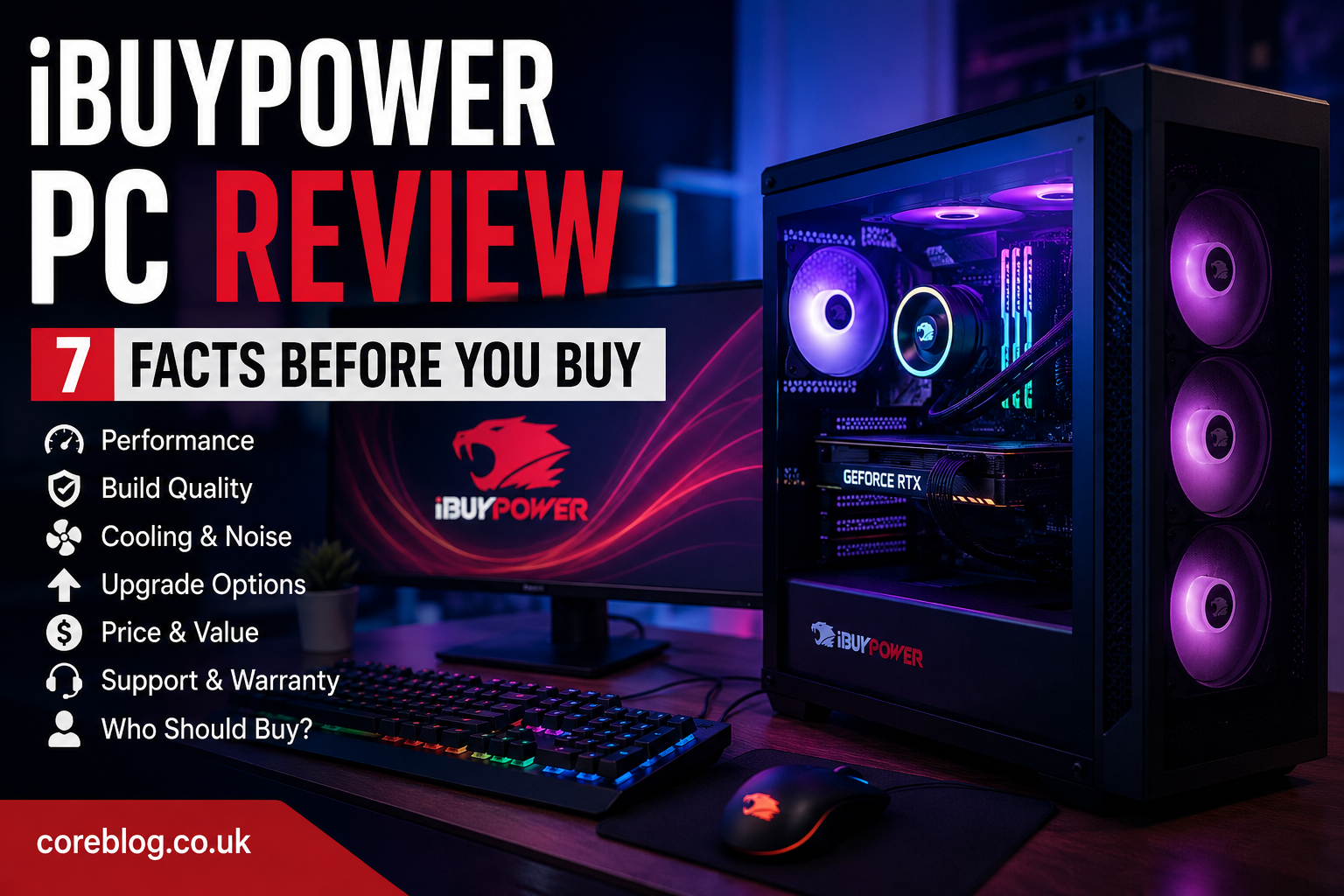
iBUYPOWER PC Review: 7 Facts Before You Buy
Buying a gaming computer should feel exciting. Yet, once you begin comparing graphics cards, processors, cooling systems, memory speeds, and storage options, that excitement can quickly turn into confusion.
That is where a prebuilt gaming desktop starts to make sense.
Instead of hunting for individual components, checking compatibility, installing Windows, and managing cables, you can buy a complete system that is almost ready to use. iBUYPOWER is one of the most recognizable names in this space, offering gaming desktops for beginners, competitive players, streamers, and content creators.
Still, a familiar brand name does not automatically make every computer a smart purchase.
This iBUYPOWER PC Review looks beyond the attractive RGB lighting and impressive specification lists. We will examine seven important facts about performance, build quality, cooling, upgrade options, software, customer support, and overall value.
The goal is simple: help you decide whether an iBUYPOWER gaming PC deserves a place on your desk.
Quick Overview of iBUYPOWER Gaming PCs
iBUYPOWER sells prebuilt and customizable desktop computers aimed mainly at gamers. Its product range usually includes affordable entry-level machines, balanced mid-range gaming systems, and powerful high-end desktops built for demanding games and creative workloads.
Because configurations change frequently, two computers carrying similar branding may have very different internal parts. One might include an air-cooled processor and a mid-range graphics card, while another may offer liquid cooling, faster DDR5 memory, and a more powerful GPU.
That is why shoppers should judge the exact configuration rather than relying only on the brand name.
| Feature | What Buyers Can Generally Expect |
|---|---|
| Main purpose | Gaming, streaming, work, and content creation |
| Configuration choices | Entry-level, mid-range, and high-end |
| Processor options | Intel and AMD CPUs |
| Graphics options | NVIDIA and AMD graphics cards |
| Memory | Commonly upgradeable desktop RAM |
| Storage | SSD-based systems with expansion potential |
| Design | Gaming cases with tempered glass and RGB lighting |
| Operating system | Usually Windows preinstalled |
| Best suited for | Buyers who want convenience and future upgrades |
Now, let us examine the seven facts that matter most.
1. Performance Depends on the Exact Configuration
The first lesson in any honest iBUYPOWER PC Review is that there is no single performance rating for the entire brand.
iBUYPOWER offers many combinations of processors, graphics cards, memory kits, storage drives, motherboards, and power supplies. Therefore, one model may deliver smooth 1080p gaming, while another may be designed for high-refresh-rate 1440p or demanding 4K gameplay.
The Graphics Card Matters Most for Gaming
For most games, the graphics processing unit has the largest effect on frame rates and visual quality. A stronger GPU lets you increase texture quality, shadows, lighting effects, draw distance, and resolution.
However, do not judge a graphics card by its name alone. You should also consider:
- The resolution of your gaming monitor
- The refresh rate you want to reach
- The games you usually play
- Whether you plan to use ray tracing
- The amount of video memory available
- Whether you will stream or record gameplay
A player enjoying esports titles at 1080p has very different needs from someone playing cinematic open-world games at 4K.
Match the GPU to Your Monitor
There is little benefit in buying an extremely powerful graphics card if your monitor is limited to a basic resolution and refresh rate. On the other hand, pairing a high-resolution gaming monitor with a weak GPU may lead to poor frame rates.
A balanced system usually offers a better experience than one expensive component surrounded by weaker hardware.
Processor Performance Still Matters
The CPU handles game logic, background applications, physics, operating system tasks, and many productivity workloads. It becomes especially important when you are:
- Playing processor-heavy simulation games
- Streaming while gaming
- Editing videos
- Rendering 3D projects
- Running many browser tabs and applications
- Competing at very high frame rates
For general gaming, a modern mid-range processor is often enough. Spending more on the graphics card may produce a larger improvement than moving to an expensive flagship CPU.
The best approach is to choose a processor that supports your current needs without taking too much money away from the GPU budget.
2. Convenience Is One of the Biggest Advantages
Building a gaming computer can be satisfying, but it also requires time, patience, research, and some confidence with hardware.
You must select compatible parts, install the processor, apply or manage thermal paste, mount the cooler, connect the power supply, route cables, install storage, configure the BIOS, and load the operating system.
A prebuilt iBUYPOWER desktop removes most of that work.
In many cases, the basic setup involves connecting the monitor, keyboard, mouse, power cable, and internet connection. After completing Windows updates and installing your preferred applications, you can begin using the machine.
Why This Matters for First-Time Buyers
The convenience factor is especially valuable for people who:
- Have never built a computer
- Do not want to troubleshoot hardware compatibility
- Need a complete gaming setup quickly
- Prefer having one warranty for the full system
- Feel uncomfortable handling delicate components
- Want professional assembly and cable management
This convenience is an important part of the value described in this iBUYPOWER PC Review.
You are not only paying for physical components. You are also paying for assembly, testing, operating system installation, packaging, and support.
A Prebuilt PC Can Reduce Early Frustration
A first-time builder can accidentally purchase the wrong motherboard, an undersized power supply, incompatible memory, or a case that does not fit the chosen graphics card.
A professionally assembled system should reduce those risks. That does not mean every prebuilt desktop will be flawless, but it lowers the number of decisions a beginner must make.
For many buyers, that peace of mind is worth paying a moderate premium.
3. Build Quality Can Vary Between Models
One of the most important points in this iBUYPOWER PC Review is that build quality should be evaluated model by model.
Higher-priced systems may use better cases, more capable cooling equipment, stronger power supplies, and more attractive cable management. Budget models may use simpler components to keep the final price competitive.
Neither approach is automatically bad. The question is whether the internal parts are suitable for the hardware they support.
Check More Than the Exterior
Tempered glass panels, bright RGB fans, and a stylish gaming case can make a desktop look impressive. However, appearance does not tell you everything about quality.
Before purchasing, examine the following details:
- Motherboard model or chipset
- Power supply wattage and efficiency rating
- CPU cooler type
- Number and placement of case fans
- Available RAM slots
- Storage expansion options
- Front-panel connectivity
- Wireless networking support
- Case airflow design
Some retailers provide full component details, while others list only general information. When a specification is unclear, do not assume the machine includes a premium part.
Pay Special Attention to the Power Supply
The power supply unit is easy to overlook because it does not directly increase gaming performance. Still, it powers every major component in the system.
A good PSU should provide enough wattage for the installed graphics card and processor while leaving some breathing room for power spikes and future upgrades.
Before buying, check whether the power supply offers:
- Adequate wattage
- The correct GPU connectors
- A recognized efficiency rating
- Room for future component upgrades
- Protection features for stable operation
A reliable power supply can improve long-term confidence, especially in a powerful gaming desktop.
4. Cooling and Airflow Deserve Serious Attention
Gaming hardware produces heat. The more powerful the processor and graphics card become, the more important cooling and airflow are.
When temperatures rise too far, fans may become noisy, performance may drop, and internal components may operate under unnecessary stress.
Therefore, cooling should never be treated as a decorative feature.
Air Cooling Versus Liquid Cooling
iBUYPOWER systems may use traditional air coolers or all-in-one liquid coolers.
Air coolers are usually simple, dependable, and easy to maintain. A well-designed tower cooler can handle many mainstream gaming processors without trouble.
Liquid coolers can provide a cleaner appearance and strong thermal performance. However, radiator size, fan quality, pump reliability, and installation still matter.
A liquid cooler is not automatically better just because it looks more advanced.
What Good Airflow Looks Like
A well-ventilated gaming case should allow cool air to enter and hot air to leave efficiently. Mesh front panels often provide better airflow than heavily sealed designs.
A sensible fan arrangement may include:
- Front or bottom intake fans
- Rear exhaust fans
- Top exhaust fans
- Clear space around the graphics card
- Properly positioned radiator fans
- Organized cables that do not block airflow
It is also important to place the desktop in an open area. Pushing the case against a wall or placing it inside a closed cabinet can trap heat.
Noise Is Part of the Cooling Experience
A computer may stay cool but still become distracting if its fans run at full speed during every gaming session.
Noise levels depend on fan quality, fan curves, cooler size, case ventilation, room temperature, and component power use. Larger fans can often move more air at lower speeds, which may reduce noise.
Unfortunately, product pages do not always provide detailed noise measurements. Customer reviews can sometimes reveal whether a specific model runs quietly or becomes loud under load.
Regular dust cleaning also helps fans work more efficiently.
5. Upgrade Potential Is a Major Strength
Unlike many compact computers and laptops, a traditional gaming desktop is designed around replaceable parts.
That gives iBUYPOWER systems an important advantage: you may be able to upgrade the computer over time instead of replacing the whole machine.
This flexibility adds long-term value and is one of the strongest points in our iBUYPOWER PC Review.
Common Upgrades You Can Make
Depending on the motherboard, case, and power supply, owners may be able to upgrade:
- System memory
- Graphics card
- Solid-state storage
- Hard drive storage
- Processor cooler
- Case fans
- Power supply
- Wi-Fi card
- Processor
- RGB accessories
Adding RAM or storage is often straightforward. Replacing the graphics card may require more planning because you must consider physical size, power requirements, and CPU balance.
Check Expansion Before Buying
A system can technically be upgradeable while still offering limited practical room.
For example, a motherboard with only two memory slots may require you to remove the existing RAM when upgrading. A small case may not support a longer graphics card. A low-wattage power supply may need replacement before installing a stronger GPU.
Before ordering, look for:
- Free memory slots
- Extra M.2 storage connectors
- Available SATA ports
- Additional drive bays
- Spare PCIe expansion slots
- GPU clearance
- Cooler height clearance
- Power supply headroom
These small details may save money later.
Start With Dual-Channel Memory When Possible
A gaming PC with two memory modules can often perform better than a similar system using one module of the same total capacity. This is because dual-channel memory provides greater memory bandwidth.
For example, two balanced RAM sticks are generally preferable to one large stick when the capacity and specifications are otherwise similar.
However, future expansion also matters. Consider how much memory you need now and how easily you can add more later.
6. Price and Value Are Not Always the Same
Many shoppers focus only on the final price. A better question is: what do you receive for that price?
A cheap desktop can become poor value if it includes an outdated graphics card, limited storage, weak cooling, or a power supply that restricts upgrades. Meanwhile, a slightly more expensive computer may offer a stronger platform and last several years longer.
A useful iBUYPOWER PC Review must separate affordability from genuine value.
Compare the Full Package
When comparing an iBUYPOWER system with another prebuilt or a custom-built computer, include the cost of:
- The processor
- The graphics card
- The motherboard
- The memory
- The SSD
- The power supply
- The computer case
- Cooling equipment
- Windows licensing
- Assembly
- System testing
- Warranty coverage
- Technical support
A prebuilt machine may cost more than the raw parts. However, the difference may be reasonable after assembly, software, and support are considered.
Watch for Unbalanced Specifications
Some gaming PCs are marketed with one impressive component while less exciting parts receive little attention.
For example, a listing may highlight a powerful processor but pair it with a modest graphics card. That can sound attractive in an advertisement while producing less gaming performance than a better-balanced system.
Look at the full specification list. Pay attention to:
- GPU tier
- CPU generation and model
- RAM capacity and speed
- SSD capacity
- Motherboard features
- Cooling quality
- Power supply wattage
- Included connectivity
Marketing labels such as “extreme,” “pro,” or “elite” are less important than actual hardware.
Sales Can Change the Value Equation
Prebuilt PC pricing moves frequently. Discounts, component availability, seasonal promotions, and retailer bundles can make one model an excellent deal one week and an average choice the next.
Therefore, compare several systems with similar specifications before buying. A discount is only valuable when the original configuration suits your needs.
Do not buy the wrong computer simply because a countdown timer creates pressure.
7. Warranty and Support Should Influence Your Decision
Technical problems can happen with any computer, whether it is custom-built or professionally assembled.
A cable may loosen during shipping. A memory module may need reseating. A driver may fail to install correctly. In less common cases, a component may arrive damaged or develop a fault.
This is why warranty terms and customer support matter.
Read the Warranty Details Carefully
Before ordering, check:
- The length of parts coverage
- The length of labor coverage
- Whether shipping costs are covered
- How returns are handled
- Whether accidental damage is excluded
- What actions may affect warranty protection
- How replacement parts are processed
- Whether support is provided by the retailer or manufacturer
Do not assume every seller offers the same policy. A system purchased directly may have different return terms from one purchased through a third-party retailer.
Inspect the Computer After Delivery
Shipping a heavy desktop with a large graphics card can place stress on internal parts. Modern packaging helps protect the system, but buyers should still inspect it carefully.
After delivery:
- Check the box for visible damage.
- Remove internal protective packing before powering on.
- Confirm that the graphics card is seated properly.
- Check for loose cables.
- Make sure all fans spin normally.
- Verify that the listed RAM and storage are detected.
- Install operating system and graphics driver updates.
- Test several games or benchmarks.
- Watch temperatures during the first sessions.
- Save the packaging until the return period ends.
If something seems wrong, document it quickly with clear photographs or videos.
iBUYPOWER PC Pros and Cons
No desktop is perfect for every buyer. Here is a balanced summary of the main strengths and weaknesses.
Pros
- Wide range of gaming configurations
- Convenient for first-time PC buyers
- No need to assemble individual components
- Windows is generally preinstalled
- Attractive cases and RGB lighting
- Desktop parts are often upgradeable
- Intel, AMD, and NVIDIA options may be available
- One system warranty can simplify support
- Suitable for gaming, streaming, and creative work
- Regular promotions may improve value
Cons
- Component quality may vary by configuration
- Some listings provide limited part details
- Budget models may use basic cooling
- Prebuilt pricing can include an assembly premium
- Fan noise may differ between models
- Shipping can occasionally loosen internal parts
- Lower-cost motherboards may limit expansion
- Power supply details may not always be prominent
- Preinstalled utilities may not be useful to everyone
- Customer support experiences can vary
Who Should Buy an iBUYPOWER Gaming PC?
An iBUYPOWER desktop may suit you if you want a gaming computer without building one yourself.
It can be a practical choice for:
- First-time desktop gamers
- Parents buying a gaming system
- Students who need gaming and study performance
- Streamers starting a channel
- Content creators editing photos or videos
- Buyers who want upgradeable hardware
- Players moving from a console to PC gaming
- Users who prefer one warranty for the complete computer
The brand may also appeal to experienced users who understand hardware but simply do not have time to assemble and troubleshoot a custom build.
Who Should Consider Other Options?
A prebuilt iBUYPOWER system may not be the ideal choice for everyone.
You may prefer a custom build if you want complete control over every component, fan, cable, storage drive, and visual detail. Building your own computer can also provide better value when individual parts are priced well.
Consider another option if you:
- Want a compact or silent workstation
- Need guaranteed premium parts throughout
- Enjoy building and tuning computers
- Require specialized professional hardware
- Want a highly specific case or cooling layout
- Cannot confirm important component details
- Find a better-balanced competitor at the same price
Brand loyalty should never replace careful comparison.
How to Choose the Right iBUYPOWER PC
A good buying decision begins with your actual needs rather than the most expensive specification list.
Step 1: Choose Your Gaming Resolution
Decide whether you plan to play at 1080p, 1440p, ultrawide, or 4K. This determines how much graphics power you need.
Step 2: Set a Complete Budget
Remember to include the monitor, keyboard, mouse, headset, speakers, and any software you may need.
Step 3: Check Your Main Games
Competitive shooters, strategy titles, racing simulators, role-playing games, and open-world releases place different demands on the hardware.
Step 4: Consider Other Workloads
Streaming, video editing, music production, graphic design, and 3D rendering may justify additional RAM, processor cores, or storage capacity.
Step 5: Inspect Every Major Component
Do not stop after reading the CPU and GPU names. Review the cooling, power supply, motherboard, memory arrangement, and storage type.
Step 6: Plan for Future Upgrades
Think about what you may replace in two or three years. A better case, motherboard, and power supply can make future upgrades easier.
Step 7: Compare Similar Systems
Compare computers in the same price range using actual specifications. Look beyond brand labels and promotional language.
Frequently Asked Questions
Is an iBUYPOWER PC Good for Gaming?
An iBUYPOWER PC can be good for gaming when its components match your chosen resolution, games, and performance goals. The graphics card, processor, RAM, and cooling system determine the experience more than the logo on the case.
Is iBUYPOWER Good for Beginners?
Yes, the prebuilt format can be convenient for beginners. The computer arrives assembled with the operating system installed, reducing the need for hardware knowledge. However, buyers should still learn basic maintenance, driver updates, and temperature monitoring.
Can You Upgrade an iBUYPOWER PC?
Many iBUYPOWER desktops use standard replaceable components. RAM, storage, graphics cards, cooling fans, and power supplies may be upgradeable. Exact options depend on the motherboard, case size, and original configuration.
Does an iBUYPOWER PC Include Wi-Fi?
Some configurations include built-in Wi-Fi, while others may rely on Ethernet or an added wireless adapter. Check the product specification page before purchasing.
How Much RAM Does a Gaming PC Need?
For general modern gaming, a reasonable amount of memory helps games and background applications run smoothly. Streamers, editors, and heavy multitaskers may benefit from more. Also check whether the system uses one memory module or a dual-channel kit.
Is Liquid Cooling Necessary?
Liquid cooling is not necessary for every gaming computer. A capable air cooler can perform well with many processors. More powerful CPUs may benefit from a larger air cooler or a properly sized liquid cooling system.
Is iBUYPOWER Better Than Building a PC?
It depends on your priorities. iBUYPOWER offers convenience, professional assembly, and unified support. Building a PC offers greater control and may provide better component-level value. Neither choice is automatically better for every user.
Final Verdict: Is an iBUYPOWER PC Worth Buying?
After examining performance, convenience, build quality, cooling, upgrades, pricing, and support, the answer is clear: an iBUYPOWER gaming desktop can be worth buying, but the exact configuration matters far more than the brand name alone.
The strongest advantage is convenience. You receive a complete, assembled gaming system without spending hours researching compatibility or installing every component yourself. Most desktop models also leave room for future memory, storage, graphics, and cooling upgrades.
However, you still need to shop carefully.
Check the graphics card, processor, motherboard, memory layout, power supply, storage capacity, and airflow before placing an order. Avoid choosing a machine based only on RGB lighting, promotional labels, or one impressive component.
Ultimately, this iBUYPOWER PC Review shows that the company can offer a practical route into PC gaming, especially for beginners and busy buyers. A balanced model with clear specifications, sensible cooling, and fair pricing can deliver an enjoyable experience for years.
Have you owned an iBUYPOWER desktop, or are you considering buying one? Share your experience, questions, and preferred configuration in the comments. Your insight may help another gamer make a smarter decision.












Leave a Reply