

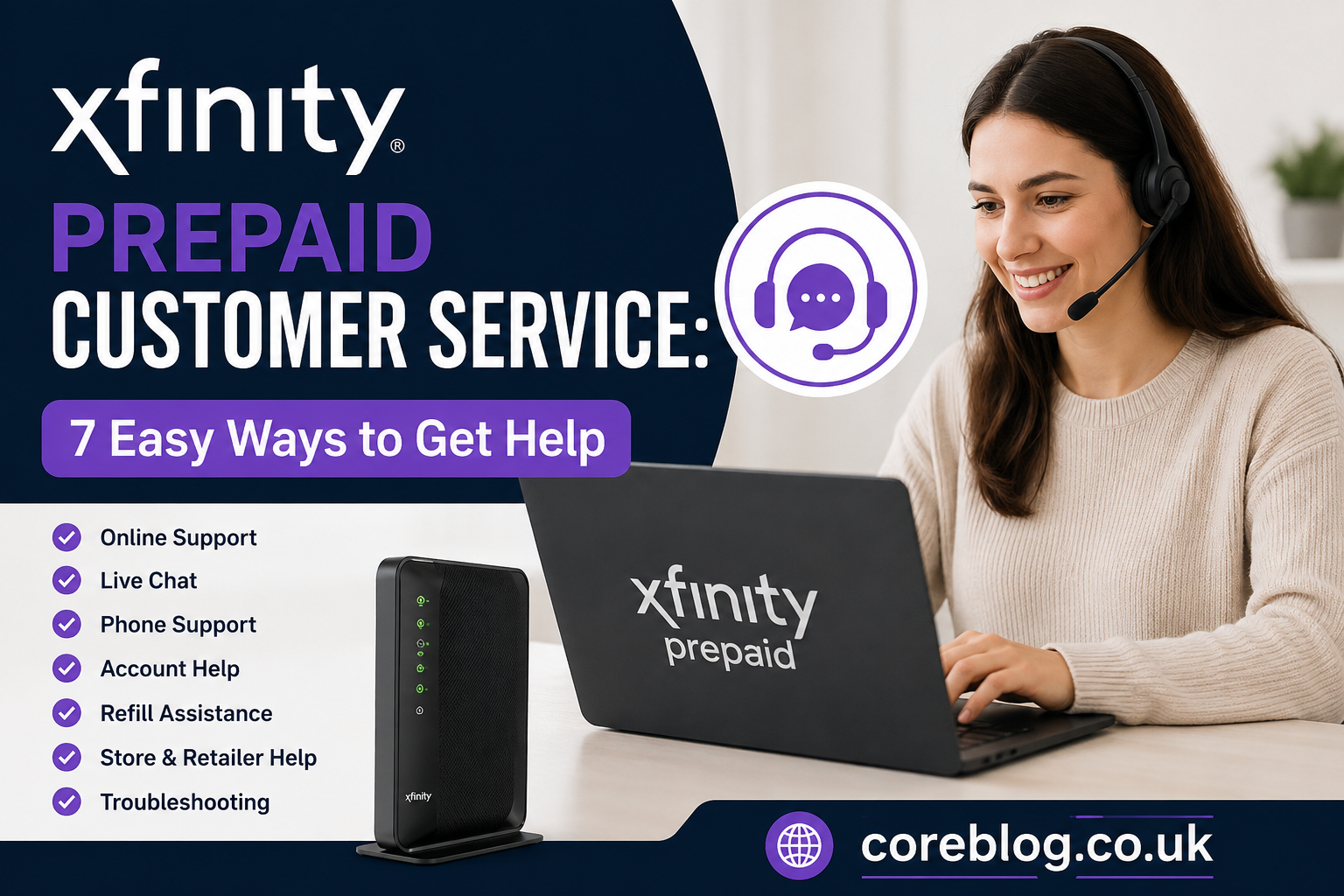
Xfinity Prepaid Customer Service: 7 Easy Ways to Get Help
When your internet stops working, even for a few minutes, it can feel like the whole day has been put on pause. Maybe you are trying to join a work call, stream a movie, pay a bill, or help your kids finish homework. Then suddenly, your Xfinity Prepaid Internet starts acting up. That is exactly when Xfinity Prepaid Customer Service becomes important.
The good thing is that prepaid internet is meant to be simple. You pay ahead, refill when needed, and avoid long contracts. However, simple does not always mean problem-free. Sometimes the modem will not activate. Sometimes the refill does not show right away. Other times, your WiFi signal is weak, your account login is not working, or you just want to know the fastest way to speak with support.
This guide breaks everything down in a clear, human way. No confusing tech talk. No overcomplicated steps. Just practical advice you can actually use.
In this article, you will learn 7 easy ways to get help from Xfinity Prepaid Customer Service, what details to keep ready before contacting support, how to solve common prepaid internet problems, and how to save time when you need quick answers.
What Is Xfinity Prepaid Customer Service?
Xfinity Prepaid Customer Service is the support system for customers using Xfinity Prepaid Internet. Unlike traditional postpaid internet plans, prepaid service lets users pay before using the internet. That means there is usually no annual contract, no long billing cycle, and no complicated credit check process.
Still, users may need help with things like:
- Activating prepaid internet
- Refilling service
- Fixing slow internet
- Troubleshooting WiFi connection problems
- Checking service status
- Replacing prepaid equipment
- Understanding account access
- Finding nearby Xfinity stores or retailers
- Getting help with modem setup
In short, Xfinity Prepaid Customer Service is there to help you keep your connection active, stable, and easy to manage.
Why People Contact Xfinity Prepaid Customer Service
Most people do not contact customer support just for fun. They usually reach out because something is not working the way it should. With prepaid internet, the most common problems are often simple, but they can still be frustrating.
For example, you might refill your account, but your internet does not come back right away. Or maybe your modem lights keep blinking, and you have no idea what they mean. Sometimes, the issue is not even inside your home. It could be an outage, a system delay, or a signal problem in your area.
Here are a few common reasons people search for Xfinity Prepaid Customer Service:
| Problem | What It Usually Means | Best First Step |
|---|---|---|
| Internet not working | Refill, outage, modem, or signal issue | Check account and modem |
| Slow WiFi | Weak signal, device overload, or placement issue | Restart modem and move router |
| Activation failed | Account or equipment setup issue | Use activation support |
| Refill not showing | Payment delay or account mismatch | Check refill confirmation |
| Login problem | Wrong phone number, Xfinity ID, or password | Reset login details |
| Modem issue | Hardware fault or setup error | Contact support |
| Service outage | Network issue in the area | Check Status Center |
As you can see, not every issue needs a phone call. In many cases, you can solve the problem faster by using online support, your account dashboard, or basic troubleshooting.
1. Use the Xfinity Prepaid Online Support Center
One of the easiest ways to get help is through the Xfinity Prepaid online support area. This is usually the best place to start because it gives you answers without waiting for an agent.
The support center can help with:
- Setup instructions
- Activation help
- Refill questions
- Internet troubleshooting
- Account access
- Equipment information
- General prepaid service questions
This is helpful because many prepaid internet problems follow a pattern. For example, if your service stopped after your refill expired, the solution is usually different from a modem hardware problem. The online help section guides you toward the right fix.
If you are not very technical, do not worry. Most support steps are written for regular users, not network engineers. That makes it easier to follow along without feeling lost.
When Online Support Works Best
Online support is best when:
- You want fast answers
- You do not want to wait on hold
- You need setup steps
- You are checking refill options
- You want basic troubleshooting
- You are fixing a common modem or WiFi issue
However, if your problem involves defective equipment, account errors, or repeated service failure, you may still need to contact Xfinity Prepaid Customer Service directly.
2. Sign In to Your Xfinity Prepaid Account
Your account dashboard is one of the most useful tools you have. Before calling support, sign in and check what your account says. Many users skip this step, but it can save a lot of time.
Inside your Xfinity Prepaid account, you may be able to check:
- Service status
- Refill balance
- Payment history
- Auto refill settings
- Account details
- Activation status
- Internet service information
If your internet is not working, your account may show whether your prepaid time has expired. If your refill went through, you can confirm whether the payment was added to the right account. This matters because a simple typo in a phone number or account login can cause confusion.
Xfinity Prepaid Customer Service can help more quickly when you already know what your account shows.
Keep Your Login Details Ready
Before contacting support, keep these details nearby:
- Mobile phone number linked to the account
- Xfinity ID, if you use one
- Service address
- Refill confirmation
- Last payment method used
- Modem or gateway details
- Error message, if any
This may sound basic, but it really helps. Customer support is much faster when you can give clear information instead of guessing.
3. Try Live Chat for Quick Help
Many customers prefer chat because it feels easier than calling. You can type your issue, follow the steps, and keep a record of what was said. For simple problems, chat support can be a convenient way to reach Xfinity Prepaid Customer Service.
Chat can help with questions like:
- How do I activate my prepaid internet?
- Why is my refill not working?
- How do I check service status?
- Why is my modem offline?
- How do I update account settings?
- Where can I find help for my prepaid equipment?
The best part is that chat lets you explain your issue without feeling rushed. You can also copy details from your account or payment receipt while chatting.
How to Get Better Results in Chat
Do not start with “My internet is broken.” That is too broad. Instead, give a clear message.
For example:
“My Xfinity Prepaid Internet stopped working after my refill. My payment was completed today, but the modem still shows no connection.”
That gives support a much better starting point.
Here is another example:
“I am trying to activate my Xfinity Prepaid modem, but the activation page does not recognize my phone number.”
Again, clear details lead to faster help.
4. Call Xfinity Prepaid Customer Service for Equipment Issues
Sometimes, online help is not enough. If your modem is defective, your starter kit is not working, or you need return instructions, calling Xfinity Prepaid Customer Service may be the better choice.
This is especially true if:
- Your modem will not power on
- The equipment seems damaged
- You purchased a starter kit that does not work
- You need replacement equipment
- You need help with a return
- You tried activation several times and failed
- Your service address needs review
When calling, stay calm and explain the issue clearly. Support agents handle many different problems every day, and the easier you make your issue to understand, the faster they can guide you.
What to Say When You Call
Here is a simple script you can use:
“Hi, I use Xfinity Prepaid Internet. I need help with my prepaid modem. I have already restarted it and checked my account, but the issue is still happening.”
Then explain what you see. Are the lights blinking? Is there no power? Does your account show active service? Did your refill go through? These small details matter.
5. Check the Status Center Before Troubleshooting Too Much
This step is important. Before you unplug wires, reset your modem, change passwords, or assume the equipment is broken, check whether there is a service issue in your area.
Sometimes, your home setup is perfectly fine. The problem may be a local outage or network maintenance. In that case, restarting the modem ten times will not fix anything.
The Status Center can help you understand if there is a known issue affecting your connection. This is one of the smartest first steps when your internet suddenly goes down.
Signs It Might Be an Outage
It may be an outage if:
- Internet stopped suddenly
- Multiple devices lost connection at once
- Your modem was working fine earlier
- Neighbors with the same provider are also offline
- Your account is active but service is down
- Restarting the modem does not help
If the Status Center shows a network issue, the best option is usually to wait until service is restored. However, if no outage appears and your service is active, then it is time to troubleshoot your modem or contact Xfinity Prepaid Customer Service.
6. Use the Refill Options Correctly
Refill problems are one of the biggest reasons people contact Xfinity Prepaid Customer Service. Since prepaid internet depends on active paid time, your service may stop when the prepaid period ends.
Xfinity Prepaid usually gives users several refill options, such as online refill, mobile app refill, auto refill, and cash refill through participating retailers. This flexibility is useful, especially for people who do not want a traditional monthly bill.
However, here is something many users miss: phone agents may not be able to take refill payments over the phone. So if you are calling only to make a payment, you may be redirected to online, app, or retail refill options.
Smart Refill Tips
To avoid service interruptions, try these tips:
- Refill before your service expires
- Save your payment confirmation
- Use the correct phone number or account
- Check if auto refill is available for you
- Keep your login details updated
- Use a retailer only if you receive proof of payment
- Wait a short while after payment before restarting your modem
If your refill does not apply after a reasonable amount of time, sign in to your account and confirm the payment. Then contact Xfinity Prepaid Customer Service with your receipt or confirmation details.
7. Visit an Xfinity Store or Local Retailer
Sometimes, face-to-face help is easier. If your issue involves equipment, starter kits, returns, or local service questions, visiting a store or retailer may be useful.
A store visit can help when:
- You need help finding the right prepaid kit
- You want to return unopened or defective equipment
- You bought a kit and need next steps
- You prefer in-person support
- You need help understanding available service in your area
Local retailers may also offer refill options, which is helpful if you prefer paying with cash. Just make sure you keep your receipt. That receipt can protect you if the refill does not show correctly.
Before Visiting a Store
Bring these items with you:
- Prepaid modem or starter kit
- Purchase receipt
- Refill receipt, if relevant
- Photo ID, if needed
- Phone number linked to account
- Service address
- Any error messages or screenshots
The more prepared you are, the better your visit will go.
Common Xfinity Prepaid Internet Problems and Quick Fixes
Now let’s look at the problems people face most often and what you can try before contacting Xfinity Prepaid Customer Service.
Problem 1: Internet Is Not Working After Refill
This is common. First, confirm that your refill was applied to the right account. Then restart your modem. Unplug it, wait about one minute, and plug it back in.
If the account shows active service but your internet is still not working, check the Status Center. If there is no outage, contact support.
Problem 2: Modem Lights Keep Blinking
Blinking lights can mean the modem is trying to connect. Give it a few minutes. If it keeps blinking for a long time, check the cable connection. Make sure the coaxial cable is tight and the power cord is secure.
If nothing changes, the modem may need activation help or technical support.
Problem 3: Slow WiFi Speed
Slow WiFi does not always mean bad internet. It can happen because of distance, walls, too many connected devices, or poor modem placement.
Try moving the modem to a central location. Keep it away from thick walls, microwaves, metal objects, and crowded corners. Also, restart devices that are using too much bandwidth.
Problem 4: Account Login Not Working
If your login fails, check whether you are using the correct phone number or Xfinity ID. If you recently changed your number, that may affect access.
Use the account recovery option if available. If you still cannot get in, Xfinity Prepaid Customer Service may need to help verify the account.
Problem 5: Activation Page Does Not Work
Activation issues can happen if the modem is not connected correctly, the account information does not match, or service availability needs confirmation.
Check your cables, confirm your service address, and try again. If activation still fails, contact support with your modem details.
Best Time to Contact Xfinity Prepaid Customer Service
There is no perfect time that works for everyone, but generally, support can feel faster when you avoid peak hours. Many people contact customer service after work, during lunch breaks, or on weekends. That can mean longer wait times.
If possible, try contacting support earlier in the day. Also, use chat or online support first for simple issues. Save phone support for problems that truly need a person, such as account errors or equipment trouble.
How to Talk to Support Without Wasting Time
Customer service goes much smoother when you are clear and direct. You do not need to explain your whole life story. Just explain the problem, what you already tried, and what result you want.
Here is a good structure:
- Say you are an Xfinity Prepaid customer.
- Explain the main issue in one sentence.
- Mention what you already checked.
- Share any account or refill details.
- Ask for the next step.
For example:
“I use Xfinity Prepaid Internet. My service is active, but my modem is not connecting. I restarted it, checked the cable, and confirmed there is no refill issue. Can you help me check the connection or equipment?”
That is much better than saying, “Nothing works.”
Xfinity Prepaid Customer Service vs Regular Xfinity Support
This is an important point. Xfinity Prepaid service is not exactly the same as regular Xfinity monthly internet. The billing, refill process, account setup, and support flow can be different.
Regular Xfinity customers may have monthly bills, contracts, service bundles, or scheduled technician support. Prepaid customers usually manage service through refills, prepaid equipment, and simpler account tools.
That is why you should always mention that you are using prepaid service when contacting support. It helps route your issue correctly.
Tips to Avoid Future Support Problems
A little prevention can save you a lot of stress later. Here are some easy habits that can reduce the need to contact Xfinity Prepaid Customer Service again and again.
Keep Your Account Information Updated
Make sure your phone number, login details, and payment information are correct. If you lose access to your phone number, account recovery can become harder.
Refill Early
Do not wait until the last minute if you rely on internet every day. Refill early, especially before weekends, holidays, or important workdays.
Save Receipts
Whether you refill online, through the app, or at a retailer, keep proof of payment. It can help support find the issue faster.
Place Your Modem Correctly
Put your modem in an open, central space. Avoid hiding it behind furniture or placing it on the floor.
Restart the Modem Occasionally
A simple restart can clear small connection issues. However, do not reset it to factory settings unless support tells you to.
Know Your Support Options
Before something goes wrong, learn where to sign in, where to refill, and how to contact Xfinity Prepaid Customer Service. When a problem happens, you will already know what to do.
Is Xfinity Prepaid Customer Service Helpful?
In many cases, yes, especially when you contact the right support channel for the right problem. Online help works well for basic questions. Chat is useful for quick guidance. Phone support is better for equipment and account issues. Stores or retailers can help with kits, returns, and cash refill options.
The key is knowing which route to take.
If your problem is simple, do not wait on the phone. Use the online support center or account dashboard first. If your issue is serious, repeated, or equipment-related, then reaching out directly makes sense.
Final Thoughts
Xfinity Prepaid Internet is designed for people who want flexible, pay-ahead home internet without the usual long-term commitment. Still, like any internet service, problems can happen. Your modem may stop connecting, your refill may take time to apply, or your account login may not work when you need it most.
That is where Xfinity Prepaid Customer Service can make a real difference.
The fastest way to get help is to choose the right support option. Start with your account dashboard and online support. Check the Status Center before assuming your modem is broken. Use chat for quick questions. Call support when the issue involves equipment, activation, account access, or repeated service failure. And if you need in-person help, visit a store or retailer with your receipt and account details ready.
At the end of the day, staying prepared is the best support trick of all. Keep your login details safe, refill before your service expires, save your receipts, and learn the basic troubleshooting steps. These small habits can help you avoid stress and keep your internet running when you need it most.
If this guide helped you understand Xfinity Prepaid Customer Service better, share it with someone who uses prepaid internet or leave a comment with your own support experience. Your tip might help another reader fix their connection faster.













Leave a Reply