

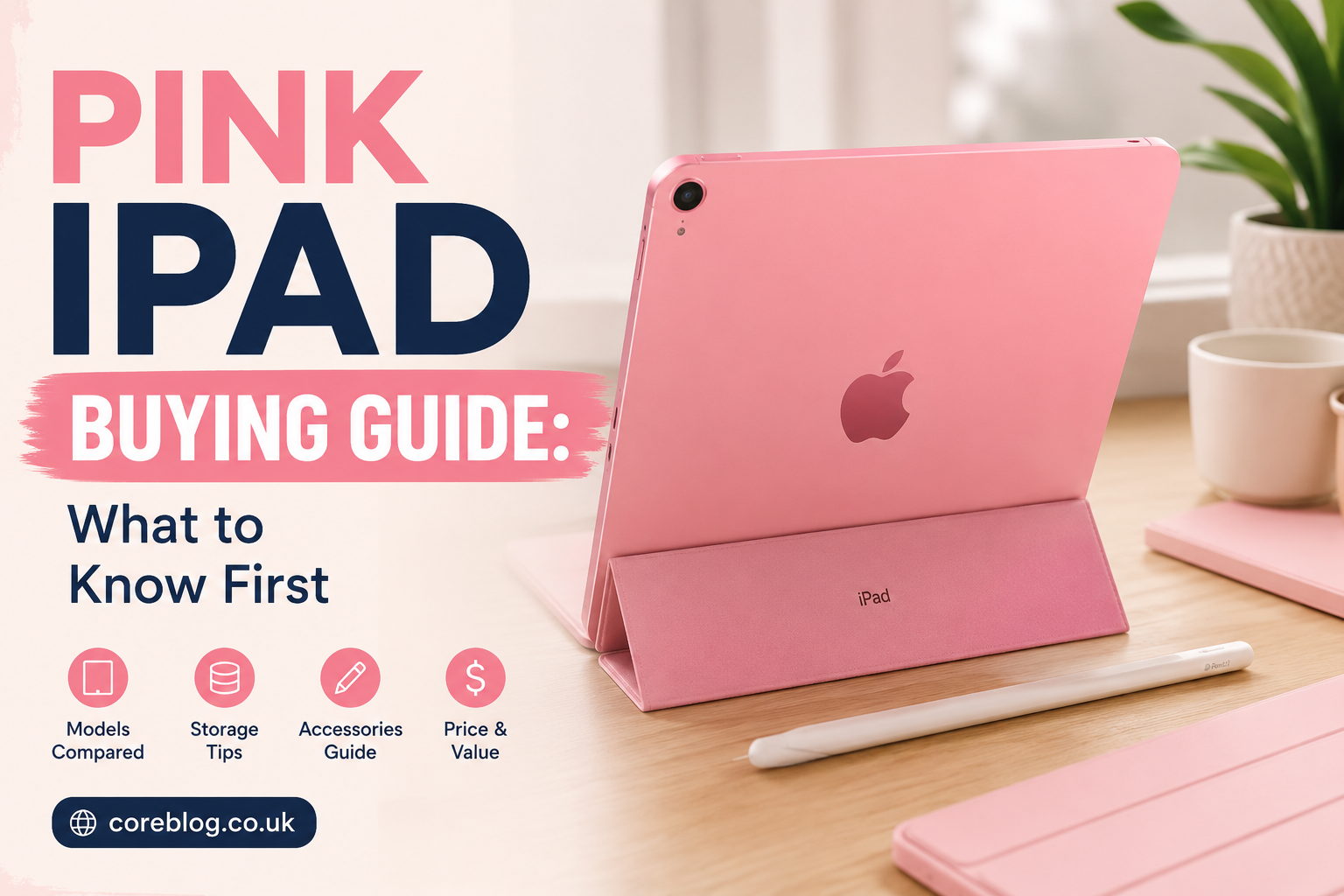
Pink iPad Buying Guide: What to Know First
A Pink iPad is not just a tablet in a pretty color. For many buyers, it feels personal. It looks fresh on a desk, stands out in a classroom, and gives that soft, stylish touch without looking childish. Still, looks should never be the only reason you buy an iPad. The real question is simple: does it fit your work, study, entertainment, and budget?
That is where this guide helps.
Buying an iPad can feel confusing because there are storage options, Wi-Fi models, cellular versions, Apple Pencil support, keyboard choices, screen sizes, and price differences. Then, when you add color into the decision, it becomes even more personal. A Pink iPad may look perfect online, but you still need to know what you are paying for.
The current standard iPad is available in pink, and Apple lists it with an 11-inch Liquid Retina display, A16 chip, 12MP cameras, USB-C, Wi-Fi 6, and a starting storage of 128GB. Apple also notes that this regular iPad does not support Apple Intelligence, while the newer iPad Air line uses the M4 chip and comes in other colors rather than pink.
So, before you click “buy,” let’s talk like real people. What makes the Pink iPad worth buying? Who should get it? Which storage is enough? And what should you check before spending your money?
What Is the Pink iPad?
The Pink iPad usually refers to Apple’s colorful standard iPad model that comes in a pink finish. It is designed for everyday users who want a balance of style, performance, portability, and price. It is not the most powerful iPad Apple sells, but that is exactly why many people like it. It does the regular things very well.
You can use it for:
- Watching Netflix, YouTube, or Apple TV
- Taking notes for school or work
- Reading books and PDFs
- Browsing the web
- Video calls
- Light photo editing
- Digital drawing
- Social media
- Online shopping
- Casual gaming
- Planning, journaling, and productivity apps
The Pink iPad is popular because it feels modern without being too expensive compared with Pro-level tablets. It has the clean all-screen look, a bright display, and enough power for most daily tasks. In addition, the pink color gives it a soft, fashionable personality.
Why People Love the Pink iPad
Let’s be honest. Color matters. People may say performance is everything, but the device you carry every day should also make you happy when you use it.
The Pink iPad has a charm that plain silver or gray tablets do not always offer. It feels warm, stylish, and a little playful. However, it still looks premium because Apple keeps the finish clean and simple.
It Looks Stylish Without Trying Too Hard
The pink shade is not usually loud or neon. It is softer and more elegant. That makes it easy to use in professional settings, school, college, cafes, offices, or at home.
It pairs well with:
- White keyboard cases
- Clear cases
- Rose gold accessories
- Pastel covers
- Beige desk setups
- Minimalist workspaces
- Cute digital planner themes
If you enjoy a clean and aesthetic setup, a Pink iPad can fit beautifully.
It Feels Personal
Many tablets look the same. Black, gray, silver, repeat. A Pink iPad feels more like your device. It adds personality without needing stickers or heavy decoration.
For students, creators, and young professionals, that small detail can make the device more enjoyable to use every day.
It Still Performs Like an iPad
The color does not change the power inside. A pink model performs the same as the same iPad in blue, yellow, or silver. So you are not losing performance just because you choose a stylish color.
That is important. You get the look you want and the function you need.
Pink iPad Key Features to Know
Before buying a Pink iPad, you should understand the main features that affect daily use. Some buyers focus only on color and price, then later regret not checking storage, display size, or accessory support.
Here are the important things to look at.
| Feature | Why It Matters |
|---|---|
| Display size | Affects reading, drawing, video watching, and portability |
| Storage | Decides how many apps, photos, videos, and files you can keep |
| Chip | Controls speed and long-term performance |
| Wi-Fi or cellular | Decides whether you need internet away from home |
| Apple Pencil support | Important for students, artists, and note-takers |
| Keyboard support | Useful for writing, emails, and work |
| Battery life | Matters for travel, school, and long work sessions |
| USB-C port | Helps with charging and connecting accessories |
Who Should Buy a Pink iPad?
A Pink iPad is a good choice for many people, but not everyone needs the same type of tablet. Here is a simple breakdown.
Students
Students can get a lot from a Pink iPad. It is easy to carry, useful for notes, and great for reading digital textbooks. With the right Apple Pencil, you can write notes by hand, highlight PDFs, solve math problems, or organize study material.
It is also helpful for online classes and video lectures. The screen is large enough for learning but still small enough to fit in a backpack.
Casual Users
If you mostly browse, stream, shop online, check emails, and use social media, the Pink iPad is more than enough. You do not need an expensive iPad Pro for simple daily use.
In fact, for many casual users, the standard iPad is the smartest buy because it gives a premium Apple experience without the highest price.
Content Creators
For light content creation, the Pink iPad works well. You can edit photos, create social posts, write captions, manage your blog, plan videos, and use design apps.
However, if you do heavy video editing, 3D work, or professional illustration, you may want to compare it with the iPad Air or iPad Pro. Those models usually offer stronger chips and more advanced features.
Kids and Families
A Pink iPad can also be a nice family tablet. Children can use it for learning apps, games, reading, and video calls with relatives. Parents can set screen time controls and manage app access.
The pink color also makes it easy to identify if different family members have different devices.
Professionals
For work, the Pink iPad is useful for emails, meetings, presentations, notes, spreadsheets, and light document editing. Add a keyboard case, and it becomes a small productivity machine.
Still, if your work involves advanced multitasking, large creative files, or laptop-level software needs, a stronger iPad may be better.
Pink iPad Storage: How Much Do You Need?
Storage is one of the biggest buying decisions. Many people choose the cheapest option and later run out of space. So, think carefully.
128GB Storage
For many users, 128GB is a comfortable starting point. It works well if you use cloud storage, stream videos instead of downloading them, and do not keep huge files on the device.
Choose 128GB if you:
- Use the iPad for school notes
- Stream most movies and shows
- Store photos in iCloud
- Use common apps
- Do light gaming
- Do not edit large videos
256GB Storage or More
More storage is better if you plan to keep lots of files. It also gives peace of mind for long-term use.
Choose higher storage if you:
- Download many movies
- Store large PDFs
- Play big games
- Edit photos or videos
- Use design apps
- Keep files offline
- Share the iPad with family
A Pink iPad with more storage costs more, but it may save you from frustration later.
Wi-Fi or Cellular: Which Pink iPad Should You Choose?
This is another common question. A Wi-Fi Pink iPad is cheaper and works when connected to home, school, office, or public Wi-Fi. For most people, Wi-Fi is enough.
A cellular iPad lets you use mobile data with a plan. This is useful if you travel often, work outside, attend classes in different places, or do not want to depend on hotspot sharing.
Choose Wi-Fi If:
- You mostly use the iPad at home
- You have reliable Wi-Fi
- You can use your phone hotspot
- You want to save money
- You do not travel much with your tablet
Choose Cellular If:
- You work on the go
- You travel often
- You need internet anywhere
- You attend meetings outside
- You dislike using phone hotspot
For most buyers, the Wi-Fi Pink iPad is the better value. However, cellular is convenient if your lifestyle needs it.
Is the Pink iPad Good for School?
Yes, the Pink iPad can be excellent for school. It is light, fast enough for study apps, and great for digital notes. Students can use apps like Notability, Goodnotes, Google Docs, Microsoft Word, Canva, Zoom, and Google Classroom.
It helps reduce paper clutter, too. Instead of carrying notebooks, printed notes, and heavy textbooks, you can keep everything in one device.
Best School Uses
- Taking handwritten notes
- Reading textbooks
- Joining online classes
- Creating presentations
- Organizing assignments
- Highlighting PDFs
- Researching topics
- Making flashcards
- Watching lectures
The pink design also adds a fun style element, which many students enjoy.
Is the Pink iPad Good for Drawing?
A Pink iPad can be good for beginners and casual digital artists. With Apple Pencil support, you can sketch, doodle, write, color, and create simple illustrations.
Apps like Procreate, Adobe Fresco, Sketchbook, and Notes can make the iPad feel like a digital notebook or art pad.
However, professional artists may prefer iPad Air or iPad Pro because of stronger performance, better display features, and more advanced Apple Pencil support depending on model compatibility.
For casual drawing, journaling, and creative hobbies, the Pink iPad is a lovely choice.
Pink iPad Accessories Worth Buying
Accessories can completely change how useful your iPad feels. The right case, keyboard, and pencil can turn a basic tablet into a study tool, work device, or creative station.
Best Accessories for a Pink iPad
- Protective case
- Screen protector
- Apple Pencil
- Keyboard case
- USB-C charger
- Bluetooth keyboard
- Tablet stand
- Sleeve or carrying pouch
- Cleaning cloth
- Wireless earbuds
- External storage drive
- USB-C hub
Case Ideas
A clear case is one of the best choices because it lets the pink color show. If you buy a Pink iPad, hiding it inside a dark case may defeat the purpose.
Good case colors include:
- Clear
- White
- Cream
- Blush pink
- Light gray
- Rose gold
- Lavender
- Pastel blue
Screen Protector
A screen protector is worth it. If you write or draw often, you may like a paper-feel screen protector. It adds texture and makes Apple Pencil writing feel more natural.
However, paper-like protectors can slightly reduce screen sharpness. So, choose based on how you use the device.
Pink iPad vs iPad Air: Which Is Better?
The Pink iPad and iPad Air are made for different buyers. The standard pink model is better for everyday use and budget-conscious buyers. The iPad Air is better for people who want more power, stronger performance, and advanced creative features.
Apple’s current iPad Air page lists the M4 chip, Apple Intelligence support, and 11-inch or 13-inch Liquid Retina display options, while Apple’s standard iPad listing shows the A16 chip and notes no Apple Intelligence support.
| Category | Pink iPad | iPad Air |
|---|---|---|
| Best for | Everyday use | Power users and creators |
| Color | Pink available | Different color options |
| Performance | Good for daily tasks | Stronger performance |
| Price | More budget-friendly | More expensive |
| Students | Great choice | Great but pricier |
| Creative work | Good for light use | Better for heavier work |
If pink color is important and your needs are simple, the Pink iPad makes sense. If power matters more than color, compare the iPad Air.
Pink iPad vs Laptop: Can It Replace One?
This depends on your work. For some people, a Pink iPad can replace a laptop for simple tasks. For others, it works better as a second device.
It Can Replace a Laptop For:
- Web browsing
- Note-taking
- Video calls
- Streaming
- Light writing
- Reading PDFs
- Basic presentations
- Social media management
It May Not Replace a Laptop For:
- Advanced coding
- Heavy video editing
- Complex spreadsheets
- Desktop-only software
- Professional design workflows
- Large file management
With a keyboard case, the Pink iPad feels more like a mini laptop. However, iPadOS still works differently from macOS or Windows. So, check your apps before replacing your main computer.
What to Check Before Buying a Pink iPad
Before buying, do not rush. A few checks can save you money and regret.
1. Check the Exact Model
Make sure you are buying the current model you want. Some sellers may list older iPads in pink or rose gold shades. Read the model name, chip, screen size, and release year carefully.
2. Check Storage
Do not buy the lowest storage only because it is cheaper. Think about your real use. Apps, videos, games, and documents add up quickly.
3. Check Apple Pencil Compatibility
Not every iPad supports every Apple Pencil. Always check which Apple Pencil works with your specific iPad model before buying.
4. Check Warranty
Buy from a trusted seller. A genuine warranty matters, especially with expensive electronics.
5. Check Return Policy
Sometimes the color looks different in real life. If possible, buy from a store that allows returns or exchanges.
6. Check Accessory Costs
The iPad price is not the full cost. Add the price of a case, screen protector, Apple Pencil, and keyboard if you need them.
Common Mistakes to Avoid
Many buyers make small mistakes when shopping for a Pink iPad. Here are the big ones.
- Buying only for color and ignoring specs
- Choosing too little storage
- Forgetting Apple Pencil compatibility
- Buying from an unknown seller
- Skipping a protective case
- Not comparing Wi-Fi and cellular models
- Assuming it fully replaces a laptop
- Ignoring refurbished options
- Not checking student discounts
- Buying accessories before checking model fit
A Pink iPad is beautiful, but smart buying still matters.
Is a Refurbished Pink iPad Worth It?
A refurbished Pink iPad can be worth it if you buy from a reliable source. It may cost less and still work well. However, be careful.
Check:
- Battery condition
- Warranty
- Return option
- Screen condition
- Storage size
- Model year
- Charger included
- Seller reputation
Avoid deals that look too cheap. A low price is nice, but a bad device is not.
Pink iPad Price: How Much Should You Spend?
The price depends on storage, Wi-Fi or cellular, condition, region, and seller. New models cost more, while older or refurbished models cost less.
Apple’s U.S. store listing shows the standard iPad starting from $349, while Apple’s UK store listing shows it starting from £329. Prices can change by region, taxes, retailer offers, and time.
When budgeting, remember to include accessories. A case, screen protector, and Apple Pencil can increase the total cost.
Best Reasons to Buy a Pink iPad
A Pink iPad is worth considering if you want a tablet that looks good and performs well for everyday use.
Strong Reasons to Buy
- Stylish pink finish
- Good everyday performance
- Great for students
- Easy to carry
- Works with useful accessories
- Good for streaming and reading
- Nice for notes and planning
- More affordable than premium iPads
- Great Apple app ecosystem
- Long-lasting software experience
Reasons You Might Skip It
The Pink iPad is not perfect for every buyer.
You may skip it if:
- You need the most powerful iPad
- You want a 13-inch display
- You need advanced creative tools
- You want Apple Intelligence support on your iPad
- You prefer darker professional colors
- You need laptop-level software
- You already own a recent iPad
In that case, compare the iPad Air or iPad Pro before deciding.
How to Keep Your Pink iPad Looking New
The pink finish looks lovely, so protect it from day one.
Simple Care Tips
- Use a clear protective case
- Add a screen protector
- Keep it away from liquids
- Clean it with a soft cloth
- Avoid rough bags without a sleeve
- Do not use harsh cleaners
- Keep it away from extreme heat
- Charge with reliable accessories
A little care keeps your Pink iPad looking fresh for years.
Final Buying Advice
Here is the simple truth: buy the Pink iPad if you want a stylish, reliable, easy-to-use tablet for everyday life. It is especially good for students, casual users, families, note-takers, and people who want an Apple tablet without jumping into premium pricing.
Choose 128GB if your use is light to moderate. Pick more storage if you download lots of files, edit media, or keep your device for many years. Go with Wi-Fi if you mostly use internet at home, school, or work. Choose cellular only if you truly need connection everywhere.
Most importantly, do not buy only because it is pink. Buy it because it fits your routine. The color should be the bonus, not the whole reason.
Conclusion
The Pink iPad is one of those devices that blends style with real daily value. It looks soft and modern, but it is also practical enough for school, work, entertainment, reading, planning, and creative hobbies. For many people, that balance is exactly what makes it special.
Before buying, check the model, storage, Apple Pencil support, warranty, and total accessory cost. Compare it with the iPad Air if you need more power. However, if your goal is a beautiful, dependable tablet that handles everyday tasks with ease, the Pink iPad is a smart and satisfying choice.
If this guide helped you, share it with someone who is thinking about buying an iPad, or drop your thoughts in the comments about which iPad color you would choose.











Leave a Reply