

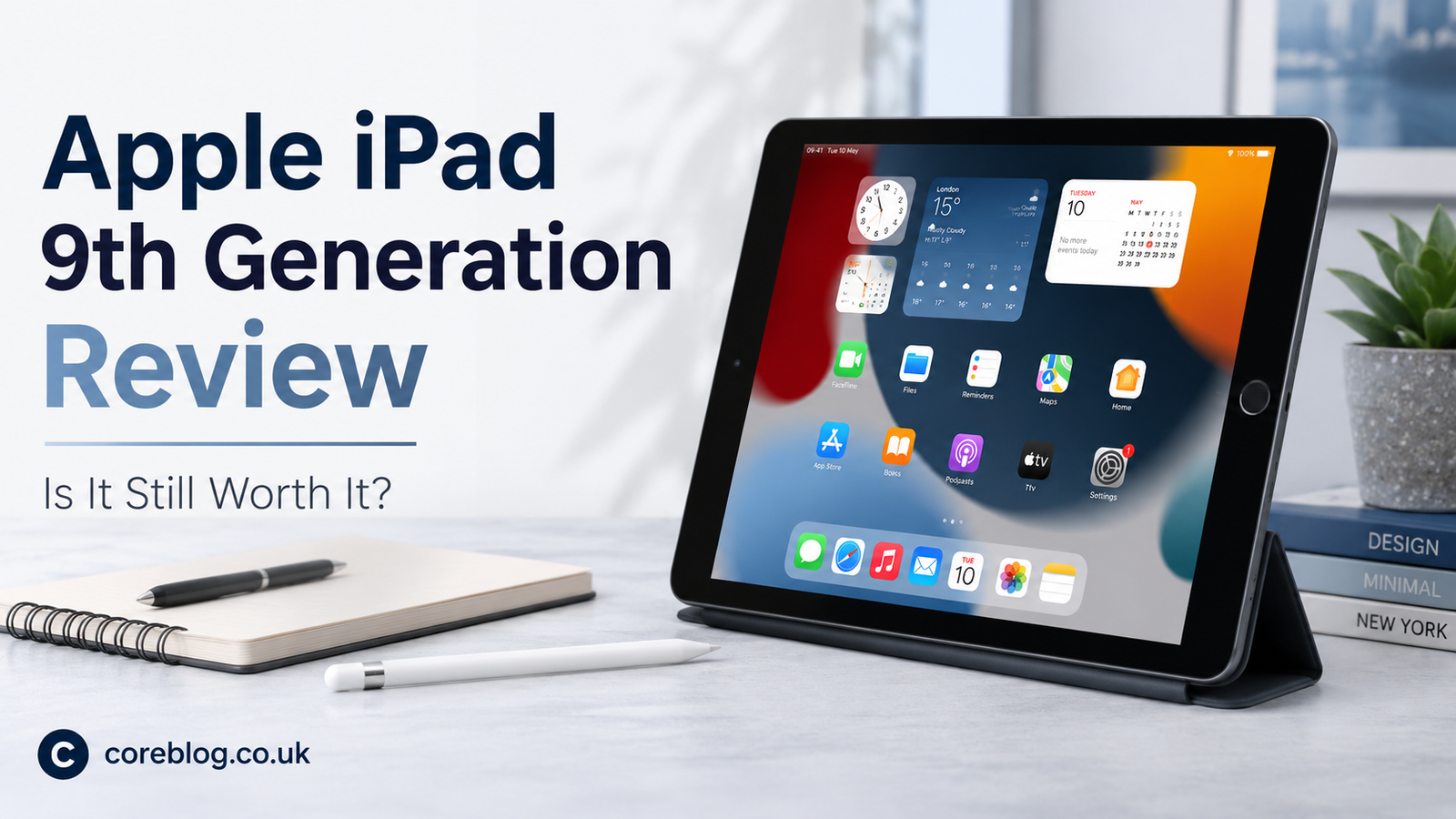
Apple iPad 9th Generation Review: Is It Still Worth It?
A Simple iPad That Still Makes Sense
Buying a tablet can feel confusing today. There are shiny new models, bigger screens, faster chips, and prices that sometimes make you pause before clicking “buy.” Yet, in the middle of all that noise, the Apple iPad 9th Generation still has a strange kind of charm.
It is not the newest iPad. It is not the thinnest. It does not have the flashiest design. Still, many people continue to search for it because it does the basics very well. And honestly, that matters more than many brands like to admit.
The Apple iPad 9th Generation is the kind of tablet you buy when you want a reliable screen for studying, browsing, watching videos, taking notes, joining video calls, reading, and doing light work without spending too much. It feels familiar, simple, and practical. For students, families, casual users, and even small business owners, that can be enough.
So, is the Apple iPad 9th Generation still worth it? The answer depends on what you expect from a tablet. In this honest review, we will look at its design, display, performance, battery life, cameras, accessories, pros, cons, and real value.
Apple iPad 9th Generation at a Glance
Before going deep, here is a quick overview of what this tablet offers.
| Feature | Apple iPad 9th Generation |
|---|---|
| Display | 10.2-inch Retina display |
| Chip | A13 Bionic chip |
| Storage Options | 64GB and 256GB |
| Front Camera | 12MP Ultra Wide camera |
| Rear Camera | 8MP Wide camera |
| Battery Life | Up to around 10 hours |
| Pencil Support | Apple Pencil 1st Generation |
| Keyboard Support | Smart Keyboard |
| Security | Touch ID |
| Port | Lightning connector |
| Best For | Students, families, reading, streaming, light work |
This table tells the story clearly. The Apple iPad 9th Generation is not built to replace a powerful laptop, but it is strong enough for everyday tasks.
Design: Classic, Familiar, and Practical
The first thing you notice about the Apple iPad 9th Generation is its traditional design. It has thick bezels, a physical Home button, and a familiar body that longtime iPad users will recognize right away.
Some people may call the design old-fashioned. That is fair. Modern iPads look sleeker with thinner borders and sharper edges. However, this classic design still has benefits.
The Home button with Touch ID is easy to use. You press it, unlock the device, and get started. There is no learning curve. For children, older users, and anyone who prefers simple controls, this design is actually a plus.
The tablet also feels solid in the hand. It is not too heavy, yet it feels strong enough for daily use. You can carry it in a backpack, use it on the sofa, place it on a desk, or hand it to a child for learning apps.
The Apple iPad has always been known for build quality, and this model continues that tradition. It may not look futuristic, but it feels dependable.
Display Quality: Good Enough for Daily Use
The Apple iPad 9th Generation comes with a 10.2-inch Retina display. For reading articles, watching YouTube, browsing websites, viewing photos, writing notes, and attending online classes, the screen looks sharp and pleasant.
Colors are clear, text is easy to read, and the size feels comfortable. It is big enough for split-screen use but still small enough to carry around.
The display also supports True Tone, which adjusts the color temperature based on your surroundings. This makes the screen easier on the eyes, especially when reading at night or using it in indoor lighting.
However, the screen is not fully laminated. That means there is a small gap between the glass and the display panel. If you are only watching videos or browsing the web, you may not notice it much. But if you draw with the Apple Pencil, you might feel the difference compared to more premium iPads.
Still, for the price and purpose, the display is more than acceptable. The Apple iPad 9th Generation gives you a clean and enjoyable viewing experience without trying too hard.
Performance: The A13 Bionic Still Holds Up
Performance is one of the strongest reasons why the Apple iPad 9th Generation remains popular. It uses the A13 Bionic chip, which is still capable for everyday use.
Apps open quickly. Browsing feels smooth. Streaming works without trouble. You can take notes, edit documents, watch lectures, check emails, use social media, and run learning apps with ease.
For students, this is important. A tablet should not slow down during online classes or while switching between apps. The Apple iPad handles those normal tasks well.
You can also play many games on it. Casual games run smoothly, and even some heavier titles perform decently with adjusted settings. Of course, if gaming is your main goal, newer iPads with stronger chips will be better. But for casual entertainment, this model is still enjoyable.
The Apple iPad 9th Generation is not made for heavy video editing, professional design work, or advanced 3D tasks. But for normal daily use, it feels fast enough.
Software Experience: iPadOS Makes It More Useful
A big reason people trust the Apple iPad is the software experience. iPadOS is clean, smooth, and easy to understand. It gives the tablet more flexibility than a basic media device.
You can use multitasking features, split-screen mode, drag and drop, widgets, Notes, Files, Safari, FaceTime, and many productivity apps. In addition, the App Store has a huge range of apps for education, business, creativity, entertainment, and personal planning.
For a student, the Apple iPad can become a digital notebook. For a parent, it can become a safe learning screen for kids. For a freelancer, it can become a light work tool for emails, documents, and client calls.
This is where the iPad feels more polished than many budget tablets. The hardware may be older, but the software experience still feels smooth and refined.
Battery Life: Reliable for a Full Day of Light Use
Battery life is another area where the Apple iPad 9th Generation performs well. It can last around 10 hours depending on how you use it.
If you mostly browse, read, watch videos, take notes, and attend a few online meetings, it can easily get through a normal day. Heavy gaming, long video calls, and high brightness will drain it faster, but that is true for almost every tablet.
For students, battery life matters a lot. You do not want to carry a charger everywhere. The Apple iPad gives enough confidence for school, college, travel, or relaxed home use.
Charging is not the fastest, especially because it still uses the Lightning port. Newer iPads use USB-C, which is more convenient. Still, for many users, this will not be a deal-breaker.
Camera and Video Calls: Better Than Expected
Tablets are not usually bought for photography. Most people use their phones for serious photos. Still, the Apple iPad 9th Generation has a useful camera setup.
The rear 8MP camera is fine for scanning documents, taking quick photos, or capturing basic images. It is not amazing, but it does the job.
The front camera is more interesting. It has a 12MP Ultra Wide camera and supports Center Stage. This feature keeps you centered during video calls, even if you move a little. For online classes, Zoom meetings, FaceTime calls, and family chats, this is a helpful feature.
In real life, this makes the Apple iPad feel more modern than its design suggests. Video calls look clearer, and the wider camera helps when more than one person is in the frame.
Apple Pencil Support: Great for Notes and Learning
The Apple iPad 9th Generation supports the Apple Pencil 1st Generation. This is a big advantage for students, teachers, artists, and anyone who likes handwritten notes.
You can write notes, mark PDFs, sketch ideas, solve math problems, highlight documents, and create simple drawings. Apps like Notes, GoodNotes, Notability, Procreate, and OneNote work well on this device.
However, there is one small annoyance. The Apple Pencil 1st Generation charges through the Lightning connector, which can feel awkward. Also, because the display is not fully laminated, writing does not feel as close to paper as it does on premium iPad models.
Even then, for note-taking and study use, the experience is strong. If your goal is digital learning, the Apple iPad 9th Generation is still a smart pick.
Keyboard Support: Useful for Light Work
The Apple iPad 9th Generation also supports the Smart Keyboard. This makes it more useful for typing documents, emails, blog drafts, school assignments, and notes.
It will not replace a laptop for everyone. The screen is smaller, multitasking is limited compared to a desktop, and some professional software is not available. However, for light writing and basic office tasks, it works nicely.
If you are a student, blogger, or business owner who needs a portable typing setup, this Apple iPad can serve as a simple productivity tool.
Storage: Choose Carefully
The Apple iPad 9th Generation comes in 64GB and 256GB storage options. This choice matters more than many buyers think.
The 64GB version is fine if you mostly stream videos, browse online, use cloud storage, take notes, and install a moderate number of apps. It is the better budget option.
The 256GB version is better if you download movies, store many photos, keep large files, install many games, or use the tablet for school and work over several years.
There is no memory card slot, so you cannot expand storage later. That means you should choose based on your long-term needs, not just today’s price.
Who Should Buy the Apple iPad 9th Generation?
The Apple iPad 9th Generation is still a good choice for many people, especially if the price is right.
It is a good fit for:
- Students who need a tablet for notes, classes, and study apps
- Parents who want a reliable tablet for children
- Casual users who browse, stream, and read
- Older users who prefer a Home button and simple controls
- Buyers who want an affordable entry into the Apple ecosystem
- Light workers who handle emails, documents, and video calls
- Travelers who want a portable entertainment device
This Apple iPad works best when your needs are simple and practical.
Who Should Skip It?
The Apple iPad 9th Generation is not for everyone. You may want a newer model if you care about modern design, USB-C, better speakers, stronger performance, or a laminated display.
You may want to skip it if:
- You need a tablet for professional video editing
- You want the newest iPad design
- You prefer USB-C over Lightning
- You need advanced drawing performance
- You want Face ID
- You need laptop-level multitasking
- You want the best gaming performance
In short, this Apple iPad is excellent for basics but not ideal for power users.
Pros and Cons of Apple iPad 9th Generation
Here is a simple breakdown.
| Pros | Cons |
|---|---|
| Reliable A13 Bionic performance | Older design with thick bezels |
| Sharp 10.2-inch Retina display | Lightning port instead of USB-C |
| Good battery life | Display is not fully laminated |
| Supports Apple Pencil | Apple Pencil charging feels awkward |
| Great for students and families | Not ideal for heavy creative work |
| Touch ID is simple and fast | Base storage may feel limited |
| Strong app support | Speakers are not as rich as newer models |
This balance shows why the Apple iPad 9th Generation still makes sense, but only for the right buyer.
Apple iPad 9th Generation for Students
For students, this tablet is one of the most practical choices. It is easy to carry, supports note-taking, runs education apps, and works well for online classes.
You can use it to:
- Take handwritten notes
- Read textbooks
- Attend video lectures
- Make presentations
- Store PDFs
- Practice quizzes
- Watch tutorials
- Manage schedules
- Type assignments with a keyboard
The Apple iPad also works well with cloud services, so students can keep files synced across devices. Moreover, its battery life makes it suitable for school or college use.
If a student does not need a full laptop, this tablet can cover many daily tasks.
Apple iPad 9th Generation for Entertainment
As an entertainment device, the Apple iPad 9th Generation is easy to love. The screen is large enough for movies and shows, the speakers are decent, and the battery lasts long enough for relaxed viewing.
You can stream Netflix, YouTube, Disney+, Apple TV, and other platforms. You can also read ebooks, browse social media, play games, or listen to music.
The 3.5mm headphone jack is another useful feature. Many newer devices have removed it, but this Apple iPad keeps it. That is helpful for people who still use wired headphones.
For family entertainment, it is simple, stable, and dependable.
Apple iPad 9th Generation for Work
For work, the Apple iPad 9th Generation is best for light tasks. It can handle emails, notes, spreadsheets, video calls, calendars, task management, and writing.
It is not the best choice for advanced business tasks, coding, large design projects, or heavy editing. However, for quick work on the go, it is useful.
A small business owner can use it for invoices, product photos, customer messages, online meetings, and social media management. A writer can use it for drafts and research. A teacher can use it for lesson notes and presentations.
The key is to see it as a flexible helper, not a full computer replacement.
Is the Apple iPad 9th Generation Still Worth It?
Yes, the Apple iPad 9th Generation is still worth it for the right person. If you find it at a good price, it offers strong value for everyday use.
It has a good display, reliable performance, long battery life, Apple Pencil support, keyboard support, and a smooth iPadOS experience. That combination is still useful.
However, it is not the best choice if you want the latest design or advanced features. Newer models offer USB-C, thinner bezels, better displays, and faster chips. But they usually cost more.
So, the real question is not whether the Apple iPad 9th Generation is the best iPad. It is not. The real question is whether it gives enough value for your needs. For many people, the answer is yes.
Buying Tips Before You Choose
Before buying the Apple iPad 9th Generation, keep these tips in mind:
- Choose 256GB if you plan to keep many files or apps
- Choose 64GB only if your use is light
- Check battery health if buying used or refurbished
- Make sure the screen has no major scratches
- Test Touch ID before buying second-hand
- Confirm that the charger and cable work
- Buy the Apple Pencil only if you will actually use notes or drawing apps
- Compare the price with newer iPad models before deciding
A low price can make this tablet a great deal. But if the price is close to a newer iPad, it may be smarter to upgrade.
Final Verdict
The Apple iPad 9th Generation is not trying to be flashy. It is not made for people who want the newest design or the most powerful chip. Instead, it is made for users who want a dependable tablet that handles everyday life without drama.
And that is exactly why it still matters.
For students, families, casual users, and budget-conscious buyers, the Apple iPad remains a smart and practical option. It is fast enough, simple enough, and useful enough for the things most people actually do every day.
If you want a tablet for notes, videos, browsing, reading, online classes, light work, and entertainment, the Apple iPad 9th Generation can still be worth buying. Just make sure the price is right and the storage fits your needs.
In the end, this Apple iPad proves that a device does not have to be brand-new to be valuable. Sometimes, the best tech purchase is the one that quietly does its job well.
What do you think? Would you still buy the Apple iPad 9th Generation today, or would you spend more on a newer model? Share your thoughts and help other buyers make the right choice.












Leave a Reply