

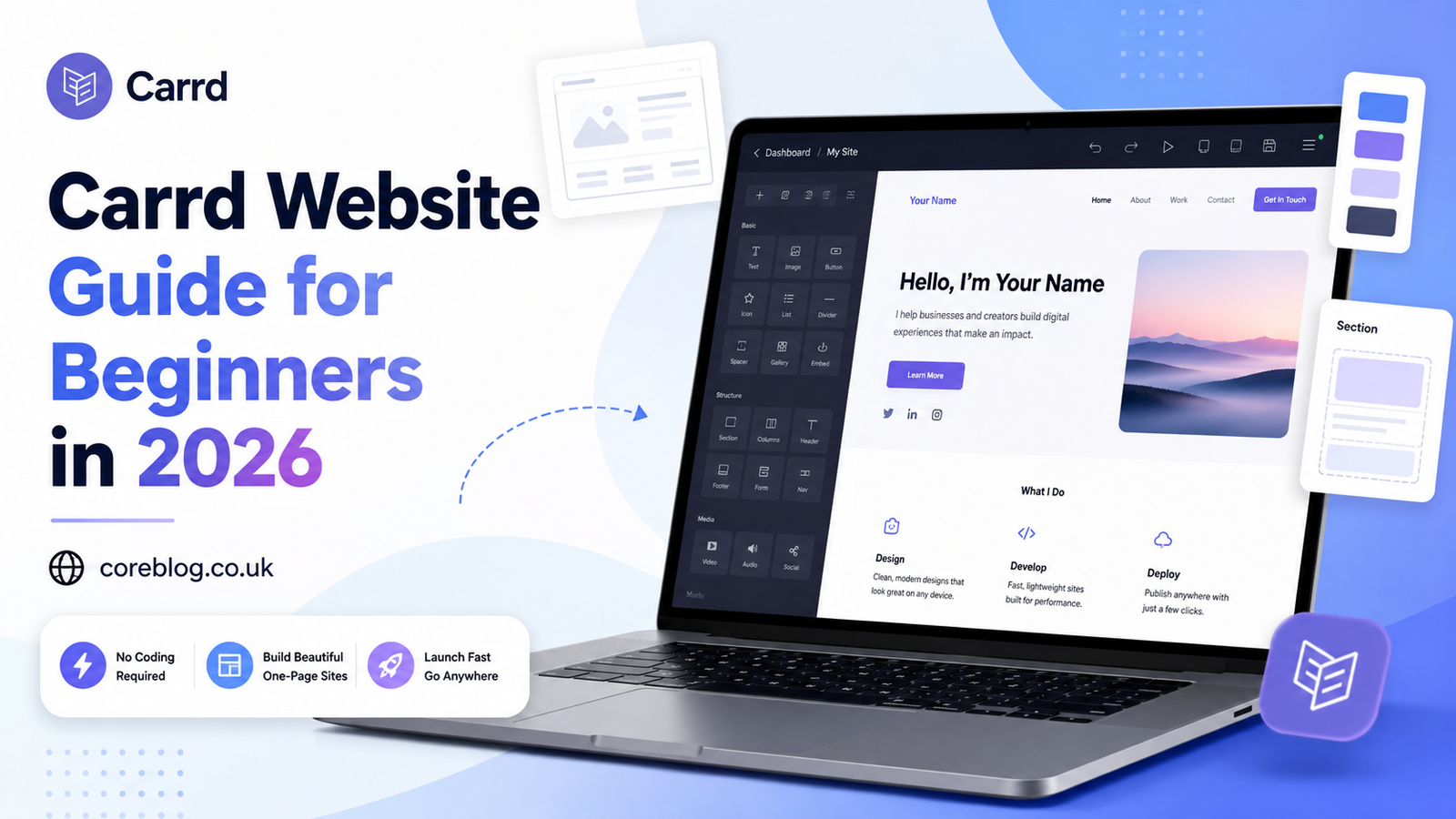
Carrd Website Guide for Beginners in 2026
Why a Carrd Website Still Makes Sense in 2026
Starting a website used to feel like a big technical job. You needed hosting, themes, plugins, design skills, and sometimes a developer who spoke in code you did not understand. Today, things are different. If you want a clean online presence without spending weeks building it, a Carrd Website can be one of the easiest ways to get started.
Carrd is simple, fast, and beginner-friendly. That is the main reason people love it. You can use it for a personal profile, portfolio, landing page, link-in-bio page, product page, newsletter signup page, freelancer website, event page, or a small business homepage. It does not try to be everything. Instead, it focuses on doing one thing well: helping you build a beautiful one-page website.
In 2026, attention is short. People do not always want to click through ten pages to understand who you are or what you offer. They want quick answers. Who are you? What do you do? Why should they trust you? What should they do next? A well-built Carrd Website answers these questions in a smooth, simple way.
This guide is written for beginners. No confusing tech talk. No complicated theory. Just practical advice, real examples, and smart steps to help you create a Carrd Website that looks professional, loads fast, and supports your goals.
What Is a Carrd Website?
A Carrd Website is usually a one-page website built with Carrd, a no-code website builder. That means you do not need to write code to create your page. You can choose a template, edit text, upload images, add buttons, create sections, connect forms, and publish your site.
The beauty of a Carrd Website is its simplicity. You are not building a huge website with hundreds of pages. You are building a focused online page that sends visitors toward one clear action.
That action might be:
- Contacting you
- Buying a product
- Joining your email list
- Booking a call
- Viewing your portfolio
- Reading your services
- Following your social profiles
- Downloading a resource
A Carrd Website works best when the message is clear. Instead of trying to say everything, it says the right things in the right order.
Why Beginners Choose Carrd in 2026
There are many website builders out there. Some are powerful, some are expensive, and some are honestly too complicated for beginners. Carrd stands out because it keeps things light.
It Is Easy to Use
You do not need to understand web development, CSS, hosting dashboards, or backend systems. Carrd gives you a visual editor where you can add and edit elements directly. For beginners, that makes the whole process less scary.
It Is Budget-Friendly
A Carrd Website can be started for free, which is helpful if you are testing an idea. If you want more professional features like custom domains or forms, you can upgrade to a paid plan. Still, Carrd is known for being affordable compared to many other website builders.
It Looks Modern
Carrd templates are clean and mobile-friendly. That matters because most people now browse from phones. A page that looks broken on mobile can damage trust quickly. With Carrd, responsive design is part of the experience.
It Is Fast to Launch
You can build a simple Carrd Website in a short time if your content is ready. This is perfect for creators, freelancers, coaches, small brands, students, consultants, startups, and anyone who needs a quick but polished web presence.
Who Should Use a Carrd Website?
A Carrd Website is not right for every project, but it is excellent for many simple online needs.
Freelancers
If you are a writer, designer, developer, editor, marketer, photographer, or consultant, Carrd can help you create a simple portfolio. You can show your services, add testimonials, list your skills, and include a contact button.
Creators and Influencers
Creators can use Carrd as a link-in-bio page, media kit, newsletter signup page, or personal brand hub. Instead of sending people to a messy list of links, you can guide them through a clean page.
Small Businesses
A local service business can use a Carrd Website to explain its offer, show opening hours, add a map, display reviews, and encourage calls or bookings. For simple businesses, one page is often enough.
Startups and Product Makers
If you are testing a product idea, Carrd is useful for a landing page. You can explain the problem, present the solution, add product screenshots, collect emails, and measure interest before building something bigger.
Job Seekers
A Carrd Website can work like a digital resume. You can include your experience, skills, projects, LinkedIn profile, downloadable CV, and contact details.
Carrd Website vs Traditional Website
A traditional website often has multiple pages: homepage, about page, service pages, blog, contact page, and more. A Carrd Website usually keeps everything on one page.
Here is a simple comparison:
| Feature | Carrd Website | Traditional Website |
|---|---|---|
| Best for | Simple pages, portfolios, landing pages | Larger brands, blogs, stores |
| Skill level | Beginner-friendly | Can be more complex |
| Build time | Fast | Medium to long |
| Cost | Usually low | Can be higher |
| SEO potential | Good for focused pages | Better for large content strategy |
| Maintenance | Easy | Often needs more updates |
| Content size | Short and focused | Large and detailed |
If your goal is to publish many blog posts, build a large online store, or create a deep content hub, Carrd may feel limited. However, if you want one clear, professional page, a Carrd Website is a smart choice.
How to Plan Your Carrd Website Before Building
Many beginners jump straight into design. That is normal, but it can create problems. A good website starts with a clear plan.
Before opening Carrd, answer these questions:
- What is the main goal of this website?
- Who is the page for?
- What problem does the visitor have?
- What action should they take?
- What proof can I show to build trust?
- What information must be included?
- What can be removed?
A Carrd Website works best when it is focused. Do not add every detail about your life, business, or product. Add what helps the visitor understand, trust, and act.
Best Structure for a Beginner Carrd Website
A strong Carrd Website usually follows a simple flow. Think of it like a short conversation with your visitor.
1. Hero Section
This is the top part of your page. It should instantly explain what you offer.
A good hero section includes:
- A clear headline
- A short supporting sentence
- A strong call-to-action button
- A relevant image, icon, or visual
Example headline:
“Simple Website Design for Coaches and Freelancers”
Example subtext:
“I create clean one-page websites that help you look professional and get more leads.”
2. About Section
The about section should not be too long. Keep it human. Tell people who you are, what you do, and why they can trust you.
3. Services or Features Section
If you sell services, list your main offers. If you promote a product, explain the main benefits. Use short bullet points so readers can scan quickly.
4. Proof Section
Trust is important. Add testimonials, client names, project results, reviews, logos, or screenshots if you have them. If you are new, you can add personal experience, sample work, or a clear promise.
5. Call-to-Action Section
Every Carrd Website needs a clear next step. Do not make people guess.
Your call-to-action could be:
- “Book a Free Call”
- “Join the Waitlist”
- “View My Work”
- “Download the Guide”
- “Contact Me”
- “Start Your Project”
6. Contact Section
Make it easy for people to reach you. You can add an email button, social links, contact form, or booking link.
Carrd Website Design Tips for Beginners
Design does not need to be fancy. In fact, simple design often converts better. The goal is not to impress other designers. The goal is to make visitors understand your message quickly.
Keep the Layout Clean
Use enough white space. Do not squeeze text, images, buttons, and icons too close together. A clean layout makes your Carrd Website feel more premium.
Choose Two Fonts at Most
Too many fonts make a page look messy. Use one font for headings and one for body text, or keep one font throughout the whole page.
Use Strong Contrast
Your text should be easy to read. Avoid light gray text on a white background or bright colors that hurt the eyes. Readability matters more than decoration.
Make Buttons Obvious
Your main button should stand out. Use clear action words. Instead of “Submit,” write “Get My Free Guide” or “Book a Call.”
Use Real Images When Possible
Stock images can work, but real images often feel more trustworthy. If you are building a personal Carrd Website, consider adding a professional photo. If you are building a product page, use product screenshots or mockups.
SEO Tips for a Carrd Website
A Carrd Website can be SEO-friendly, but you need to set it up carefully. Since Carrd is usually one page, you do not have endless opportunities to rank through many articles. That means your page needs clear targeting.
Use the Main Keyword Naturally
If your target keyword is “Carrd Website,” place it naturally in the title, introduction, headings, and body text. Do not repeat it awkwardly. Google is smarter now. It understands natural language.
Write a Strong Page Title
Your page title should describe the page clearly. Keep it short, specific, and useful.
Example:
“Carrd Website Design for Freelancers”
Add a Meta Description
The meta description should make people want to click. Keep it under 155 characters when possible. Mention the main benefit.
Use Proper Headings
Use headings to organize your content. Your H1 should be the main title. H2 headings should cover major sections. H3 and H4 headings can support details.
Optimize Images
Large images can slow your page. Compress images before uploading them. Also, use descriptive file names when possible.
Example:
Instead of “image123.jpg,” use “carrd-website-portfolio-example.jpg.”
Add Internal and External Relevance Carefully
If you own other pages, you can connect them where useful. However, do not overload your Carrd Website with unnecessary links. Keep the visitor focused.
Make Your Content Helpful
SEO is not only about keywords. Your page should answer real questions. If visitors stay, read, click, and take action, that sends better quality signals.
What to Include on a Carrd Website
Beginners often ask, “What should I actually put on the page?” Here is a simple checklist.
| Section | Purpose |
|---|---|
| Headline | Explains what the page is about |
| Subheadline | Adds context and value |
| CTA button | Guides the next action |
| About text | Builds personal or brand trust |
| Services/features | Shows what you offer |
| Benefits | Explains why it matters |
| Testimonials | Adds social proof |
| Contact form | Makes communication easy |
| Social links | Builds credibility |
| Footer | Adds basic info and navigation |
You do not need every section, but you should include enough to answer the visitor’s main questions.
Common Carrd Website Mistakes to Avoid
Carrd is simple, but beginners can still make mistakes. The good news is that most of them are easy to fix.
Mistake 1: No Clear Goal
If your page has five different goals, visitors may do nothing. Choose one main goal and build around it.
Mistake 2: Too Much Text
A Carrd Website is not a book. Keep paragraphs short. Use simple words. Make the page easy to scan.
Mistake 3: Weak Headline
Your headline is the first thing people read. If it is vague, they may leave. Be clear before you try to be clever.
Mistake 4: Poor Mobile Design
Always preview your page on mobile. Buttons, images, spacing, and text size should feel natural on a phone.
Mistake 5: Missing Trust Signals
People need a reason to believe you. Add testimonials, examples, experience, case studies, or clear proof.
Mistake 6: Hidden Contact Details
If someone wants to contact you, do not make them hunt. Add a visible button or form.
Carrd Website Ideas You Can Build in 2026
Need inspiration? Here are practical ideas that work well with Carrd.
Personal Portfolio
Show your best work, skills, short bio, and contact button. This is great for designers, writers, marketers, and developers.
Link-in-Bio Page
Create a branded page for your social media audience. Add your latest content, products, newsletter, and important links.
Product Landing Page
Promote one product with benefits, screenshots, pricing, FAQs, and a buy button.
Newsletter Signup Page
Explain why people should join your email list. Offer a free resource, weekly tips, or exclusive updates.
Event Page
Share event details, date, location, speaker info, agenda, and registration button.
Freelancer Service Page
List your services, process, pricing range, testimonials, and contact form.
Digital Resume
Build a clean resume page with work history, education, skills, achievements, and downloadable CV.
How to Make Your Carrd Website Look Professional
Professional design is often about removing clutter. You do not need complex animations or flashy effects. You need clarity.
Use a Consistent Color Palette
Choose two or three colors and stick with them. For example, use one main brand color, one background color, and one accent color.
Write Like a Real Person
Your copy should sound warm and clear. Avoid stiff business language. Instead of saying, “We provide comprehensive digital solutions,” say, “I help small businesses build simple websites that bring in leads.”
Add Social Proof Early
If you have a strong testimonial or result, do not hide it at the bottom. Place it where visitors can see it.
Use Visual Hierarchy
Make important text bigger. Keep supporting text smaller. Use spacing to guide the eye.
Avoid Too Many Animations
Animations can look nice, but too many can feel distracting. Keep movement subtle.
Carrd Website Copywriting Tips
The words on your page matter as much as the design. Good copy makes visitors feel understood.
Start With the Visitor’s Problem
Do not begin only by talking about yourself. Start with what the visitor wants.
Example:
“Need a clean website without the stress of a full web design project?”
This speaks directly to the reader.
Focus on Benefits
Features tell people what something is. Benefits tell them why it matters.
Feature:
“One-page website design.”
Benefit:
“Launch a simple site quickly so clients can find and trust you.”
Use Clear Calls to Action
A vague CTA can reduce clicks. Be specific.
Better options include:
- “Book Your Free Consultation”
- “See My Portfolio”
- “Start Your Website”
- “Join the Newsletter”
- “Get the Free Checklist”
Keep Sentences Short
Short sentences improve readability. Mix them with longer ones when needed, but do not make your copy heavy.
Should You Use a Custom Domain?
If you want your Carrd Website to look professional, a custom domain is usually worth it. A custom domain makes your page easier to remember and better for branding.
For example, a custom domain looks cleaner than a free subdomain. It also gives visitors more confidence, especially if you are selling services or collecting leads.
A custom domain is useful for:
- Freelancers
- Agencies
- Personal brands
- Local businesses
- Product pages
- Paid ads
- Email marketing campaigns
If you are only testing an idea, you can start simple. However, once you are serious, a custom domain is a smart move.
Carrd Website for Lead Generation
A Carrd Website can be a strong lead generation tool when built correctly. The key is to remove distractions and guide visitors toward one action.
Add a Simple Offer
People are more likely to share their email when they get something valuable. You can offer:
- A checklist
- A mini guide
- A free consultation
- A discount
- A template
- A resource list
Keep the Form Short
Do not ask for too much information. Name and email are often enough. If you need more details, ask only what matters.
Place CTAs Throughout the Page
Add a button near the top, middle, and bottom. This helps visitors act when they are ready.
Explain What Happens Next
If someone fills out a form, tell them what to expect. For example, “I’ll reply within 24 hours” feels more reassuring than silence.
Carrd Website for Small Business Branding
A small business does not always need a huge website on day one. Sometimes, a simple Carrd Website is enough to create a professional first impression.
Your page can include:
- Business name
- Short brand story
- Services
- Service area
- Customer reviews
- Opening hours
- Contact details
- Booking button
- Social media links
For local businesses, clarity matters. People want to know what you do, where you are, and how to contact you. Do not hide the basics.
Is Carrd Good for Blogging?
Carrd is not mainly built for blogging. If your goal is to publish many blog posts, you may want a platform designed for content publishing. However, you can still use a Carrd Website as a front page for your blog, newsletter, or content hub.
For example, you can use Carrd to introduce your brand and then send readers to your main blog, newsletter archive, or social channels.
In simple words, Carrd is great for landing pages, portfolios, and profiles. It is less ideal for large blogs with many categories and posts.
Carrd Website Checklist Before You Launch
Before publishing your Carrd Website, review this checklist:
- Is the headline clear?
- Does the page explain who it is for?
- Is the main call-to-action easy to find?
- Does the page look good on mobile?
- Are images compressed?
- Is the text easy to read?
- Are buttons working?
- Is the contact form tested?
- Is the spelling correct?
- Does the page load quickly?
- Is your branding consistent?
- Does the page feel trustworthy?
A few extra minutes of checking can save you from mistakes that hurt conversions.
How to Improve Your Carrd Website After Launch
Publishing your page is not the end. It is the beginning. Once your Carrd Website is live, pay attention to how people use it.
You can improve your page by:
- Testing different headlines
- Updating testimonials
- Improving your CTA text
- Replacing weak images
- Shortening long sections
- Adding better proof
- Making the offer clearer
- Checking mobile performance
- Refreshing content every few months
Small changes can make a big difference. Sometimes one better headline or button can increase clicks noticeably.
Carrd Website Best Practices for 2026
The internet keeps changing, but some principles stay strong. In 2026, users want speed, trust, simplicity, and clear value.
Follow these best practices:
Be Clear Before Being Creative
Creative design is nice, but clarity wins. If people do not understand your page in five seconds, they may leave.
Build for Mobile First
Most visitors will likely see your page on a phone. Design with mobile users in mind from the start.
Make Trust Visible
Add real proof wherever possible. This can include testimonials, project examples, experience, certifications, or client results.
Keep the Page Focused
A focused Carrd Website performs better than a crowded one. One page, one message, one main action.
Update Your Page Regularly
An outdated page can make your brand look inactive. Refresh your copy, offers, images, and testimonials when needed.
Final Thoughts: Is a Carrd Website Worth It?
A Carrd Website is worth it if you want a simple, clean, and affordable way to build an online presence. It is especially useful for beginners who do not want to deal with complex website systems. You can create a professional page, share your message, collect leads, and build trust without getting lost in technical details.
Of course, Carrd is not perfect for every project. If you need a large blog, advanced e-commerce store, or complex membership site, you may need something more powerful. However, for portfolios, landing pages, link-in-bio pages, product pages, service pages, and personal brand websites, Carrd is a strong choice.
The best Carrd Website is not the one with the most effects or the most sections. It is the one that helps visitors understand your value and take action. Keep it simple. Keep it honest. Keep it focused.
If you are starting fresh in 2026, do not overthink it. Plan your message, choose a clean template, write clear copy, add trust signals, and publish. Your first version does not need to be perfect. It just needs to be live, useful, and easy to improve.
Now it is your turn. Build your Carrd Website, test your message, and keep improving it as your brand grows. If this guide helped you, share it with someone who wants a simple website but does not know where to begin.




Leave a Reply